
Seed Finder Mod
Finds seeds for Java and Bedrock in game.
Screenshots
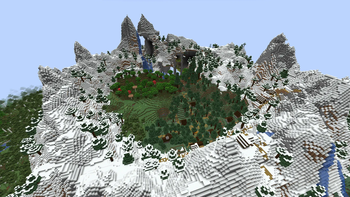
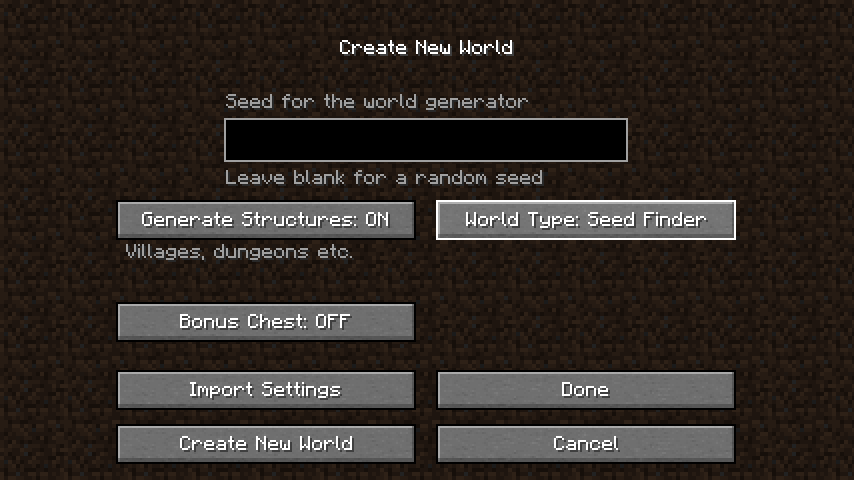
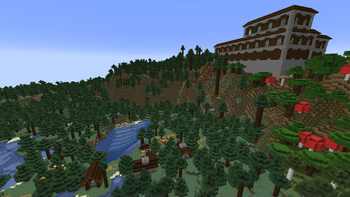
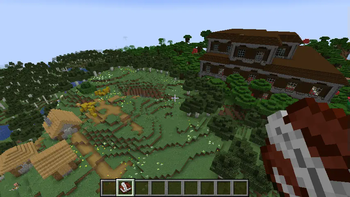
About this Mod
This mod does not find seeds of existing servers, that is seed cracking or seed reversal
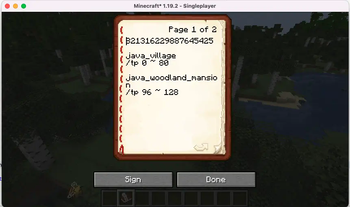
Seed Finder Mod adds a new world type that allows you to specify basic structure and biome criteria. Once a seed that matches that criteria is found a new dimension is added with the overworld of that seed and you are given a "seed book" with details about the seed and criteria. You can then fly around, decide if you like the seed and add any notes to the book. It is recommended to put seeds that you would like to short list in an ender chest. They can be reloaded later by holding the seed book and using the /findseed load command.
Important: Do not use the seed finder world for playing minecraft. Create a new world with the seed you found instead.
Getting Started
After the mod is installed create a new world and select the "Seed Finder" world type in "More options...". You can not, and should not, use an existing world to search for seeds.
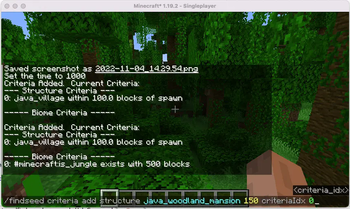
Once the world has been created use some of the /findseed criteria commands to specify which structures and biomes you would like. Start with minimal criteria (eg a village within 100 blocks) you can add criteria later.
After you've set some criteria use /findseed next or /findseed next_bedrock. Once a seed is found you will be placed in the overworld at world spawn. You can simply run the "next" command again to go to the next seed that matches.
Each time you are placed in a world you'll get a book with the seed number and some details. Keep the seeds that you like in an ender chest so you can review them later and decide which one you want to use later.
Search Criteria Examples
Adding criteria for a village start <50 blocks from 0,0:
/findseed criteria add structure java_village 50 spawn
Adding criteria for a woodland mansion <150 blocks from previous structure criteria location:
/findseed criteria add structure java_woodland_mansion 150 criteriaIdx 0
Adding criteria for badlands biome somewhere within 500 blocks
/findseed criteria add biome minecraft:badlands
Adding criteria for 20% jungle (jungle, sparse or bamboo)
/findseed criteria add biome #minecraft:is_jungle 20
Removing criteria
/findseed criteria remove biome 0
/findseed criteria remove structure 1
List current criteria
/findseed criteria list
Clear criteria
/findseed criteria clear
Note: Changing criteria will stop any search in progress.
Running Search
Find next seed that meets the criteria and move the player into that world with java structure locations
/findseed next
Find next seed that meets the criteria and move the player into that world with bedrock structure locations (actual structures will generate differently in bedrock but will be in the same locations)
/findseed next_bedrock
Other Function(s)
Create a new overworld dimension with a specfic seed and move the player into that world. (java structures)
/findseed load 69420
Create or load an overworld dimension for the seed book you are holding in your main hand.
/findseed load
Tips / Notes
Spawn is currently assumed to be 0,0. For some searches spawns far for 0,0 are possible.
It is possible to set impossible criteria, like having an outpost within 100 blocks of a java village. It is recommended that you add criteria gradually to refine the type of seed you want.
If you want an island seed try set large amount of ocean eg:/findseed criteria add biome #minecraft:is_ocean 80
Each time you are teleported into a world you are given a book which contains the seed, the locations of the structures in the search criteria and details about the criteria used in the search. You can use /findseed load while holding one of these books to revisit a world. It is recommended to put seeds on your "short list" by putting them in an ender chest.
You can then reload them later and decide which one you want to use.
Each overworld is saved as a different dimension with the seed number in its name. You can use "Open world folder" in the world edit screen to see all the seeds. These seed_ folders can be deleted to save space.
The reason for requiring the "Seed Finder" world type is to protect people from messing up the worlds they play in. Don't just start playing in the seed finder world. Create a new world with the seed you found.
The seed search starts using the lower 48 bits of the last seed loaded. You can use the load command to change the current seed to anything you want in case you want to start your search at a specific seed
Available Versions
How to Install Seed Finder Mod on Your Server
Order Server
Order a Minecraft Java server with at least 4 GB RAM (6 GB recommended).
Set fabric Loader
In the panel under "Egg", select the fabric loader and matching Minecraft version (1.20.1).
Install Mod
Open the mod browser in the dashboard and search for "Seed Finder Mod". Click "Install" – done! Alternatively, upload the .jar via SFTP to the /mods folder.
Compatibility
Mod Loaders
Minecraft Versions
1.20.1, 1.20, 1.19.2
Server-side
✗ UnsupportedRecommended RAM
6 GB(min. 4 GB)Frequently Asked Questions
Seed Finder Mod server crashes on startup – what to do?
Most common cause: wrong fabric version or insufficient RAM. Check the server log (latest.log) for "OutOfMemoryError" or "Mixin" errors. With Mado Hosting: ensure at least 4 GB RAM is allocated and the loader matches the mod version (1.20.1). You can switch loaders with one click in the panel.
Is Seed Finder Mod compatible with fabric?
Seed Finder Mod officially supports fabric for Minecraft 1.20.1, 1.20, 1.19.2. The Mado dashboard automatically detects incompatible loader combinations.
Server lagging with Seed Finder Mod – how to optimize performance?
Recommended RAM: 6 GB (per 5 players). Use /spark profiler to check if Seed Finder Mod consumes the most tick time. Common fixes: reduce server view-distance to 8-10, install "performant" or "starlight" as supplementary mods on Forge. With Mado Hosting, your server runs on NVMe SSDs with dedicated CPU cores for minimal latency.
Similar Mods




![[ETF] Entity Texture Features](https://cdn.modrinth.com/data/BVzZfTc1/af683d206d50b05258d865b0d6e4aa2f2cee12f2_96.webp)
![[EMF] Entity Model Features](https://cdn.modrinth.com/data/4I1XuqiY/6e5bbd0d06b1741bfdab6c0cfab6de8fdaf0064c_96.webp)
Rent Modded Server
Install Seed Finder Mod with just one click on your server.