
SemperHud
Minimalistic rpg-ish Hud allowing for easier read of information
Screenshots
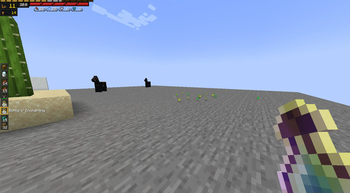


About this Mod
RPG stylized hud that changes how health and other player info is displayed.
Requires:
Current Features:
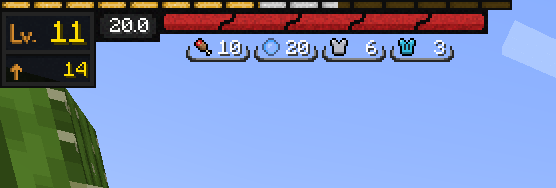
Health Bar
- Always taking same amount of space, showing % of Health
- Animated when depleting
- Changed textures - better clarity when affected by multiple status effects
- Moved to top-left corner
- Added Health Info widget showing current hp value
Exp Bar
- Moved to top-left corenr
- Animated when gaining exp
- Added Exp info widget showing current level and exp needed to for next level
Armor/Food/Air:
- Moved to top-left corner
- Replaced with icon and value
- Also includes armor toughness
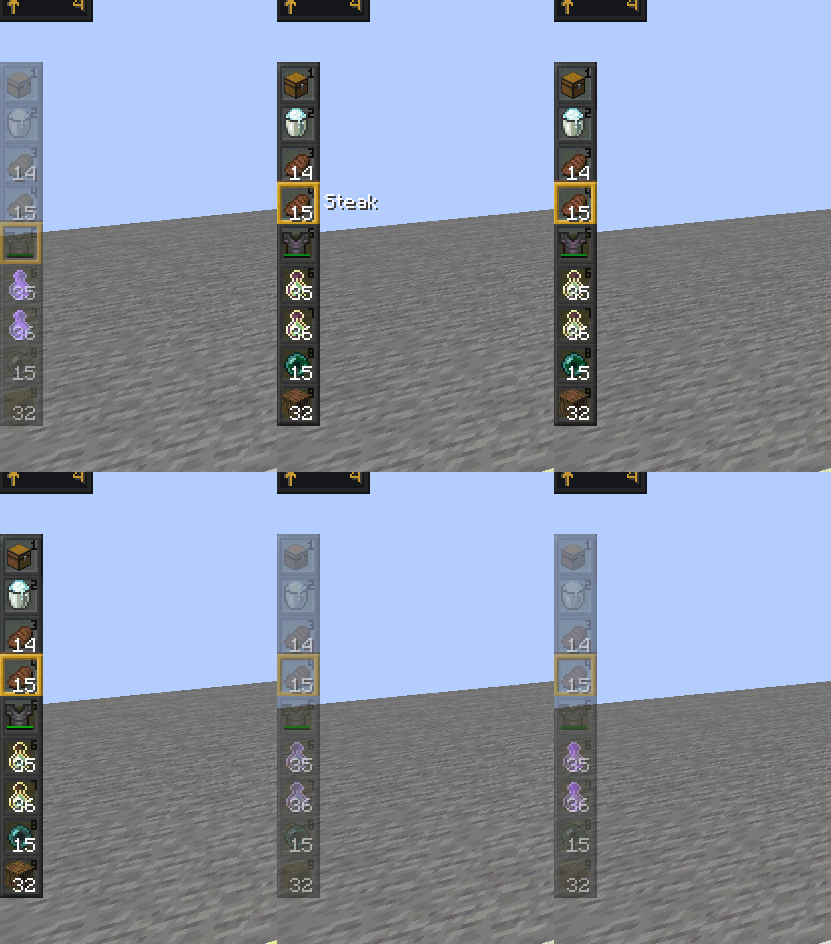
Hot Bar(can be turned off in config):
- Moved to left side of screen
- Retextured
- Fades out after some time passed since selected slot last changed
At the time of uploading this mod is in it's infancy meaning there is prob a lot of conflicts with other mods.
Future plans include:
(SOON TM)
- Resolving mod conflicts
- More configurations
- Make design more modular
- Custom Status Effects display
- Armor Durability display
- Attack Indicator that isn't invisible(?)
- Allowing for custom textures for widgets
- Customize boss bar
- Entity info(Hp bars maybe more)
- Terraria like inventory and crafting
- Bedrock doll when changing armor
Available Versions
How to Install SemperHud on Your Server
Order Server
Order a Minecraft Java server with at least 3 GB RAM (4 GB recommended).
Set fabric Loader
In the panel under "Egg", select the fabric loader and matching Minecraft version (1.19.2).
Install Mod
Open the mod browser in the dashboard and search for "SemperHud". Click "Install" – done! Alternatively, upload the .jar via SFTP to the /mods folder.
Compatibility
Mod Loaders
Minecraft Versions
1.19.2, 1.19.1, 1.19
Server-side
✗ UnsupportedRecommended RAM
4 GB(min. 3 GB)Frequently Asked Questions
SemperHud server crashes on startup – what to do?
Most common cause: wrong fabric version or insufficient RAM. Check the server log (latest.log) for "OutOfMemoryError" or "Mixin" errors. With Mado Hosting: ensure at least 3 GB RAM is allocated and the loader matches the mod version (1.19.2). You can switch loaders with one click in the panel.
Is SemperHud compatible with fabric?
SemperHud officially supports fabric for Minecraft 1.19.2, 1.19.1, 1.19. The Mado dashboard automatically detects incompatible loader combinations.
Server lagging with SemperHud – how to optimize performance?
Recommended RAM: 4 GB (per 8 players). Use /spark profiler to check if SemperHud consumes the most tick time. Common fixes: reduce server view-distance to 8-10, install "performant" or "starlight" as supplementary mods on Forge. With Mado Hosting, your server runs on NVMe SSDs with dedicated CPU cores for minimal latency.
Similar Mods

![[ETF] Entity Texture Features](https://cdn.modrinth.com/data/BVzZfTc1/af683d206d50b05258d865b0d6e4aa2f2cee12f2_96.webp)
![[EMF] Entity Model Features](https://cdn.modrinth.com/data/4I1XuqiY/6e5bbd0d06b1741bfdab6c0cfab6de8fdaf0064c_96.webp)



Rent Modded Server
Install SemperHud with just one click on your server.