
Server Shader Gate & Enforcer
Requires players to use a shader on the server (Iris)
Screenshots


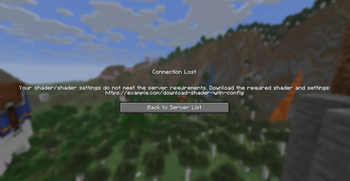

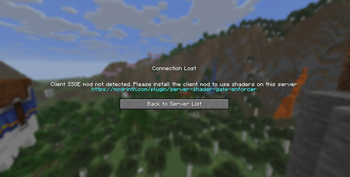
About this Mod
Description
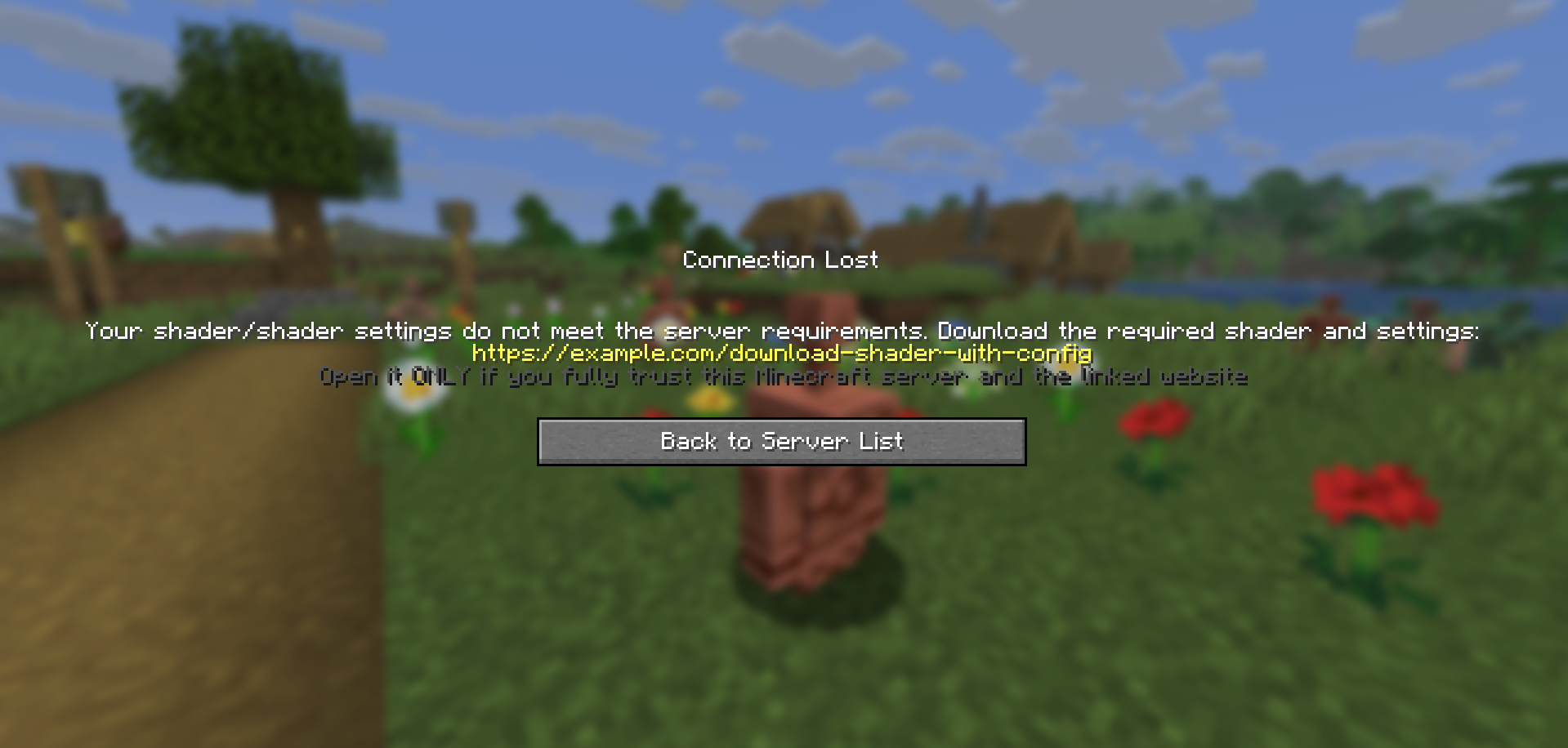
Server Shader Gate & Enforcer (SSGE) – a client-side mod and server-side plugin that requires players to install a shader and use specific shader options to play on the server.
Upon connecting to the server, the SSGE client mod automatically sends its configuration data about the current shader and its settings to the server plugin. The server plugin compares the received data with its own configuration. If the data matches, the player is allowed onto the server. Otherwise, the connection is refused.
The mod requires Iris and Fabric API to work.
Сonfiguration
The configuration file of the mod – ssge_mod.json;
the configuration file of the plugin for the server – ssge.yml
ssge_mod.json
{
  "shaderFile": "",
  "shaderOptions": "",
  "sizeShader": 0,
  "sizeOptions": 0,
  "shaderHash": "",
  "enableShaders": false
}
This configuration is generated automatically when connected to the server and depends on the Iris settings: the switch on/off shader, selected shader file and selected shader settings
shaderFile – shaderpack file
shaderOptions – shader settings file. If the shader uses default settings, this string will be empty because the file does not exist.
sizeShader – shaderpack size in bytes.
sizeOptions – shader settings size in bytes. If the shader uses default settings, this value is 0.
shaderHash - SHA-256 hash of the shader file.
enableShaders – shaders enabled/disabled switch
ssge.yml
require_enabled: true
shader_file: ''
shader_options: ''
size_shader: 0
size_options: 0
shader_hash: ""
require_shader: true
require_options: true
link: https://example.com/download-shader-with-config
exempt_players: []
Generated automatically and must be configured manually to work properly.
require_enabled – shaders enabled/disabled switch.
shader_file – shaderpack file.
shader_options – shader settings file. If the shader uses default settings, this string will be empty because the file will not exist.
size_shader – shaderpack size in bytes.
size_options – shader settings size in bytes. If the shader uses default settings, this value is 0.
shader_hash – SHA-256 hash of the shader file.
require_shader – requires a specific shaderpack.
require_options – requires specific shader settings.
link – your link to download the shader and specific settings.
exempt_players - list of exempt players can play on the server without installing the SSGE client mod or using any shaders (e.g., admins or moderators).
Use /ssge reload to reload the plugin configuration.
Sending and receiving a link
If a player has the client mod installed but their configuration does not match the server’s, the plugin sends them a download link before kicking the player.
The client mod receives the link, saves it to the file ssge_link.txt in the .minecraft/config directory, and automatically opens the file for the user.
ssge_link.txt
You received this file because you tried to join a Minecraft server that requires
a specific shader (or shader settings) that you may not have installed.

Download the shader from the link provided by the server administrator and follow
these instructions unless otherwise noted:
1. Download the shader archive (.zip) and the shader settings (.txt) from the link below.
2. Put both files into your game directory's "shaderpacks" folder.
3. Go to the Iris menu, select and enable this shader from the list, and try logging into the server again.

If the server provides a checksum (SHA-256), verify it against the downloaded shader file.
If you still have any difficulties joining the server, please contact the server administration for help.

!!! WARNING: External link below may be dangerous !!!
Open it ONLY if you fully trust this Minecraft server and the linked website.

Possible risks include:
 - malicious installers, viruses, or trojans that can harm your system
 - phishing pages designed to steal Minecraft, Discord, email or other credentials
 - web scripts that can collect personal or sensitive information
 - stealers that silently extract passwords, tokens, or browser data
 - drive-by or automated downloads that execute without clear consent
 - spoofed or tampered downloads (files different from what they claim)

If unsure — do NOT open the link.

https://example.com/download-shader-with-config
Be careful: the server administrator may provide a malicious link to harm your system or steal your data. Always check the link using online scanners and do not open it if it looks suspicious. If you detect a threat, report the server on the hosting platform or listing website.
When placing a link in the plugin configuration, follow these guidelines:
The link should not be excessively short or long.
The link should be readable and not contain random strings.
Avoid shortened URLs or redirects to third-party resources.
The link must not lead to websites containing malware, scripts, or suspicious content.
If the link leads to a file-sharing service, it should point directly to a
.zipfile or afoldercontaining the shader and settings.If your Minecraft server has its own website, it’s better to create a dedicated download page.
The link should not point to any installer files (
.exe,.msi,.jar, etc.).The website should not require registration, phone numbers, email, or other personal data.
For example
Let's say we want all players on our server to play using thejinxedartist's MC VHS shader.
Then the plugin configuration can be like this:
require_enabled: true              <––
shader_file: 'MCVHSV2.zip'         <––  Required
shader_options: 'MCVHSV2.zip.txt'  <––   values
size_shader: 275232                <––
size_options: 79                   <––
shader_hash: "e59a3d139..."        <––
require_shader: true
require_options: true
link: https://modrinth.com/shader/mc-vhs
exempt_players: ["Admin", "You"]
The mod configuration must match the plugin configuration and be like this:
{
  "shaderFile": "MCVHSV2.zip",
  "shaderOptions": "MCVHSV2.zip.txt",
  "sizeShader": 275232,
  "sizeOptions": 79,
  "shaderHash": "e59a3d139...",
  "enableShaders": true
}
If the player has a different configuration, the server will kick him.
Available Versions
How to Install Server Shader Gate & Enforcer on Your Server
Order Server
Order a Minecraft Java server with at least 3 GB RAM (4 GB recommended).
Set bukkit Loader
In the panel under "Egg", select the bukkit loader and matching Minecraft version (1.21.10).
Install Mod
Open the mod browser in the dashboard and search for "Server Shader Gate & Enforcer". Click "Install" – done! Alternatively, upload the .jar via SFTP to the /mods folder.
Compatibility
Mod Loaders
Minecraft Versions
1.21.10, 1.21.9, 1.21.8 (+2 more)
Server-side
~ OptionalRecommended RAM
4 GB(min. 3 GB)Frequently Asked Questions
Server Shader Gate & Enforcer server crashes on startup – what to do?
Most common cause: wrong bukkit version or insufficient RAM. Check the server log (latest.log) for "OutOfMemoryError" or "Mixin" errors. With Mado Hosting: ensure at least 3 GB RAM is allocated and the loader matches the mod version (1.21.10). You can switch loaders with one click in the panel.
Is Server Shader Gate & Enforcer compatible with bukkit and bungeecord and fabric and folia and paper and spigot and velocity?
Server Shader Gate & Enforcer officially supports bukkit, bungeecord, fabric, folia, paper, spigot, velocity for Minecraft 1.21.10, 1.21.9, 1.21.8. The Mado dashboard automatically detects incompatible loader combinations.
Server lagging with Server Shader Gate & Enforcer – how to optimize performance?
Recommended RAM: 4 GB (per 8 players). Use /spark profiler to check if Server Shader Gate & Enforcer consumes the most tick time. Common fixes: reduce server view-distance to 8-10, install "performant" or "starlight" as supplementary mods on Forge. With Mado Hosting, your server runs on NVMe SSDs with dedicated CPU cores for minimal latency.
Similar Mods




Rent Modded Server
Install Server Shader Gate & Enforcer with just one click on your server.