
Stoneworks HUD chat
An unofficial mod that displays your current selected Stoneworks channel in your HUD.
Screenshots
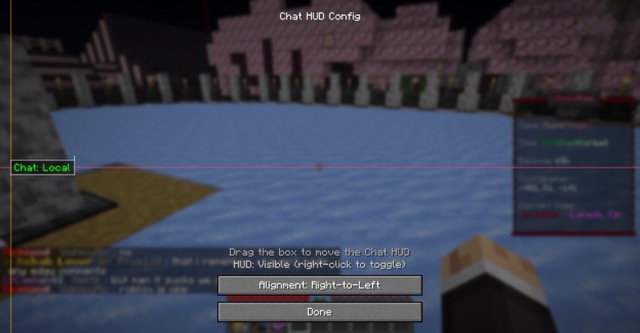

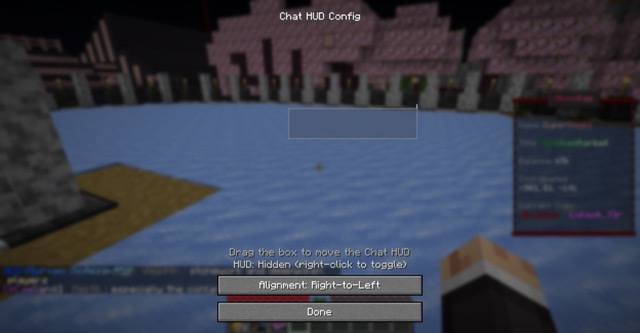

About this Mod
Stoneworks HUD Chat
An unofficial Fabric client mod that displays your currently selected chat channel in your HUD. Designed mainly for Stoneworks but works on other RedisChat-based servers via manual user configuration.
Features
- Current channel shown on-screen with colorized prefix
- In-game HUD config screen: drag to move, resize via handles, snap to edges/center
- Alignment modes: left-to-right, center, right-to-left
- Scale control with clamped min/max for readability
- Visibility toggle keybind
- Auto-detects server channel changes and updates the HUD
- Config persisted to
config/stoneworks_chat.json
Keybinds
- Open HUD Config:
H - Toggle HUD Visibility:
V
You can change keybinds in Minecraft Controls.
Config
Location: config/stoneworks_chat.json
currentChannel: string key of the current channelchannels: map of channel key -> objectdisplay: string shown in the HUD prefixcolor: one ofwhite|green|light_red|cyan|red|yellowaliases: array of strings (e.g., ["/g", "/global"]) used to detect channel switchesuiName: optional UI-friendly name
hudX,hudY: alignment coordinates (depend on alignment mode)textAlign:ltr|center|rtlhudScale: float between 0.75 and 4.0hudVisible: booleanhudAnchorX: optionalLEFT|CENTER|RIGHThudAnchorY: optionalTOP|CENTER|BOTTOMhudOffsetX,hudOffsetY: pixel offsets from the chosen anchorsshowHudTutorial: boolean
Defaults for Stoneworks channels are added automatically if missing.
Available Versions
How to Install Stoneworks HUD chat on Your Server
Order Server
Order a Minecraft Java server with at least 3 GB RAM (4 GB recommended).
Set fabric Loader
In the panel under "Egg", select the fabric loader and matching Minecraft version (1.21.8).
Install Mod
Open the mod browser in the dashboard and search for "Stoneworks HUD chat". Click "Install" – done! Alternatively, upload the .jar via SFTP to the /mods folder.
Compatibility
Mod Loaders
Minecraft Versions
1.21.8, 1.21.5, 1.21.4
Server-side
✗ UnsupportedRecommended RAM
4 GB(min. 3 GB)Frequently Asked Questions
Stoneworks HUD chat server crashes on startup – what to do?
Most common cause: wrong fabric version or insufficient RAM. Check the server log (latest.log) for "OutOfMemoryError" or "Mixin" errors. With Mado Hosting: ensure at least 3 GB RAM is allocated and the loader matches the mod version (1.21.8). You can switch loaders with one click in the panel.
Is Stoneworks HUD chat compatible with fabric?
Stoneworks HUD chat officially supports fabric for Minecraft 1.21.8, 1.21.5, 1.21.4. The Mado dashboard automatically detects incompatible loader combinations.
Server lagging with Stoneworks HUD chat – how to optimize performance?
Recommended RAM: 4 GB (per 8 players). Use /spark profiler to check if Stoneworks HUD chat consumes the most tick time. Common fixes: reduce server view-distance to 8-10, install "performant" or "starlight" as supplementary mods on Forge. With Mado Hosting, your server runs on NVMe SSDs with dedicated CPU cores for minimal latency.
Similar Mods




Rent Modded Server
Install Stoneworks HUD chat with just one click on your server.