
Shinsu
Based on the Webtoon "Tower of God". This mod allows you to control Shinsu to defeat enemies.
Screenshots
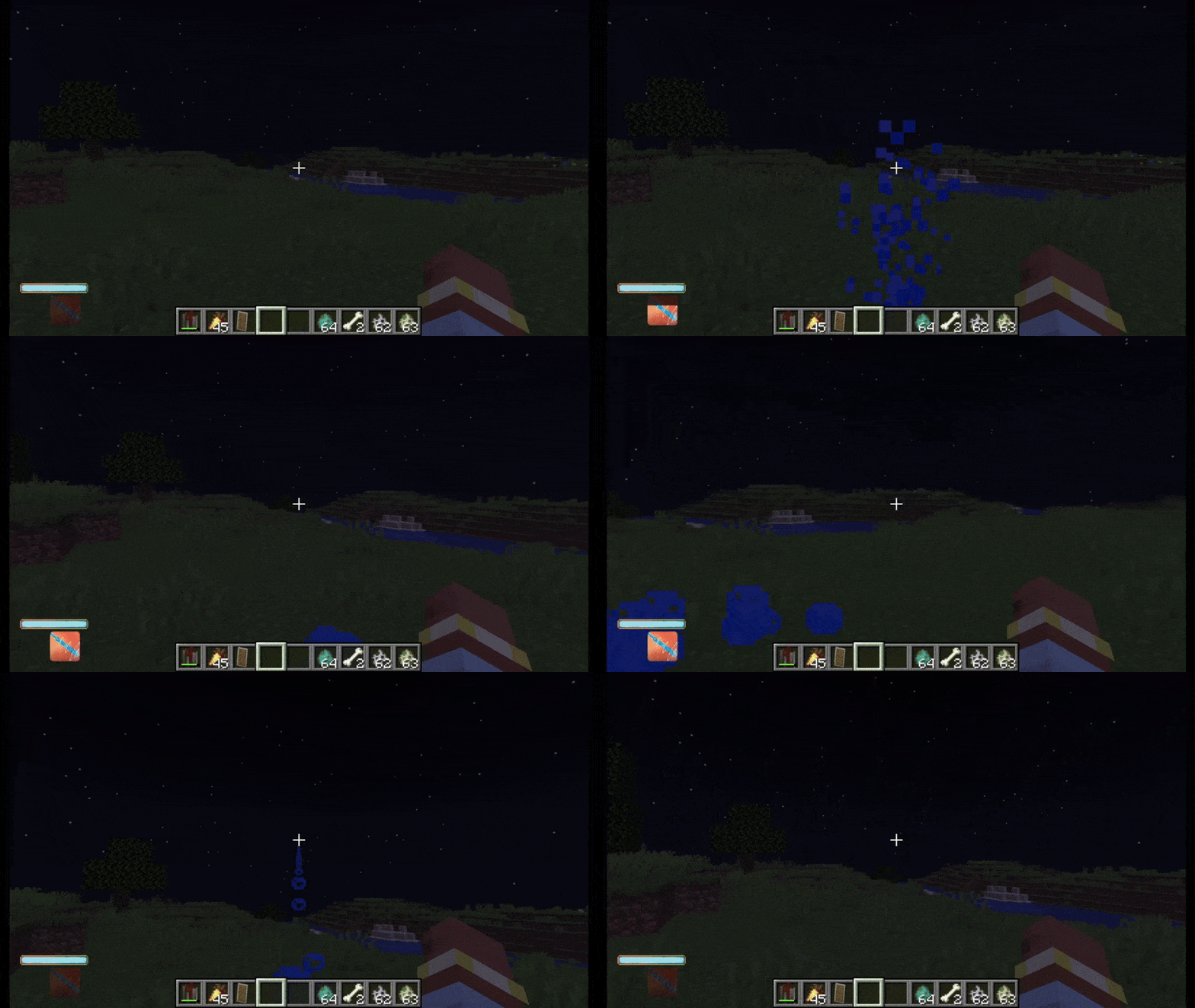
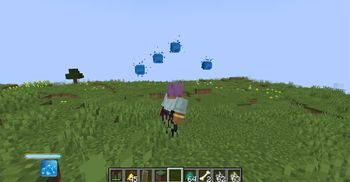
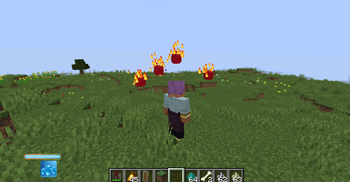
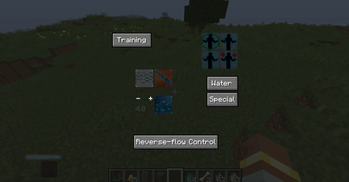
About this Mod
This mod is based on Tower of god (Webtoon and anime). It aims to add Shinsu manipulation, as well as other content from the universe.
Current functionalities :
Almost Survival ready!
Wave-control
- Single handheld Baang (laser-like shooting)
- Long lasting laser
- Multiple floating Baangs
- Shinsu waves attack (successives waves pushing away mobs in a direction)
- Reverse-flow control, freezing (stuns mobs a few seconds)
- Shinsu Sword
Shinsu qualities
- Water (default)
- Fire
- Electric
Body reinforcement
- Strength
- Defense
- Speed
- Healing
Progression
In order to progress, practice by either Training or using your available skills.
Explore Dungeons, Mineshafts and other places to find rare Old Books.
Those come either with an already defined skill or need to be discovered (right click).
You will then face 3 cases :
- You can learn it directly (right click)
- You need to scan it (Pocket)
- You need a Professor to learn it
Professor is a Villager job (chiseled bookshelf) that trades Old Books for Emeralds or Tickets.
Tickets require some waiting time before usage (right click on a Professor).
Be sure to read the informations (hover with your mouse!) to know what to do.
Game mechanics
- Contract Allowance : maximum usage of Shinsu (total mana). Grows while using Shinsu techniques or body reinforcement techniques
- Shinsu Usage : current amount (of mana available)
- Wave Controlling Skill : Allows to acquire higher techniques, make more damage. Grows while using Shinsu techniques or Training
- Body Reinforcement Skill : Same with Body Skills
- Training : (subject to change) Hold down G and wait...
Misc
- Suspendium : crafting material. Obtained in Suspendium geodes. Makes Player float sometimes
- Pocket : spawn/despawn with J. Allows to store a few items, see Player informations and scan some Old Books
- Metal shield : (crafted with suspendium shards) stronger shield. Allows to activate a floating shield with H + J
- Floating shield (aka Armor Inventory) : blocks most attacks to the cost of Shinsu control
Usage
Everything can be accessed through the Techniques Menu by holding down H.
Assign shortcuts using 1,2,3 (or numpads 1,2,3) while hovering a skill.
Remove a shortcut by rightclicking while hovering the skill.
Use shortcuts using numpad 1,2,3 (default, can be changed).
Loading and firing are done with G.
More Baangs means less power/Baang (Minus tendency) but faster loading time/Baang.
Commands
- nocost : to disable Shinsu Usage cost
- ContractAllowance get
- ContractXp get : Value that affect the Contract Allowance; Basically xp
- CurrentContract set : Change the value of Shinsu Usage (current mana value)
- ShinsuSkill get/set : xp but specifically on Shinsu techniques (Wave-controller xp)
ShinsuSKill starts at 0, techniques are "unlocked" at 4, 12 and 20 - BodySkill get/set : same principle
- Skill ... : Grant/Revoke all or specific Skills
- setquality <fire|elec> : Change player's special quality
Known bugs
- Baangs shooting not accurate
- Baangs may start to appear even though Shinsu Usage is below requierments
- Sound effect issues
- Suspendium crystals generating in non aesthetic position
- Quick shooting with long lasting laser makes it auto shoot until depletion
- Menu visuals
If one encounters another bug, they can report it.
Progression curve might be adapted depending on feedback.
To do
- More (powerful) skills
- Add damage/cost and progression explanation/info
Available Versions
How to Install Shinsu on Your Server
Order Server
Order a Minecraft Java server with at least 3 GB RAM (4 GB recommended).
Set forge Loader
In the panel under "Egg", select the forge loader and matching Minecraft version (1.20.1).
Install Mod
Open the mod browser in the dashboard and search for "Shinsu". Click "Install" – done! Alternatively, upload the .jar via SFTP to the /mods folder.
Compatibility
Mod Loaders
Minecraft Versions
1.20.1
Server-side
✓ RequiredRecommended RAM
4 GB(min. 3 GB)Frequently Asked Questions
Shinsu server crashes on startup – what to do?
Most common cause: wrong forge version or insufficient RAM. Check the server log (latest.log) for "OutOfMemoryError" or "Mixin" errors. With Mado Hosting: ensure at least 3 GB RAM is allocated and the loader matches the mod version (1.20.1). You can switch loaders with one click in the panel.
Is Shinsu compatible with forge?
Shinsu officially supports forge for Minecraft 1.20.1. The Mado dashboard automatically detects incompatible loader combinations.
Server lagging with Shinsu – how to optimize performance?
Recommended RAM: 4 GB (per 8 players). Use /spark profiler to check if Shinsu consumes the most tick time. Common fixes: reduce server view-distance to 8-10, install "performant" or "starlight" as supplementary mods on Forge. With Mado Hosting, your server runs on NVMe SSDs with dedicated CPU cores for minimal latency.
Similar Mods





Rent Modded Server
Install Shinsu with just one click on your server.