
Sidebar Potion display
Server‑side mod that displays players' active status effects in a sidebar.
Screenshots
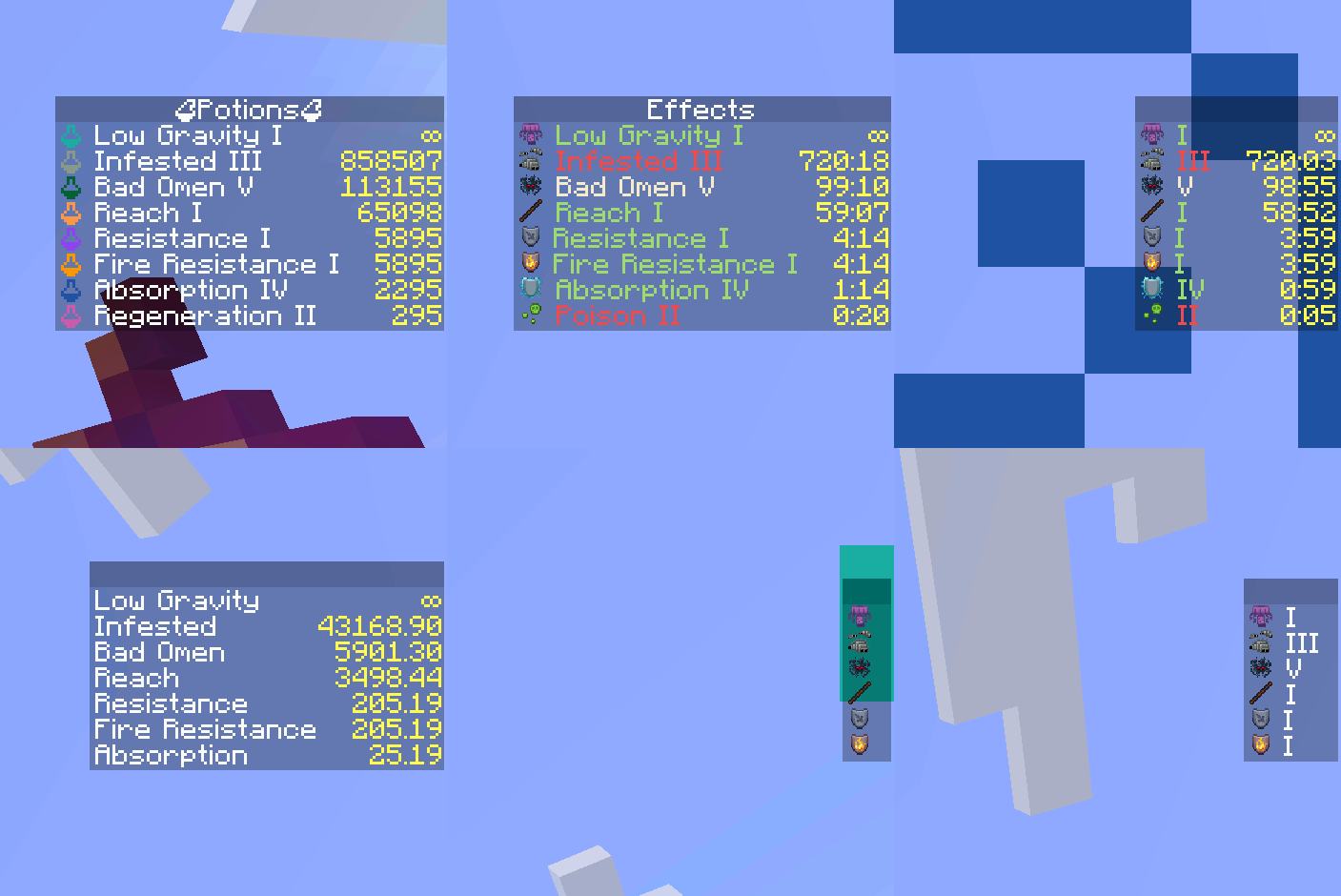
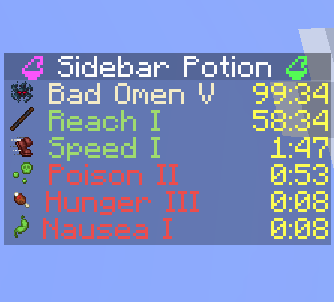
About this Mod




Sidebar Potion
Lightweight server‑side mod that displays players' active status effects in a clean sidebar. The sidebar auto‑updates and hides itself when you have no effects.
- Server‑only: install on a dedicated server or single‑player integrated server. Clients do not need the mod.
- Configurable: names, colors, potency, icons, and duration format.
- Optional Polymer support: show effect icons using resourcepack.
- Supports vanilla and modded effects (e.g. from Enderscapes - works with polymer port)
Installation
- Put the mod on the server (or your single‑player instance). Clients can stay vanilla.
- Optional: install Polymer on the server to enable effect icons for vanilla clients (see below).
Optional dependency: Polymer
If Polymer is installed on the server:
- Effect icons can be shown to vanilla clients without a client resource pack.
- Set
showIcontotruein the config to display icons. - Set
forceCompatIconstofalseto use Polymer icons instead of potion icons.
Without Polymer:
- Effect icons will be replaced with colored potion icons.
Configuration

Examples of different configurations
A JSON file is created on first run at:
./config/sidebar-potion.json
Edit the file and run /reload to apply changes.
Available options (with defaults):
showEffectName(boolean, default:true): show the effect name.colorizeText(boolean, default:true): colorize lines by effect type.hideDefaultGui(boolean, default:true): hide the vanilla potion effect HUD.showPotency(boolean, default:true): show effect amplifier (e.g. II, III).showIcon(boolean, default:true): show effect icon.durationFormat(string, default:"mm:ss"): how effect durations are rendered (see below).title(string, default:""): sidebar title text.forceCompatIcons(boolean, default:false): force potion icons even if Polymer is installed.
Duration formats
Use one of the following values:
""— no duration"t"— ticks"s"— seconds"s."— seconds.milliseconds"mm:ss"— minutes:seconds"mm:ss."— minutes:seconds.milliseconds
Behavior:
- The sidebar is removed for a player when they have no active effects.
- The title is taken from
titleand can be empty.
Available Versions
How to Install Sidebar Potion display on Your Server
Order Server
Order a Minecraft Java server with at least 3 GB RAM (4 GB recommended).
Set fabric Loader
In the panel under "Egg", select the fabric loader and matching Minecraft version (1.21.8).
Install Mod
Open the mod browser in the dashboard and search for "Sidebar Potion display". Click "Install" – done! Alternatively, upload the .jar via SFTP to the /mods folder.
Compatibility
Mod Loaders
Minecraft Versions
1.21.8
Server-side
✓ RequiredRecommended RAM
4 GB(min. 3 GB)Frequently Asked Questions
Sidebar Potion display server crashes on startup – what to do?
Most common cause: wrong fabric version or insufficient RAM. Check the server log (latest.log) for "OutOfMemoryError" or "Mixin" errors. With Mado Hosting: ensure at least 3 GB RAM is allocated and the loader matches the mod version (1.21.8). You can switch loaders with one click in the panel.
Is Sidebar Potion display compatible with fabric?
Sidebar Potion display officially supports fabric for Minecraft 1.21.8. The Mado dashboard automatically detects incompatible loader combinations.
Server lagging with Sidebar Potion display – how to optimize performance?
Recommended RAM: 4 GB (per 8 players). Use /spark profiler to check if Sidebar Potion display consumes the most tick time. Common fixes: reduce server view-distance to 8-10, install "performant" or "starlight" as supplementary mods on Forge. With Mado Hosting, your server runs on NVMe SSDs with dedicated CPU cores for minimal latency.
Similar Mods

![[ETF] Entity Texture Features](https://cdn.modrinth.com/data/BVzZfTc1/af683d206d50b05258d865b0d6e4aa2f2cee12f2_96.webp)
![[EMF] Entity Model Features](https://cdn.modrinth.com/data/4I1XuqiY/6e5bbd0d06b1741bfdab6c0cfab6de8fdaf0064c_96.webp)



Rent Modded Server
Install Sidebar Potion display with just one click on your server.