
Simple Charcoal Pit
Make charcoal the immersive way: bury a pit of logs, seal it with non-flammable blocks, light it, and smolder the pile into charcoal.
Screenshots
About this Mod
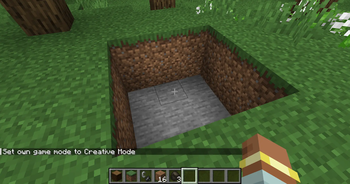
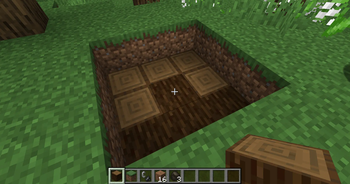
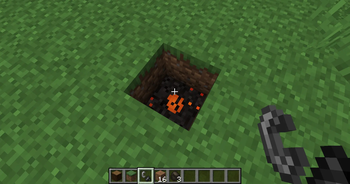
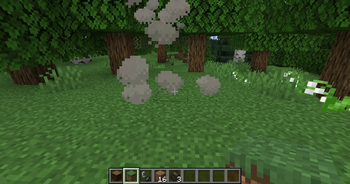
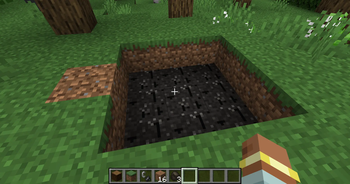
An immersive way to make charcoal in Minecraft. Stack logs into a tightly packed pit, bury them under non-flammable blocks, and set the pile alight. A sealed, burning pit slowly smolders the logs into charcoal while venting smoke from the top.
Notice: This mod was made using AI
How it works
- Build the pit — Pack logs (
#minecraft:logs) into a hole or stack on the ground. - Cover it up — Bury every log under non-flammable, solid blocks (dirt, stone, sand, gravel, etc.). Every face of every log must touch either another log or a cover block.
- Light it — Right-click a log with flint and steel or a fire charge. Fire spreads through the touching pile.
- Wait — Sealed logs smolder and vent smoke from the top. Each finished log becomes a Charcoal Pile that drops 1–2 charcoal when dug out (fastest with a shovel; Fortune boosts drops like coal ore).
Uncovered burning logs burn away to nothing after a short time — seal the pit before the fire spreads too far.
Balance
- About 1–2 charcoal per log (~1.5 average), on par with a furnace
- No fuel required; the whole pile cooks in parallel
- Trade-off: build effort, flint-and-steel durability, real-time wait, and risk of losing unsealed logs
- Cook time scales with pit size:
charringTime + charringTimePerLog × (logs − 1)
| Pit size | Logs | Approx. cook time |
|---|---|---|
| 2×2×2 | 8 | ~95s |
| 3×3×3 | 27 | ~190s |
| 5×5×5 | 125 | ~11 min |
Charcoal can be crafted into a Block of Charcoal for storage (9 charcoal ↔ block), like vanilla coal blocks.
Configuration
File: config/simplecharcoalpit-common.toml
| Option | Default | Description |
|---|---|---|
charringTime |
1200 |
Base ticks for a single-log pit |
charringTimePerLog |
100 |
Extra ticks per additional log |
burnoutTime |
600 |
Ticks before an exposed log burns away |
requireSturdyCover |
true |
Only full solid faces count as cover |
Requirements
- Minecraft 1.21.1
- NeoForge 21.1.233+
Links
Available Versions
How to Install Simple Charcoal Pit on Your Server
Order Server
Order a Minecraft Java server with at least 3 GB RAM (4 GB recommended).
Set neoforge Loader
In the panel under "Egg", select the neoforge loader and matching Minecraft version (1.21.1).
Install Mod
Open the mod browser in the dashboard and search for "Simple Charcoal Pit". Click "Install" – done! Alternatively, upload the .jar via SFTP to the /mods folder.
Compatibility
Mod Loaders
Minecraft Versions
1.21.1
Server-side
✓ RequiredRecommended RAM
4 GB(min. 3 GB)Frequently Asked Questions
Simple Charcoal Pit server crashes on startup – what to do?
Most common cause: wrong neoforge version or insufficient RAM. Check the server log (latest.log) for "OutOfMemoryError" or "Mixin" errors. With Mado Hosting: ensure at least 3 GB RAM is allocated and the loader matches the mod version (1.21.1). You can switch loaders with one click in the panel.
Is Simple Charcoal Pit compatible with neoforge?
Simple Charcoal Pit officially supports neoforge for Minecraft 1.21.1. The Mado dashboard automatically detects incompatible loader combinations.
Server lagging with Simple Charcoal Pit – how to optimize performance?
Recommended RAM: 4 GB (per 8 players). Use /spark profiler to check if Simple Charcoal Pit consumes the most tick time. Common fixes: reduce server view-distance to 8-10, install "performant" or "starlight" as supplementary mods on Forge. With Mado Hosting, your server runs on NVMe SSDs with dedicated CPU cores for minimal latency.
Similar Mods




Rent Modded Server
Install Simple Charcoal Pit with just one click on your server.