
Simple Displays
A datapack that makes Display Entity Placement and Simple Modifications Easier.
Screenshots
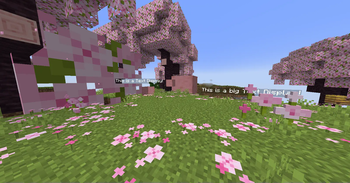
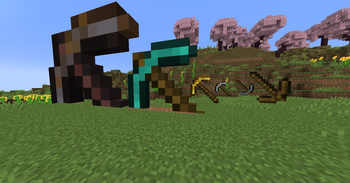
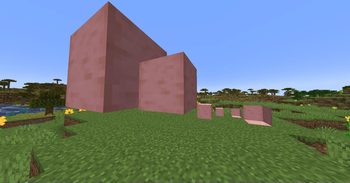
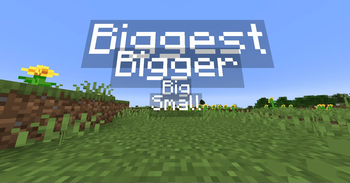
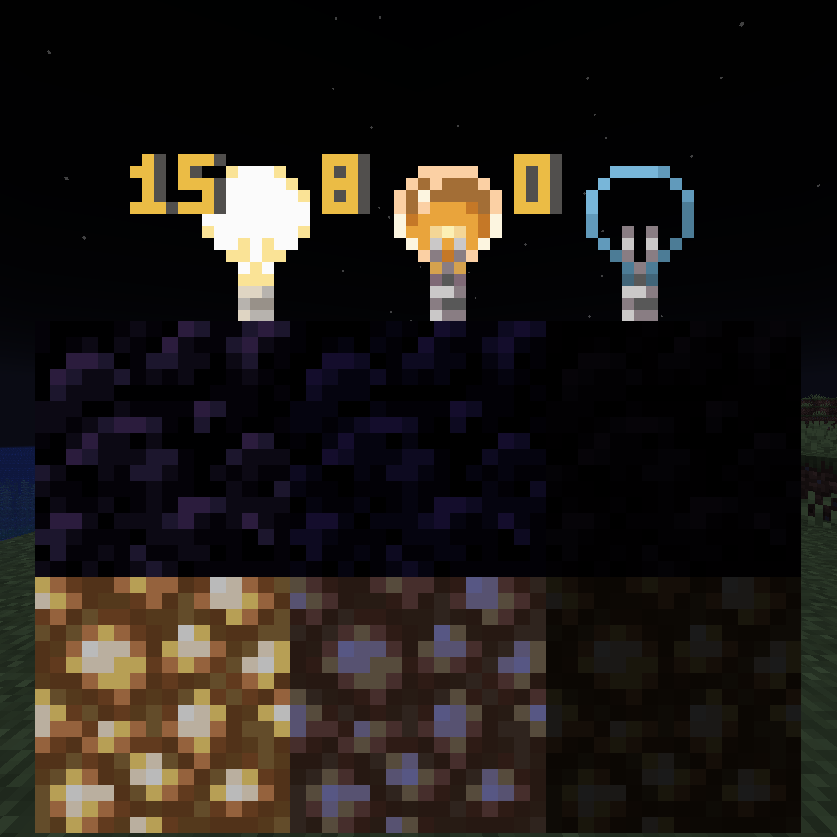
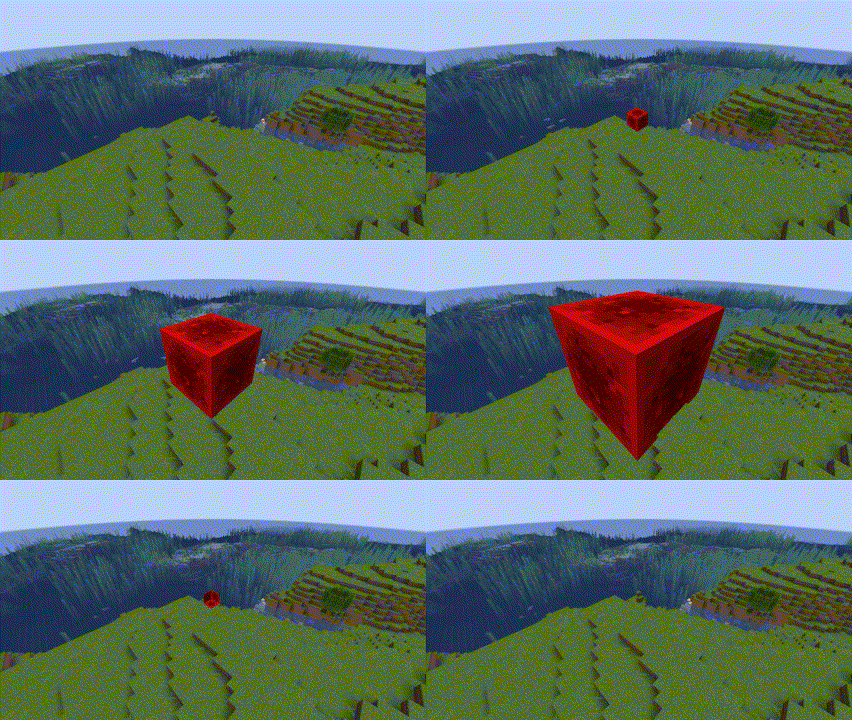
About this Mod
Intended & Designed for Creative Use or by Server Operators Only.
Feedback & Bug Reports
To Provide Feedback or a Bug Report, please submit a form here.
Operator Status
Operator Only Mode is set to on by default. As an operator run /function sdsetting:oponly to toggle it off & on. While Op Only mode is on, commands can only be run by /function sdfunction:[command] by typing that and without the /trigger.
Regular Simple Displays
Simple Displays is a datapack that you can include in your world! It adds multiple /trigger commands, which are the main interactions with this datapack. The commands are the following:
| Item Display Entity | Text Display Entity | Block Display Entity |
|---|---|---|
| /trigger ToggleBrightness | /trigger ToggleBrightness | /trigger ToggleBrightness |
| /trigger CycleItemBillboard | /trigger CycleTextBillboard | /trigger CycleBlockBillboard |
| /trigger CycleItemRotation | /trigger CycleTextRotation | /trigger CycleBlockRotation |
| /trigger CycleItemScale | /trigger CycleTextScale | /trigger CycleBlockScale |
| /trigger KillItemDisplay | /trigger KillTextDisplay | /trigger KillBlockDisplay |
| /trigger PlaceItemDisplay | /trigger PlaceTextDisplay | /trigger PlaceBlockDisplay |
| /trigger PrecisePlaceItemDisplay | /trigger PrecisePlaceTextDisplay | /trigger PrecisePlaceBlockDisplay |
| /trigger ReplaceItemDisplay | /trigger ReplaceTextDisplay | /trigger ReplaceBlockDisplay |
| /trigger CycleItemStyle |
Operator Only Custom Commands:
These Commands are more complicated commands that allow for more dynamic selection of things for Display Entities. This is only available for 1.20.3 and Higher. Replace X with one of the listed or custom variables.
Operator Only Custom Command Descriptions
/function sdcustom:place_custom_block {block:X}(Any Block id. No need to add Minecraft:)/function sdcustom:place_custom_item {item:X}(Any Item id. No need to add Minecraft:)/function sdcustom:place_custom_text {text:X,color:X}(Text: What you want on the display, Color: Legacy Minecraft Colors)/function sdcustom:precise_custom_block {block:X}(Any Block id. No need to add Minecraft:)/function sdcustom:precise_custom_item {item:X}(Any Item id. No need to add Minecraft:)/function sdcustom:precise_custom_text {text:X,color:X}(Text: What you want on the display, Color: Legacy Minecraft Colors)/function sdcustom:replace_custom_text {text:X,color:X}(Text: What you want on the display, Color: Legacy Minecraft Colors)/function sdcustom:set_custom_billboard {type:X,billboard:X}(type: entity - Make sure to add _display -, billboard: fixed, vertical, horizontal, or center)/function sdcustom:set_custom_scale {type:X,scale:X}(type: entity - Make sure to add _display -, Scale of Entity)/function sdcustom:set_full_custom_scale {type:X,scale1:X,scale2:X,scale3:X}(type: entity Make sure to add _display , Scale: X, Y & Z of Entity)
Item Display Entity:
Item Displays are entities that display items in multiple ways. This datapack uses commands to add, modify, and change these item displays in a simplified way. You can place them and modify these entities in 5 ways, item it displays, size, style, rotation, and billboard!
Item Display Command Descriptions
- CycleItemBillboard:
Cycles the "Billboard" of Item Displays (From Fixed > Vertical > Horizontal > Center > Fixed). - CycleItemRotation:
Cycles the "Rotation" of Item Displays (From South > West > North > East > South) - CycleItemScale:
Cycles the "Scale" of Item Displays (From 1x > 2x > 8x > 16x > -1x > -2x > 1x). - KillItemDisplay:
Kills Item Display Directly next to you. - PlaceItemDisplay:
Places an Item Display at the center of the block of where you are (and uses your held item). - PrecisePlaceItemDisplay:
Places an Item DIsplay at where you are (and uses your held item). - ReplaceItemDisplay:
Replaces the Item of the nearest Item Display (uses your held item). - CycleItemStyle: `Cycles Rendering Style of Item Displays (From Fixed > Third Person > First Person > Head > GUI > Ground > Fixed)
Block Display Entity:
Block Displays are entities that display blocks in multiple ways. This datapack uses commands to add, modify, and change these block displays in a simplified way. You can simply place them and modify these entities in 4 ways, block it displays, size, rotation, and billboard! Note, Block Displays only display blocks with hitboxes, blocks such as redstone dust and rails won't be placed
Block Display Command Descriptions
- CycleBlockBillboard:
Cycles the "Billboard" of Block Displays (From Fixed > Vertical > Horizontal > Center > Fixed). - CycleBlockRotation:
Cycles the "Rotation" of Block Displays (From South > West > North > East > South) - CycleBlockScale:
Cycles the "Scale" of Block Displays (From 1x > 2x > 8x > 16x > -1x > -2x > 1x). - KillBlockDisplay:
Kills Block Display Directly next to you. - PlaceBlockDisplay:
Places a Block Display at the center of the block of where you are (and uses the item directly below you). - PrecisePlaceBlockDisplay:
Places a Block DIsplay at where you are (and uses the item directly below you). - ReplaceBlockDisplay:
Replaces the Block of the nearest Block Display (and uses the item directly below you).
Text Display Entity:
Text Displays are entities that display text in many ways. This datapack uses commands to add, modify, and change these text displays in a simplified way. You can simply place them and modify these entities in 4 ways, text it displays, size, rotation, and billboard!
Text Display Command Descriptions
- CycleTextBillboard:
Cycles the "Billboard" of Text Displays (From Fixed > Vertical > Horizontal > Center > Fixed). - CycleTextRotation:
Cycles the "Rotation" of Text Displays (From South > West > North > East > South) - CycleTextScale:
Cycles the "Scale" of Item Displays (From 1x > 2x > 8x > 16x > 1x). - KillTextDisplay:
Kills Text Display Directly next to you. - PlaceTextDisplay:
Places a Text DIsplay at the center of the block of where you are (and uses your held item's name). - PrecisePlaceTextDisplay:
Places a Text DIsplay at where you are (and uses your held item's name). - ReplaceTextDisplay:
Replaces the Text of the nearest Text Display (uses your held item's name).
Available Versions
How to Install Simple Displays on Your Server
Order Server
Order a Minecraft Java server with at least 3 GB RAM (4 GB recommended).
Set datapack Loader
In the panel under "Egg", select the datapack loader and matching Minecraft version (24w39a).
Install Mod
Open the mod browser in the dashboard and search for "Simple Displays". Click "Install" – done! Alternatively, upload the .jar via SFTP to the /mods folder.
Compatibility
Mod Loaders
Minecraft Versions
24w39a, 1.21.1, 1.21 (+16 more)
Server-side
✓ RequiredRecommended RAM
4 GB(min. 3 GB)Frequently Asked Questions
Simple Displays server crashes on startup – what to do?
Most common cause: wrong datapack version or insufficient RAM. Check the server log (latest.log) for "OutOfMemoryError" or "Mixin" errors. With Mado Hosting: ensure at least 3 GB RAM is allocated and the loader matches the mod version (24w39a). You can switch loaders with one click in the panel.
Is Simple Displays compatible with datapack and fabric and forge and neoforge and quilt?
Simple Displays officially supports datapack, fabric, forge, neoforge, quilt for Minecraft 24w39a, 1.21.1, 1.21. Note: Forge and Fabric mods are NOT cross-compatible – pick one loader and stick with it. The Mado dashboard automatically detects incompatible loader combinations.
Server lagging with Simple Displays – how to optimize performance?
Recommended RAM: 4 GB (per 8 players). Use /spark profiler to check if Simple Displays consumes the most tick time. Common fixes: reduce server view-distance to 8-10, install "performant" or "starlight" as supplementary mods on Forge. With Mado Hosting, your server runs on NVMe SSDs with dedicated CPU cores for minimal latency.
Similar Mods

![[ETF] Entity Texture Features](https://cdn.modrinth.com/data/BVzZfTc1/af683d206d50b05258d865b0d6e4aa2f2cee12f2_96.webp)
![[EMF] Entity Model Features](https://cdn.modrinth.com/data/4I1XuqiY/6e5bbd0d06b1741bfdab6c0cfab6de8fdaf0064c_96.webp)



Rent Modded Server
Install Simple Displays with just one click on your server.