
Simple Frequency
A data pack addon for Simple Radio that lets you change the frequency and modulation of tunable items on the fly using trigger commands
Screenshots
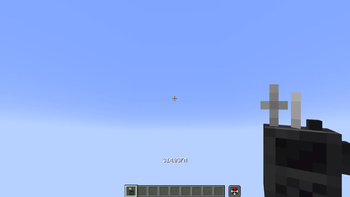
About this Mod
This data pack addon for Simple Radio lets you change the frequency and modulation of tunable items on the fly using trigger commands
Commands
| Command | Description | Before | Input | After | |
|---|---|---|---|---|---|
| /trigger frequency | Resets frequency | → | 314.03 FM | 000.00 FM | |
| /trigger frequency set <frequency> | Tunes into frequency (100x scale) | → | 000.00 FM | 31403 | 314.03 FM |
| /trigger modulation | Flips modulation between AM and FM | → | 123.45 AM | 123.45 FM | |
| /trigger modulation set <modulation> | Changes modulation to AM (1) or FM (2) | → | 123.45 FM | 1 | 123.45 AM |
Tunable items
Items with normally randomized frequencies are not tunable
| Item | Tunable |
|---|---|
| Transceiver | Yes |
| Radio | Yes |
| Transmitter | Yes |
| Receiver | Yes |
| Spuddie Talkie | No |
| Walkie Talkie | No |
If you make content using my data packs, please give me proper credit
If you enjoy this project, please consider supporting me with a donation or some kind words
Also check out my other projects on Planet Minecraft while I procrastinate posting them here
Join my Discord server to get support, submit suggestions, stay up to date with my projects, or just chat

Why don't we just relax and turn on the radio!? Would you like AMM or FMM?
Available Versions
How to Install Simple Frequency on Your Server
Order Server
Order a Minecraft Java server with at least 3 GB RAM (4 GB recommended).
Set datapack Loader
In the panel under "Egg", select the datapack loader and matching Minecraft version (1.20.6).
Install Mod
Open the mod browser in the dashboard and search for "Simple Frequency". Click "Install" – done! Alternatively, upload the .jar via SFTP to the /mods folder.
Compatibility
Mod Loaders
Minecraft Versions
1.20.6, 1.20.5, 1.20.4 (+4 more)
Server-side
✓ RequiredRecommended RAM
4 GB(min. 3 GB)Frequently Asked Questions
Simple Frequency server crashes on startup – what to do?
Most common cause: wrong datapack version or insufficient RAM. Check the server log (latest.log) for "OutOfMemoryError" or "Mixin" errors. With Mado Hosting: ensure at least 3 GB RAM is allocated and the loader matches the mod version (1.20.6). You can switch loaders with one click in the panel.
Is Simple Frequency compatible with datapack and fabric and forge and neoforge and quilt?
Simple Frequency officially supports datapack, fabric, forge, neoforge, quilt for Minecraft 1.20.6, 1.20.5, 1.20.4. Note: Forge and Fabric mods are NOT cross-compatible – pick one loader and stick with it. The Mado dashboard automatically detects incompatible loader combinations.
Server lagging with Simple Frequency – how to optimize performance?
Recommended RAM: 4 GB (per 8 players). Use /spark profiler to check if Simple Frequency consumes the most tick time. Common fixes: reduce server view-distance to 8-10, install "performant" or "starlight" as supplementary mods on Forge. With Mado Hosting, your server runs on NVMe SSDs with dedicated CPU cores for minimal latency.
Similar Mods




Rent Modded Server
Install Simple Frequency with just one click on your server.