
Simple Hp Bar
This mod adds highly customizable hp bars above the mobs and players.
Screenshots
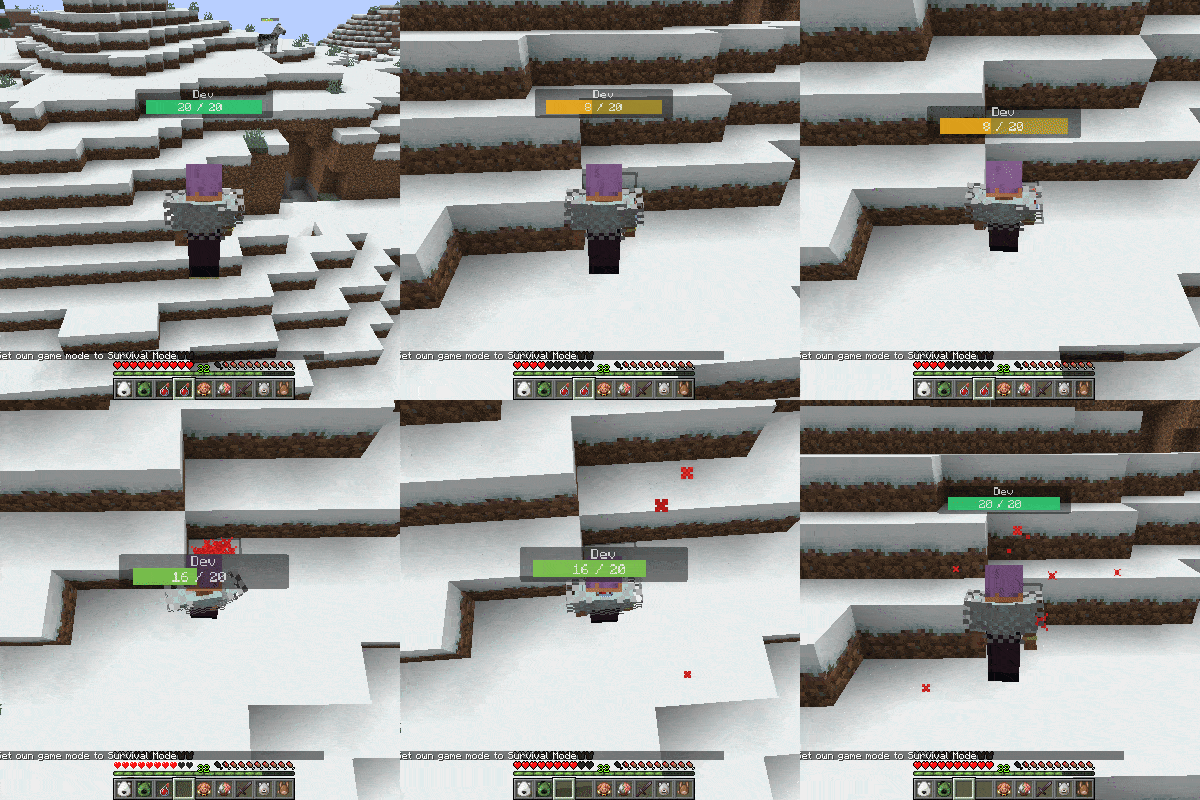
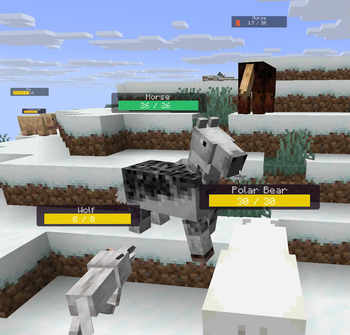
About this Mod
This mod adds highly customizable hp bars above the mobs and players.
The health bar looks very simple, but has many inbuilt config options.
Configs will be generated after running the game at least once.
They can be found in the config/simplehpbar folder.
You can create as many config files as you want by copying one and rewriting the values in it, if you want mobs by your choice to have different bars.
By default only a default config will be generated that applies to every mob, one for some vanilla neutral mobs and one for some monsters (to show how whitelist/blacklist and other features works)
You can change the settings by the following
-max distance to render mobs
-position
-scale (width, height of everything)
-background (size, color, transparency, border-radius)
-hp bar (size, 3 colors for low-mid-high health value, transparency, border-radius)
-smooth hp bar for lost health (3 colors for low-mid-high health value, transparency, start time to change the smooth hp bar, decrease value)
-name (add text before the name, add text after the name, text-align, color, transparency, position, scale)
-current health text (add text before the health value, add text after the health value, text-align, color, transparency, position, scale)
-max health text (add text before the health value, add text after the health value, text-align, color, transparency, position, scale)
-health in percentage text (add text before the health percentage value, add text after the health percentage value, text-align, color, transparency, position, scale)
You can edit, create or delete configs in game within the editor that comes with this mod. (press H to open it by default)
Supported versions:
Forge 1.21.6 | 1.21.7 | 1.21.8
Fabric1.21.6 | 1.21.7 | 1.21.8
Neoforge 1.21.6 | 1.21.7 | 1.21.8
Only the latest minecraft version gets support.
Available Versions
How to Install Simple Hp Bar on Your Server
Order Server
Order a Minecraft Java server with at least 3 GB RAM (4 GB recommended).
Set fabric Loader
In the panel under "Egg", select the fabric loader and matching Minecraft version (1.21.8).
Install Mod
Open the mod browser in the dashboard and search for "Simple Hp Bar". Click "Install" – done! Alternatively, upload the .jar via SFTP to the /mods folder.
Compatibility
Mod Loaders
Minecraft Versions
1.21.8, 1.21.7, 1.21.6
Server-side
✗ UnsupportedRecommended RAM
4 GB(min. 3 GB)Frequently Asked Questions
Simple Hp Bar server crashes on startup – what to do?
Most common cause: wrong fabric version or insufficient RAM. Check the server log (latest.log) for "OutOfMemoryError" or "Mixin" errors. With Mado Hosting: ensure at least 3 GB RAM is allocated and the loader matches the mod version (1.21.8). You can switch loaders with one click in the panel.
Is Simple Hp Bar compatible with fabric and forge and neoforge?
Simple Hp Bar officially supports fabric, forge, neoforge for Minecraft 1.21.8, 1.21.7, 1.21.6. Note: Forge and Fabric mods are NOT cross-compatible – pick one loader and stick with it. The Mado dashboard automatically detects incompatible loader combinations.
Server lagging with Simple Hp Bar – how to optimize performance?
Recommended RAM: 4 GB (per 8 players). Use /spark profiler to check if Simple Hp Bar consumes the most tick time. Common fixes: reduce server view-distance to 8-10, install "performant" or "starlight" as supplementary mods on Forge. With Mado Hosting, your server runs on NVMe SSDs with dedicated CPU cores for minimal latency.
Similar Mods


Rent Modded Server
Install Simple Hp Bar with just one click on your server.