
Simple Loot Viewer
View loot tables in game!
Screenshots
About this Mod
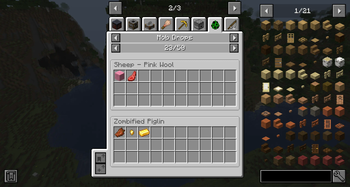
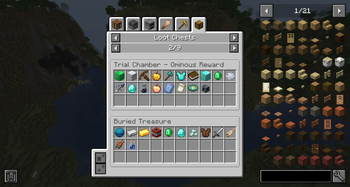
Simple Loot Viewer is a lightweight mod that lets players view loot tables directly in game! It supports many types of loot including chests, mob drops, fishing rewards, archaeology finds, and more!
Features
- Supports many categories of loot!
- Data syncs with the server, reflecting changes made by datapacks, plugins, and mods!
- Simplified display of loot tables.
- Compatibility with mods and datapacks.
- Configuration options to disable categories, recategorize loot, and hide loot tables.
- See loot table IDs with advanced tooltips enabled. (f3+h)
Compatibility
This mod should support any loot tables added by mods, plugins, and data packs. Modifications to existing loot tables will also be reflected, provided the changes are made in a detectable way. If the mod does not use loot tables, or the loot is given to the player outside of the loot table we can not display it.
We provide built-in display names for all vanilla loot tables. We also provide names for all loot tables related to blocks and entity drops. If a table does not have a name we fallback to the loot table ID. Defining a custom name for these tables is not required but can improve the user experience.
Custom names can be defined by adding an optional localization file entry. We look for the key "table.namespace.path.name" where the namespace is the namespace of the table, and the path is the path of the table ID with all forward slashes replaced with dots. For example minecraft:chests/ancient_city is "table.minecraft.chests.ancient_city.name".
Server / Client Info
Loot tables are defined by the server. This means the server must have the mod installed to send the loot table data. If the mod is not installed you will not see any loot data.

This project is sponsored by Nodecraft. Use code DARKHAX for 30% off your first month of service!
Available Versions
How to Install Simple Loot Viewer on Your Server
Order Server
Order a Minecraft Java server with at least 3 GB RAM (4 GB recommended).
Set fabric Loader
In the panel under "Egg", select the fabric loader and matching Minecraft version (1.21.1).
Install Mod
Open the mod browser in the dashboard and search for "Simple Loot Viewer". Click "Install" – done! Alternatively, upload the .jar via SFTP to the /mods folder.
Compatibility
Mod Loaders
Minecraft Versions
1.21.1
Server-side
✓ RequiredRecommended RAM
4 GB(min. 3 GB)Frequently Asked Questions
Simple Loot Viewer server crashes on startup – what to do?
Most common cause: wrong fabric version or insufficient RAM. Check the server log (latest.log) for "OutOfMemoryError" or "Mixin" errors. With Mado Hosting: ensure at least 3 GB RAM is allocated and the loader matches the mod version (1.21.1). You can switch loaders with one click in the panel.
Is Simple Loot Viewer compatible with fabric and forge and neoforge and quilt?
Simple Loot Viewer officially supports fabric, forge, neoforge, quilt for Minecraft 1.21.1. Note: Forge and Fabric mods are NOT cross-compatible – pick one loader and stick with it. The Mado dashboard automatically detects incompatible loader combinations.
Server lagging with Simple Loot Viewer – how to optimize performance?
Recommended RAM: 4 GB (per 8 players). Use /spark profiler to check if Simple Loot Viewer consumes the most tick time. Common fixes: reduce server view-distance to 8-10, install "performant" or "starlight" as supplementary mods on Forge. With Mado Hosting, your server runs on NVMe SSDs with dedicated CPU cores for minimal latency.
Similar Mods




Rent Modded Server
Install Simple Loot Viewer with just one click on your server.