
simpleAFKBot
A simple server-side mod that spawns fake player bots to keep chunks loaded and farms running. No Carpet mod or client-side install required — just drop it in and go.
Screenshots
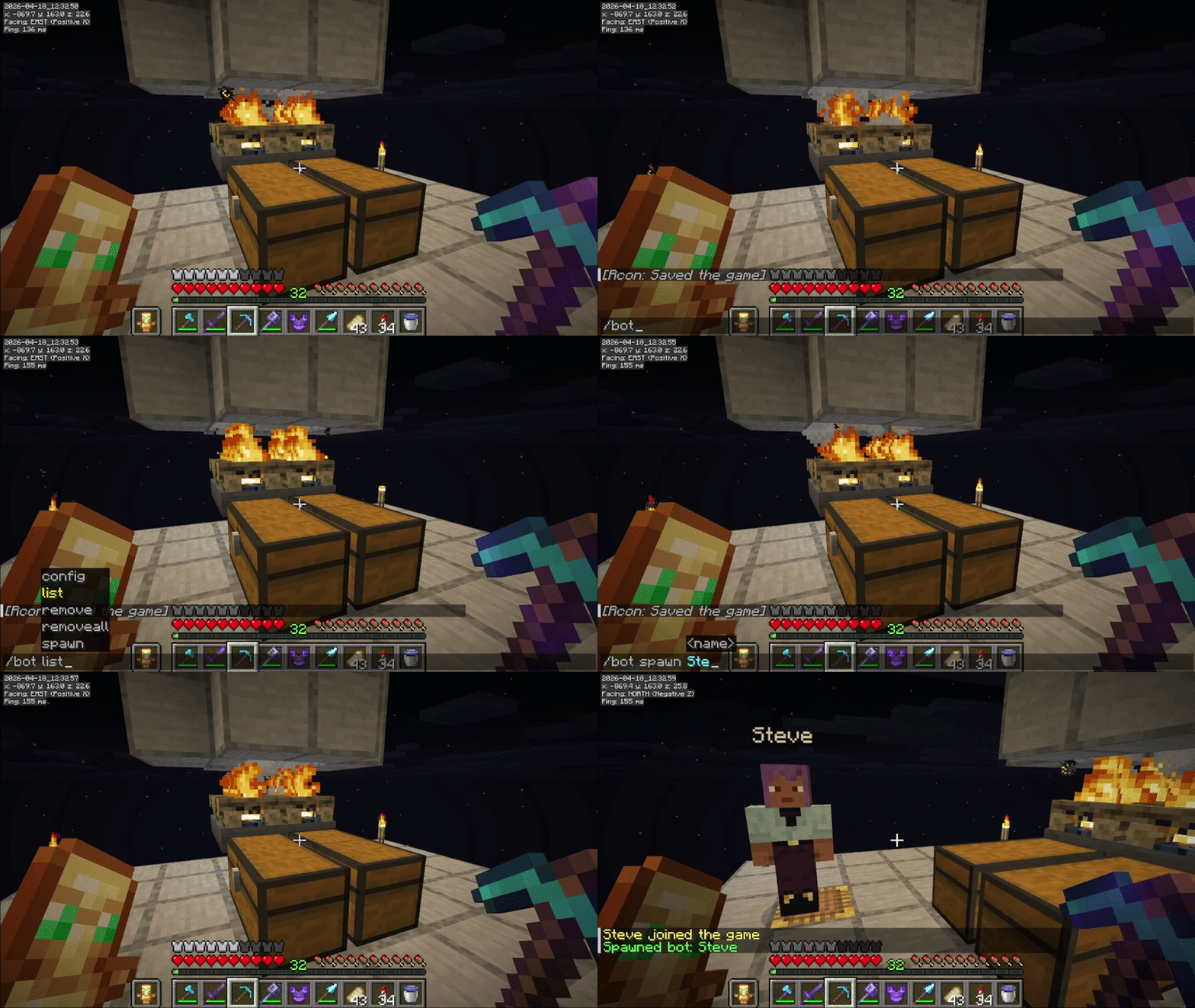
About this Mod
Simple AFK Bot
A lightweight server-side Fabric mod that lets players spawn fake player bots to keep chunks loaded and farms running — a simple alternative to Carpet mod's /player command.
How it works

Bots act as real players on the server. The full entity-processing radius around them stays active — mobs spawn, redstone runs, crops grow, and hoppers work, just like having a real player standing there.
Commands
/bot spawn <name>— Spawn a bot at your current location/bot remove <name>— Remove your own bot/bot list— See all active bots/bot removeall— Remove all bots (OP only)/bot config— Shows current bot limit settings (OP only)/bot config maxPerPlayer <number>— Set max bots per player (OPs only)/bot config maxTotal <number>— Set max bots server-wide (OPs only)/bot config autoCleanup on— bots removed after 5 min with no players (default)/bot config autoCleanup off— bots stay forever until manually removed
Built-in safeguards
- Per-player limit: Each player can have up to 2 bots on default
- Server limit: Maximum 10 bots server-wide on default (OPs bypass both limits)
- Death handling: Bots that die are automatically removed
- Auto-cleanup: All bots are removed if the server has no real players for 5 minutes (can be turn off by OPs)
- Ownership: Players can only remove their own bots. OPs can manage all bots
Requirements
- Fabric Loader for Minecraft 26.1 (server)
- Fabric API
- Server-side only — no client mod needed, works with vanilla clients
Available Versions
How to Install simpleAFKBot on Your Server
Order Server
Order a Minecraft Java server with at least 3 GB RAM (4 GB recommended).
Set fabric Loader
In the panel under "Egg", select the fabric loader and matching Minecraft version (26.1.2).
Install Mod
Open the mod browser in the dashboard and search for "simpleAFKBot". Click "Install" – done! Alternatively, upload the .jar via SFTP to the /mods folder.
Compatibility
Mod Loaders
Minecraft Versions
26.1.2, 26.1.1, 26.1
Server-side
✓ RequiredRecommended RAM
4 GB(min. 3 GB)Frequently Asked Questions
simpleAFKBot server crashes on startup – what to do?
Most common cause: wrong fabric version or insufficient RAM. Check the server log (latest.log) for "OutOfMemoryError" or "Mixin" errors. With Mado Hosting: ensure at least 3 GB RAM is allocated and the loader matches the mod version (26.1.2). You can switch loaders with one click in the panel.
Is simpleAFKBot compatible with fabric?
simpleAFKBot officially supports fabric for Minecraft 26.1.2, 26.1.1, 26.1. The Mado dashboard automatically detects incompatible loader combinations.
Server lagging with simpleAFKBot – how to optimize performance?
Recommended RAM: 4 GB (per 8 players). Use /spark profiler to check if simpleAFKBot consumes the most tick time. Common fixes: reduce server view-distance to 8-10, install "performant" or "starlight" as supplementary mods on Forge. With Mado Hosting, your server runs on NVMe SSDs with dedicated CPU cores for minimal latency.
Similar Mods




Rent Modded Server
Install simpleAFKBot with just one click on your server.