
Simply Sulphur
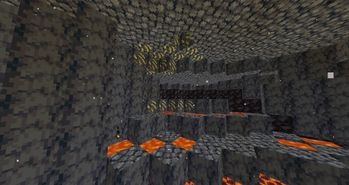
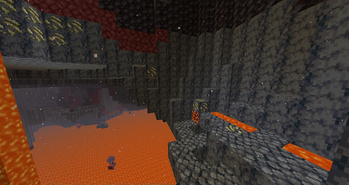
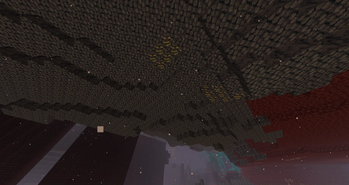
Adds explosive Sulphur generating in Basalt Deltas
Screenshots
About this Mod
Add explosive Sulphur / Sulfur generating in Basalt Deltas
Features:
- Sulphur Ore naturally generating in the Basalt Deltas of the Nether
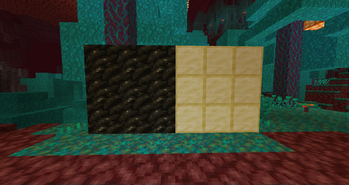
- Sulphur item
- Sulphur Block
- Charcoal Block
- Recipe for Gunpowder
- Lava Bucket fuel source buff
Summary
The Sulphur Ore can be an interesting obstacle in the Nether, if you step on the wrong one (that is in contact with a Magma Block, Lava or Fire) it will trigger a small explosion causing you potential trouble
Its a minable ore that will give you Sulphur as a drop when mined with a tool above Wood, it works with both Fortune (giving 2 on any level), and Silk Touch.
Sulphur can be used as a better fuel source than Coal, and can be combined with Charcoal crafting 2 gunpowder (alternative block recipe - Block of Charcoal + Sulphur Block = 18 gunpowder)
The Ore itself can be used as a strip-mining tool or a fuse as it is reactive with itself (any explosion) and can be blown up with either a Flint and Steel or a flaming Arrow
The same goes for the Sulphur Block - which is a lot more explosive than its ore counterpart
Values
- The Charcoal Block burns for 16200 ticks (810 sec)
- Sulphur in its item form burns for 3000 ticks (150 sec)
- Sulphur Block burns for 32000 ticks (1600 sec)
- The Lava Bucket got buffed as a fuel source - burning for 39000 ticks (1950 sec)
- Sulphur Ore explodes with a radius of between 1 and 2 depending on the source
- Sulphur Block has a strength between 2 and 2.7
Planned features:
- Config file letting you toggle features and change values
- Going with that a (disabled by default) reverse recipe for Sulphur itself (if lets say Nether is disabled or you turn off its generation)
Available Versions
How to Install Simply Sulphur on Your Server
Order Server
Order a Minecraft Java server with at least 4 GB RAM (6 GB recommended).
Set fabric Loader
In the panel under "Egg", select the fabric loader and matching Minecraft version (1.20.4).
Install Mod
Open the mod browser in the dashboard and search for "Simply Sulphur". Click "Install" – done! Alternatively, upload the .jar via SFTP to the /mods folder.
Compatibility
Mod Loaders
Minecraft Versions
1.20.4, 1.20.3, 1.20.2 (+2 more)
Server-side
✓ RequiredRecommended RAM
6 GB(min. 4 GB)Frequently Asked Questions
Simply Sulphur server crashes on startup – what to do?
Most common cause: wrong fabric version or insufficient RAM. Check the server log (latest.log) for "OutOfMemoryError" or "Mixin" errors. With Mado Hosting: ensure at least 4 GB RAM is allocated and the loader matches the mod version (1.20.4). You can switch loaders with one click in the panel.
Is Simply Sulphur compatible with fabric and forge?
Simply Sulphur officially supports fabric, forge for Minecraft 1.20.4, 1.20.3, 1.20.2. Note: Forge and Fabric mods are NOT cross-compatible – pick one loader and stick with it. The Mado dashboard automatically detects incompatible loader combinations.
Server lagging with Simply Sulphur – how to optimize performance?
Recommended RAM: 6 GB (per 5 players). Use /spark profiler to check if Simply Sulphur consumes the most tick time. Common fixes: reduce server view-distance to 8-10, install "performant" or "starlight" as supplementary mods on Forge. With Mado Hosting, your server runs on NVMe SSDs with dedicated CPU cores for minimal latency.
Similar Mods




Rent Modded Server
Install Simply Sulphur with just one click on your server.