
Skyblock Resource Calculator
A Fabric mod focused on tracking your mining-related items in Hypixel Skyblock. It monitors changes in your inventory, containers, and sacks during mining sessions and helps analyze your resource data.
Screenshots
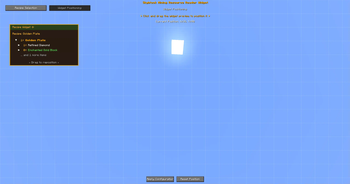
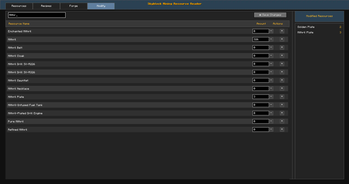
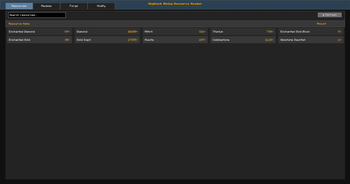
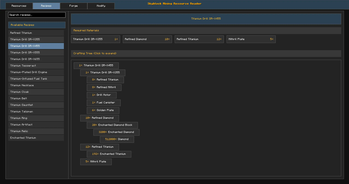
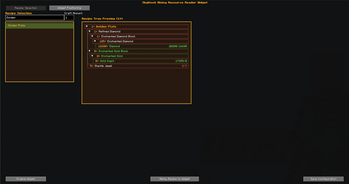
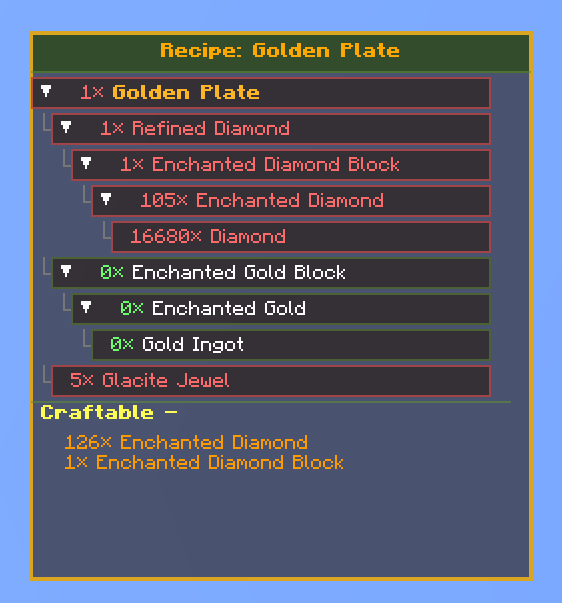
About this Mod
Inventory Reader (Skyblock Resource Calculator)
A Minecraft Fabric mod (formally known as Skyblock Mining Resource Reader) that seamlessly tracks inventory, storage, and sack data for Hypixel Skyblock, with advanced recipe and resource management.
This Mod should work on all Platforms
Overview
Inventory Reader automatically monitors your in-game inventories, containers, and sacks to keep track of resource changes. The mod provides enhanced resource tracking, recipe calculations, and crafting planning—all in-game, with no external applications required.
Features
- Automatic Resource Tracking: Monitors player inventory, storage containers (e.g., backpacks, ender chests), and sacks in real time.
- Recipe Management: View, expand, and calculate crafting recipes for Hypixel Skyblock items.
- Crafting Calculator: See required ingredients and missing resources for any recipe and amount.
- Customizable HUD Widget: In-game overlay for quick resource and recipe info, with full customization.
- Data Persistence: All data is saved locally and persists between sessions.
- In-Game Commands & Shortcuts: Access all features via chat commands or keybinds.
- First-Time User Onboarding: Welcome message and instructions on first launch.
- Reminders: In-game reminders to open sacks for first-time setup.
Requirements
- Minecraft 1.21.5+
- Fabric Loader 0.16.11+
- Java 21
Installation
- Install Fabric Loader for Minecraft 1.21.5 or newer.
- Download the latest release jar from the Releases page.
- Place the jar file in your Minecraft
modsfolder. - Launch Minecraft with the Fabric profile.
Usage
- Play normally on Hypixel Skyblock. The mod tracks your resources in the background.
- Use the in-game HUD widget and GUI to view resources, recipes, and plan crafting.
- All data is saved to local JSON files in your Minecraft directory.
- On first run, open all Sacks, Backpacks, and Ender Chests to initialize tracking.
Files Created
All mod data is stored in .ir-data/data/ inside your Minecraft directory:
allcontainerData.json— Storage container datainventorydata.json— Player inventory dataresources.json— All tracked resources (auto-initialized with all supported items)widget_config.json— HUD widget settingsforging.json,gemstone_recipes.json— Recipe data (auto-generated)sackNames.txt— List of recognized sack names
In-Game Commands
/ir menu— Open the Sandbox Viewer (resource/recipe GUI)/ir widget— Open Widget Customization Menu/ir reset— Reset all mod data/ir done— Acknowledge reminders/ir credits— Show Credits
Keyboard Shortcuts
- V — Open Sandbox Viewer
- B — Open Widget Customization
- H — Toggle widget on/off (restores last selected recipe when re-enabled).
- P — Open Positioning HUD directly
Troubleshooting
- Make sure your Minecraft version matches the supported version.
- Use
/ir resetto reset all mod data (soft reset) - Open all Sacks, Backpacks, and Ender Chests at least once for full tracking.
- Use
/ir doneto acknowledge reminders. - Check logs for any error messages.
- Restart Minecraft if you encounter issues.
License
This project is licensed under the terms of the CC-BY-SA-4.0 License.
Credits
Created by Scholiboi
Support
For questions, issues, or feature requests, please open an issue on GitHub.
Available Versions
How to Install Skyblock Resource Calculator on Your Server
Order Server
Order a Minecraft Java server with at least 3 GB RAM (4 GB recommended).
Set fabric Loader
In the panel under "Egg", select the fabric loader and matching Minecraft version (1.21.11).
Install Mod
Open the mod browser in the dashboard and search for "Skyblock Resource Calculator". Click "Install" – done! Alternatively, upload the .jar via SFTP to the /mods folder.
Compatibility
Mod Loaders
Minecraft Versions
1.21.11, 1.21.10, 1.21.5 (+4 more)
Server-side
✗ UnsupportedRecommended RAM
4 GB(min. 3 GB)Frequently Asked Questions
Skyblock Resource Calculator server crashes on startup – what to do?
Most common cause: wrong fabric version or insufficient RAM. Check the server log (latest.log) for "OutOfMemoryError" or "Mixin" errors. With Mado Hosting: ensure at least 3 GB RAM is allocated and the loader matches the mod version (1.21.11). You can switch loaders with one click in the panel.
Is Skyblock Resource Calculator compatible with fabric?
Skyblock Resource Calculator officially supports fabric for Minecraft 1.21.11, 1.21.10, 1.21.5. The Mado dashboard automatically detects incompatible loader combinations.
Server lagging with Skyblock Resource Calculator – how to optimize performance?
Recommended RAM: 4 GB (per 8 players). Use /spark profiler to check if Skyblock Resource Calculator consumes the most tick time. Common fixes: reduce server view-distance to 8-10, install "performant" or "starlight" as supplementary mods on Forge. With Mado Hosting, your server runs on NVMe SSDs with dedicated CPU cores for minimal latency.
Similar Mods




![[ETF] Entity Texture Features](https://cdn.modrinth.com/data/BVzZfTc1/af683d206d50b05258d865b0d6e4aa2f2cee12f2_96.webp)
![[EMF] Entity Model Features](https://cdn.modrinth.com/data/4I1XuqiY/6e5bbd0d06b1741bfdab6c0cfab6de8fdaf0064c_96.webp)
Rent Modded Server
Install Skyblock Resource Calculator with just one click on your server.
Details
- License
- Creative Commons Attribution Share Alike 4.0 International
- Server-side
- Unsupported