
Sky's the Limit
Support mod for Gnomecraft sky block games
Screenshots
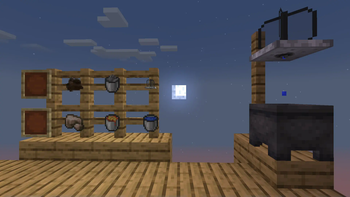
About this Mod
Sky's the Limit
The Gnomecraft sky block support mod.
Sky's the Limit requires Cloth Config!
Features of the Sky's the Limit mod
This mod provides support for the Gnomecraft sky block ecosystem; namely:
- Adding glue recipes and loot for mods in Gnomecraft sky block mod packs.
- Adds This Rocks! stone splitters as junk loot to fishing.
- Recipe for crafting This Rocks! stone splitters into stone buckets.
- Recipe for crafting mixed This Rocks! stone splitters into cobblestone.
- Recipe for crafting Farmer's Delight tree bark into string.
- Recipe for crafting string into Farmer's Delight rope.
- Recipe for crafting mycelium from mushrooms and Farmer's Delight rich soil.
- Recipe for crafting mixed (incl. modded) planks into Wooden Hoppers' Oak Hopper.
- Farmer's Delight cutting board recipes for Traverse, Terrestria, and Cinderscapes logs.
- Adding recipes and loot for vanilla Minecraft features to improve sky block play.
- Adds more ocean-related treasure loot to fishing.
- Adds Overworld base stone to vanilla tool crafting recipes.
- Recipe for crafting sticks and gold into bells.
- Recipe for crafting dirt and wheat seeds into grass blocks.
- Recipe for crafting moss carpets and bone meal into moss blocks.
- Recipe for crafting leather, string, and iron into saddles. (But why? Nobody knows...)
- In select cases when no existing mod seems to work, adding entire new sky block game features.
- Fog Catcher, an added block used to capture water from the fog that exists everywhere in Minecraft.
- Craft cobblestone into a stone bucket, then blast it slowly into a Lava Bucket in a blast furnace.
- Smelt or blast dirt blocks into iron bloom, which can be crafted into raw iron.
- Providing in-game documentation of Gnomecraft sky block play.
- (not yet implemented)
What can you do with this mod?
Whatever you want. The main purpose of Sky's the Limit is to be used in my sky block mod pack but feel free to use it in yours or steal code from it or whatever. I will also consider feature requests and implement them if I like them. Although this mod is extensively configurable, all features are enabled by default because they would not be in the mod if I didn't want to use them.
Related mods
At this time, the following related mods are required to activate the full feature set of Sky's the Limit:
Shameless plug -- check out my sky block world generation mod designed for multiplayer servers!
Available Versions
How to Install Sky's the Limit on Your Server
Order Server
Order a Minecraft Java server with at least 3 GB RAM (4 GB recommended).
Set fabric Loader
In the panel under "Egg", select the fabric loader and matching Minecraft version (1.20.1).
Install Mod
Open the mod browser in the dashboard and search for "Sky's the Limit". Click "Install" – done! Alternatively, upload the .jar via SFTP to the /mods folder.
Compatibility
Mod Loaders
Minecraft Versions
1.20.1, 1.20
Server-side
✓ RequiredRecommended RAM
4 GB(min. 3 GB)Frequently Asked Questions
Sky's the Limit server crashes on startup – what to do?
Most common cause: wrong fabric version or insufficient RAM. Check the server log (latest.log) for "OutOfMemoryError" or "Mixin" errors. With Mado Hosting: ensure at least 3 GB RAM is allocated and the loader matches the mod version (1.20.1). You can switch loaders with one click in the panel.
Is Sky's the Limit compatible with fabric and quilt?
Sky's the Limit officially supports fabric, quilt for Minecraft 1.20.1, 1.20. The Mado dashboard automatically detects incompatible loader combinations.
Server lagging with Sky's the Limit – how to optimize performance?
Recommended RAM: 4 GB (per 8 players). Use /spark profiler to check if Sky's the Limit consumes the most tick time. Common fixes: reduce server view-distance to 8-10, install "performant" or "starlight" as supplementary mods on Forge. With Mado Hosting, your server runs on NVMe SSDs with dedicated CPU cores for minimal latency.
Similar Mods




Rent Modded Server
Install Sky's the Limit with just one click on your server.