
Slabify
Dynamically adding slab variants of all blocks in the game
Screenshots
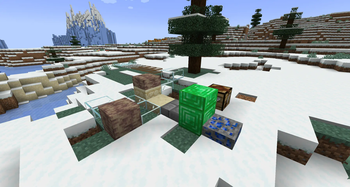
About this Mod
What is Slabify?
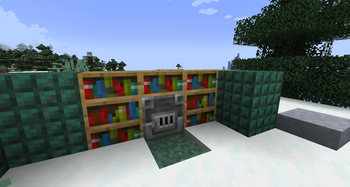
Slabify dynamically adds slabs, walls and slices to the game, this is achieved by scanning the game for suitable blocks and creating a new variant of that block, with the same attributes of the base block. There are limitations to this, anything with custom block properties or a block entity cannot be added to this (eg: Furnaces, Chests).
This compatibility should also work across different mods, there may be issues on first run - however, any blocks that cause issues will be added to the config file so that on second run they will be blacklisted.
Blocks and Items
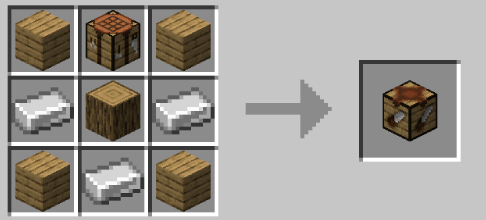
Sawing Table

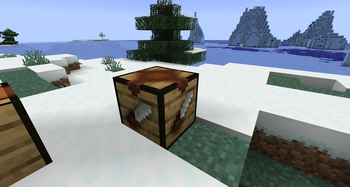
The sawing table is where all of the new blocks can be created, you will need a Saw (see below!) and a block that is compatible, add both in and there you go!
Slabs and Walls
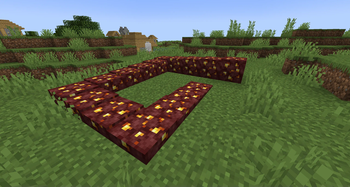
Slabs and Walls are the same as in vanilla, just with a lot more varieties!
Slices
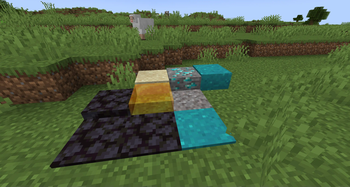
Slices are a new addition, they are by default 16x16x1 and can be built up, much like the Layered Snow block. They have 16 possible heights and cutting one block gives you 16 of them, which can then be placed in any way you desire. Shift right clicking will remove a layer too!

All possible heights

Saws
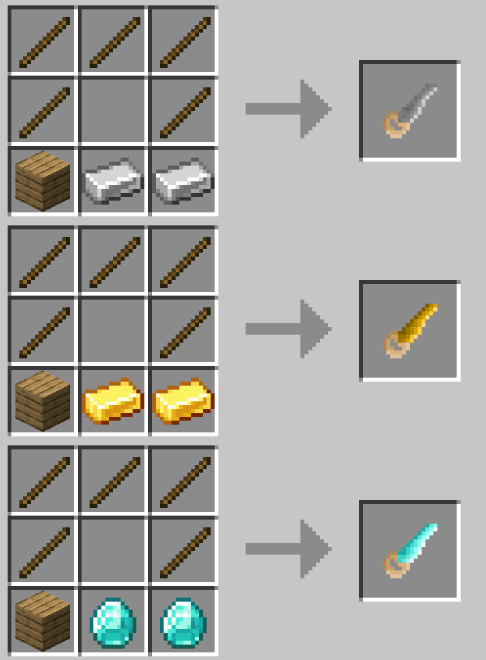
Saws come in Iron, Gold and Diamond and have 128, 256 and 512 uses respectively. They are used in the sawing table to create slabs!
Configuration
Slabify comes with a configuration file!
blacklisted_____Blocks - any blocks that should be blacklisted from having a variant created
forced_____Block - any blocks that have been automatically blacklisted can still be added and attempted, this is not recommended.
load_____ForModdedBlocks - defaults to true, should variants be generated for mods
Modpacks
Modpacks can freely use Slabify as long as the link to this page is shared, or created through CurseForge
Issues
As the mod is still in beta, I expect there to be issues. Please report them on Github using the link at the top of this page!
Available Versions
How to Install Slabify on Your Server
Order Server
Order a Minecraft Java server with at least 3 GB RAM (4 GB recommended).
Set fabric Loader
In the panel under "Egg", select the fabric loader and matching Minecraft version (1.20.6).
Install Mod
Open the mod browser in the dashboard and search for "Slabify". Click "Install" – done! Alternatively, upload the .jar via SFTP to the /mods folder.
Compatibility
Mod Loaders
Minecraft Versions
1.20.6
Server-side
✓ RequiredRecommended RAM
4 GB(min. 3 GB)Frequently Asked Questions
Slabify server crashes on startup – what to do?
Most common cause: wrong fabric version or insufficient RAM. Check the server log (latest.log) for "OutOfMemoryError" or "Mixin" errors. With Mado Hosting: ensure at least 3 GB RAM is allocated and the loader matches the mod version (1.20.6). You can switch loaders with one click in the panel.
Is Slabify compatible with fabric?
Slabify officially supports fabric for Minecraft 1.20.6. The Mado dashboard automatically detects incompatible loader combinations.
Server lagging with Slabify – how to optimize performance?
Recommended RAM: 4 GB (per 8 players). Use /spark profiler to check if Slabify consumes the most tick time. Common fixes: reduce server view-distance to 8-10, install "performant" or "starlight" as supplementary mods on Forge. With Mado Hosting, your server runs on NVMe SSDs with dedicated CPU cores for minimal latency.
Similar Mods

![[ETF] Entity Texture Features](https://cdn.modrinth.com/data/BVzZfTc1/af683d206d50b05258d865b0d6e4aa2f2cee12f2_96.webp)
![[EMF] Entity Model Features](https://cdn.modrinth.com/data/4I1XuqiY/6e5bbd0d06b1741bfdab6c0cfab6de8fdaf0064c_96.webp)



Rent Modded Server
Install Slabify with just one click on your server.