
Sleep Notfications
We're making notifications about sleep status in multiplayer mode easier to understand
Screenshots
About this Mod
概要
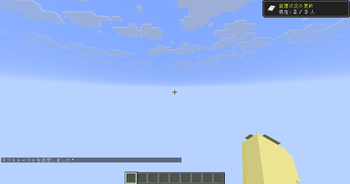
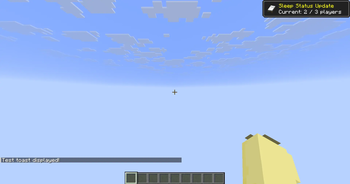
サーバー等のマルチプレイにおいて、アクションバーに表示されるさりげない状況の通知を、進捗達成風のトーストで右上に通知します。
- クライアントサイドMODなのでサーバーへの導入は必要ありません。
- 従って、どのサーバーでも動作します。
- 尚、シングルプレイにて、
/testtoastを実行することにより、動作のプレビューをすることが可能です。
- 右上のトースト表示に限らず、通知音を再生します。
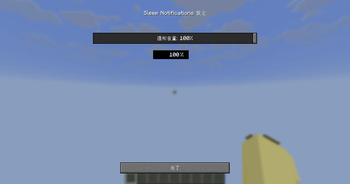
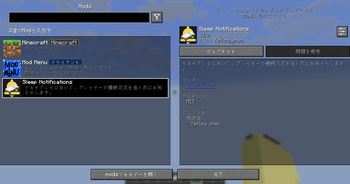
- 通知音はModMenuの設定画面にて音量調整が可能です。
- 現在、英語と日本語のみ対応しています。その他の言語に対応する予定は今のところありません。
===========
Overview
In multiplayer environments such as servers, this mod displays a subtle notification of your sleep status—which would normally appear in the action bar—as a progress-style toast notification in the top-right corner.
- Since this is a client-side mod, no server installation is required.
- Therefore, it works on any server.
- Note that you can preview the behavior in single-player mode by executing
/testtoast.
- In addition to the toast notification in the top-right corner, it plays a notification sound.
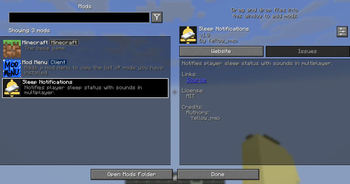
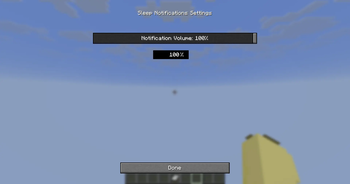
- You can adjust the volume of the notification sound in the ModMenu settings.
- Currently, we only support English and Japanese. We have no plans to add support for other languages at this time.
I used DeepL for the translation. Thank you.
Available Versions
How to Install Sleep Notfications on Your Server
Order Server
Order a Minecraft Java server with at least 3 GB RAM (4 GB recommended).
Set fabric Loader
In the panel under "Egg", select the fabric loader and matching Minecraft version (1.21.11).
Install Mod
Open the mod browser in the dashboard and search for "Sleep Notfications". Click "Install" – done! Alternatively, upload the .jar via SFTP to the /mods folder.
Compatibility
Mod Loaders
Minecraft Versions
1.21.11, 1.21.10, 1.21.9 (+8 more)
Server-side
✗ UnsupportedRecommended RAM
4 GB(min. 3 GB)Frequently Asked Questions
Sleep Notfications server crashes on startup – what to do?
Most common cause: wrong fabric version or insufficient RAM. Check the server log (latest.log) for "OutOfMemoryError" or "Mixin" errors. With Mado Hosting: ensure at least 3 GB RAM is allocated and the loader matches the mod version (1.21.11). You can switch loaders with one click in the panel.
Is Sleep Notfications compatible with fabric?
Sleep Notfications officially supports fabric for Minecraft 1.21.11, 1.21.10, 1.21.9. The Mado dashboard automatically detects incompatible loader combinations.
Server lagging with Sleep Notfications – how to optimize performance?
Recommended RAM: 4 GB (per 8 players). Use /spark profiler to check if Sleep Notfications consumes the most tick time. Common fixes: reduce server view-distance to 8-10, install "performant" or "starlight" as supplementary mods on Forge. With Mado Hosting, your server runs on NVMe SSDs with dedicated CPU cores for minimal latency.
Similar Mods




![[ETF] Entity Texture Features](https://cdn.modrinth.com/data/BVzZfTc1/af683d206d50b05258d865b0d6e4aa2f2cee12f2_96.webp)
![[EMF] Entity Model Features](https://cdn.modrinth.com/data/4I1XuqiY/6e5bbd0d06b1741bfdab6c0cfab6de8fdaf0064c_96.webp)
Rent Modded Server
Install Sleep Notfications with just one click on your server.