
SleepMenu
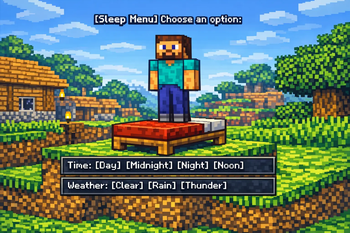
Sleep Menu turns every bed into a quick server-side control panel for time and weather.
Screenshots

About this Mod

SleepMenu
SleepMenu is a server-side Fabric mod for Minecraft.
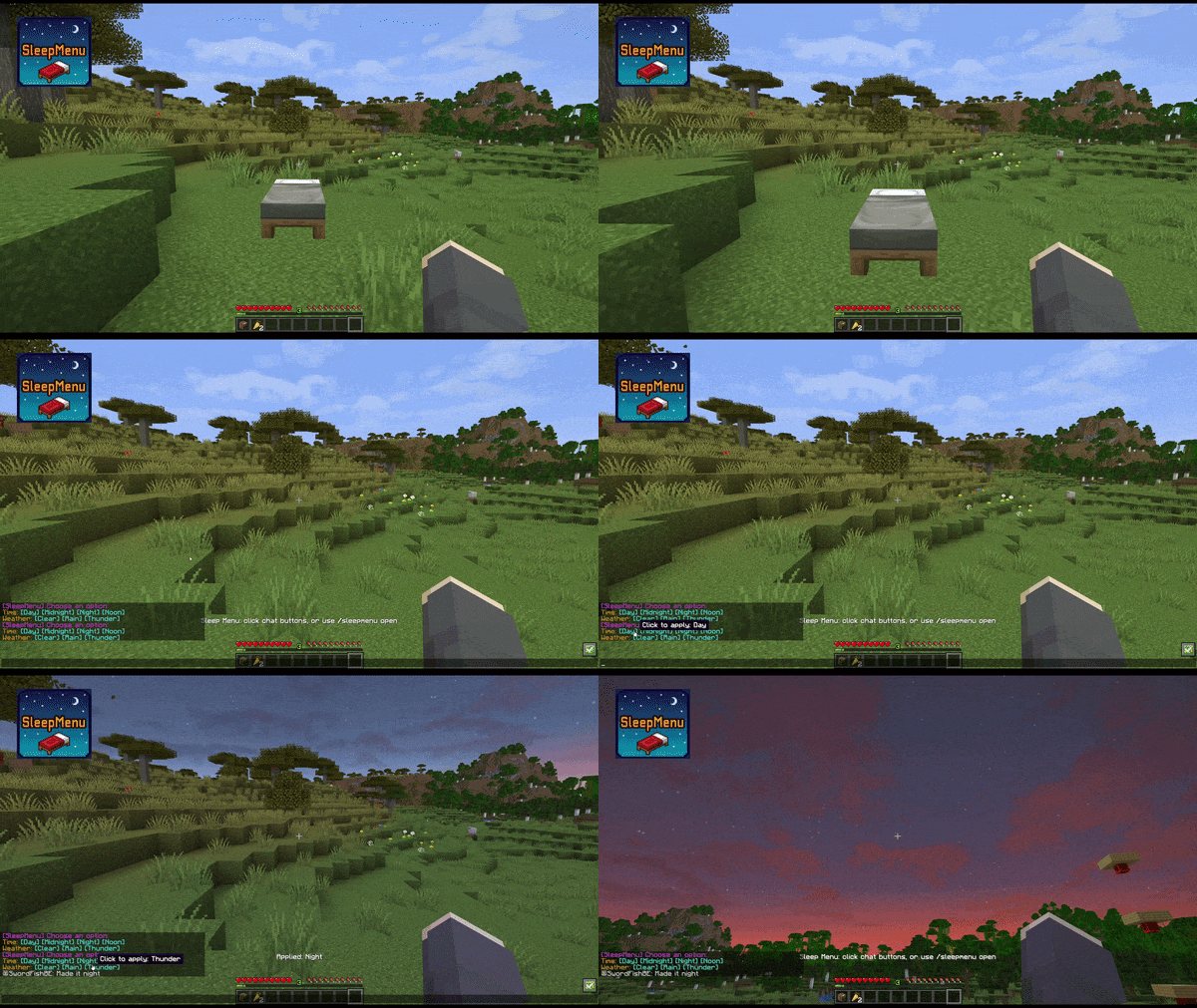
Players standing on a bed get a clickable chat menu to change time and weather.
Stand on a bed, click your choice, and shape the sky: day, night, clear, rain, or thunder.
🎮 Commands
/sleepmenu open/sleepmenu set <option>/sleepmenu reload(admin only; console allowed)
Options:
day, midnight, night, noon, clear, rain and thunder
If Mod Menu and Cloth Config are installed on the client, the config can also be edited through an in-game config screen. Dedicated servers do not need either dependency.
🔨 Server-side
This mod runs fully server-side. Clients do not need to install the mod.
Also works in single-player (without LuckPerms support).
🔄 LuckPerms permissions
If LuckPerms is installed, these nodes are checked:
sleepmenu.usesleepmenu.time.daysleepmenu.time.midnightsleepmenu.time.nightsleepmenu.time.noonsleepmenu.weather.clearsleepmenu.weather.rainsleepmenu.weather.thunder
If LuckPerms is missing, fallback behavior is controlled by config.
🌍 LuckPerms quick start
Example: allow everyone to open the Sleep Menu, but only moderators to change weather.
/lp group default permission set sleepmenu.use true
/lp group moderator permission set sleepmenu.weather.clear true
/lp group moderator permission set sleepmenu.weather.rain true
/lp group moderator permission set sleepmenu.weather.thunder true
Official LuckPerms docs:
⚙️ Configuration
Config file: config/sleepmenu.json
{
  "cooldownTicks": 400,
  "antiSpamWindowTicks": 12000,
  "timeChangeLimit": 4,
  "weatherChangeLimit": 4,
  "noLuckPermsAccess": "EVERYONE"
}
cooldownTicks: minimum ticks between successful changes per player (20 ticks = 1 second).antiSpamWindowTicks: shared anti-spam window for successful changes across all players. Default12000ticks = 10 minutes.timeChangeLimit: maximum successful time changes allowed inside the anti-spam window. Set0to disable.weatherChangeLimit: maximum successful weather changes allowed inside the anti-spam window. Set0to disable.noLuckPermsAccess:EVERYONEorOP_ONLY.
📦 Installation
- Download the latest JAR.
- Place the JAR in your server's
mods/folder. - Make sure Fabric API is also installed.
- Start Minecraft — the config file will be created automatically.
🏜️ Test Server
Feel free to join my Minecraft server to test my mods: play.swordfishbe.eu
⁉️ Credits/Idea
Based on the command blocks setup created by TOLoneWolf's: Sleep Menu System for Hypermine SMP
Available Versions
How to Install SleepMenu on Your Server
Order Server
Order a Minecraft Java server with at least 3 GB RAM (4 GB recommended).
Set fabric Loader
In the panel under "Egg", select the fabric loader and matching Minecraft version (26.2).
Install Mod
Open the mod browser in the dashboard and search for "SleepMenu". Click "Install" – done! Alternatively, upload the .jar via SFTP to the /mods folder.
Compatibility
Mod Loaders
Minecraft Versions
26.2, 26.1.2, 26.1.1 (+2 more)
Server-side
✓ RequiredRecommended RAM
4 GB(min. 3 GB)Frequently Asked Questions
SleepMenu server crashes on startup – what to do?
Most common cause: wrong fabric version or insufficient RAM. Check the server log (latest.log) for "OutOfMemoryError" or "Mixin" errors. With Mado Hosting: ensure at least 3 GB RAM is allocated and the loader matches the mod version (26.2). You can switch loaders with one click in the panel.
Is SleepMenu compatible with fabric?
SleepMenu officially supports fabric for Minecraft 26.2, 26.1.2, 26.1.1. The Mado dashboard automatically detects incompatible loader combinations.
Server lagging with SleepMenu – how to optimize performance?
Recommended RAM: 4 GB (per 8 players). Use /spark profiler to check if SleepMenu consumes the most tick time. Common fixes: reduce server view-distance to 8-10, install "performant" or "starlight" as supplementary mods on Forge. With Mado Hosting, your server runs on NVMe SSDs with dedicated CPU cores for minimal latency.
Similar Mods




Rent Modded Server
Install SleepMenu with just one click on your server.