
Slenderman: Ascend
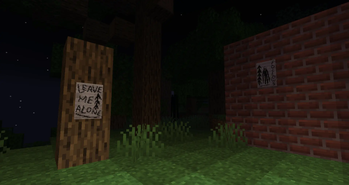
Collect the 8 pages… but beware, the more you find, the closer he gets...
Screenshots
About this Mod
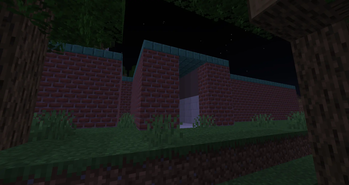
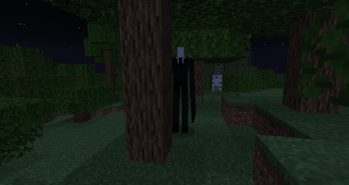
The Slenderman: Ascend mod brings a terrifying new experience to Minecraft’s forests. Mysterious structures spawn in the woods, each hiding one of eight Pages. As you collect these Pages, the Slenderman will begin to stalk you, becoming more aggressive with every one you find. He’ll teleport, jumpscare, and emit deadly static when looked at, forcing you to either run… or risk becoming one of his Proxies. Will you be able to collect all Pages?
Updates continue on Curseforge
- A mod made by Zcoper
- Mod created with MCreator!
- Requires Geckolib
● Visit my Discord Server!
https://discord.gg/akP56NtmVQ
● Important FaQ
Spoiler
► [OLD] What is my console spaming?
Most mobs use special spawning conditions, which means that these mobs can only appear under certain conditions. If the spawning conditions work, this spam is created in the console.
► [OLD] Why are Mobs not spawning?
Spawning Conditions determine which conditions must be met in order to spawn certain mobs. Some mobs only spawn above Y level 60. Some below. Most mobs can only spawn in the overworld than in other dimensions.
► Why are features missing in different versions?
It is recommended to play the newest versions of higher minecraft versions.
Not all features of MCreator available or the same in different versions.
For example: Version 1.19.2 doesn't have the feature of shield, better structure generation or custom villagers, but Version 1.20.1 does have them.
► How can I change the numbers of Pages I have collected?
The Page Counter resets to 0 if Slenderman got killed by an player or all 8 Pages got collected.
Alternatively, you can change the number of the gamerule "slenderPageCounter" from 0 to 8.
► Where can I find the Pages?
Pages can be found at Slenderman Structures in Dark Oak Forests, Forests and Taiga Biomes.
Alternatively, pages can be dropped when a mob dies.
► Why are there two slendermans?
When Slenderman teleports, a new instance of Slenderman will be created and the old one will be deleted. Sometimes it can let to issues where another Slenderman will spawn.
This is caused when Slenderman teleports to quickly to despawn the old one.
Luckly when Slenderman teleports again, the other instances of Slenderman should be gone.
► Why do some structures generate in each other?
This is due to the generation of MCreators structures. It can happen that the structures spawn inside each other, so they are generated in the same chunk.
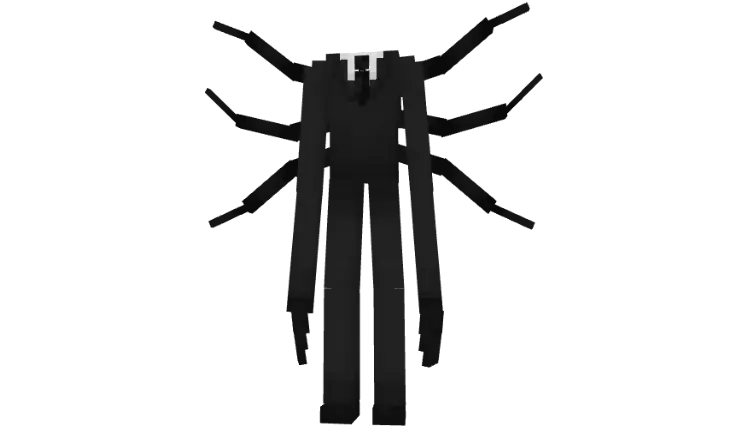
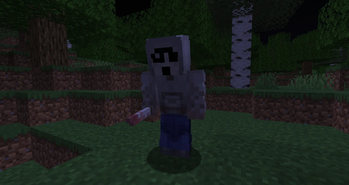
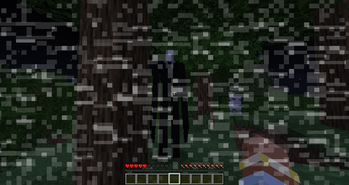
Slenderman appears after collecting your first Page. He teleports and keeps his distance, but with each Page collected, he becomes more aggressive and draws closer. Looking at him causes static that grows stronger over time. Too much, and it can kill you. Once the static intensifies, he reveals his tentacles, a clear warning to look away. Approaching Slenderman too closely triggers a jumpscare, resulting in instant death and turning the player into a Proxy. When he spawns nearby, a sound plays, and he may cause a static jumpscare to unsettle the player if being close. If somehow defeated, the Page counter resets, and he won't appear again until a new Page is collected.
- Config File not inculed.
- You are all allowed to use this mod in your modpacks!
- Do not port my mods without permission!
Available Versions
How to Install Slenderman: Ascend on Your Server
Order Server
Order a Minecraft Java server with at least 4 GB RAM (6 GB recommended).
Set forge Loader
In the panel under "Egg", select the forge loader and matching Minecraft version (1.20.1).
Install Mod
Open the mod browser in the dashboard and search for "Slenderman: Ascend". Click "Install" – done! Alternatively, upload the .jar via SFTP to the /mods folder.
Compatibility
Mod Loaders
Minecraft Versions
1.20.1, 1.19.4, 1.19.2
Server-side
✓ RequiredRecommended RAM
6 GB(min. 4 GB)Frequently Asked Questions
Slenderman: Ascend server crashes on startup – what to do?
Most common cause: wrong forge version or insufficient RAM. Check the server log (latest.log) for "OutOfMemoryError" or "Mixin" errors. With Mado Hosting: ensure at least 4 GB RAM is allocated and the loader matches the mod version (1.20.1). You can switch loaders with one click in the panel.
Is Slenderman: Ascend compatible with forge?
Slenderman: Ascend officially supports forge for Minecraft 1.20.1, 1.19.4, 1.19.2. The Mado dashboard automatically detects incompatible loader combinations.
Server lagging with Slenderman: Ascend – how to optimize performance?
Recommended RAM: 6 GB (per 5 players). Use /spark profiler to check if Slenderman: Ascend consumes the most tick time. Common fixes: reduce server view-distance to 8-10, install "performant" or "starlight" as supplementary mods on Forge. With Mado Hosting, your server runs on NVMe SSDs with dedicated CPU cores for minimal latency.
Similar Mods
![[EMF] Entity Model Features](https://cdn.modrinth.com/data/4I1XuqiY/6e5bbd0d06b1741bfdab6c0cfab6de8fdaf0064c_96.webp)


Rent Modded Server
Install Slenderman: Ascend with just one click on your server.