
Slime Time
An expansion on Slime, providing tools like Slime Boots, throwable Slime Balls, Slime Buckets, dyeable Slime Blocks and more.
Screenshots
About this Mod
Slime Time



An expansion on Slime, providing tools like Slime Boots, throwable Slime Balls, Slime Buckets, dyeable Slime Blocks and more.
Features
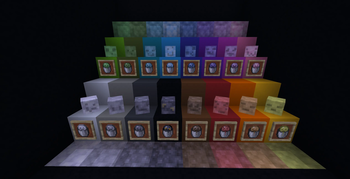
- Slimes now generate in a variety of common colours.
- Colourful Slimes drop coloured Slime Balls.
- Slime Balls can be thrown, and now come in a variety of colours.
- Coloured Slime Balls stack together, to avoid inventory bloat. Mixing slime balls will merge the two dyes.
- Throwing a Slime Ball at an entity will inflict it with Slime Time, a new effect that causes afflicted targets to bounce around.
- Slime Blocks now come in a variety of colours.
- Coloured Slime Blocks do not stick to each other, allowing for more complex redstone contraptions.
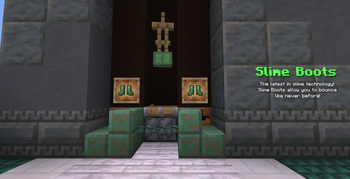
- Slime Boots, which allow players wearing them to bounce around. Dyeable.
- Slime Slings, a tool used to launch players in the opposite direction they were facing. Dyeable.
- Buckets of Slime, which can be used to breed Frogs.
- Slimes caught in buckets will preserve their colour, and the item will show the correct colour.
- Buckets of Magma Cubes, which can be fed to Frogs to receive Froglights.
Technical
- The force multiplier on a Slime Sling is component-driven, allowing it to be scaled with mods like Default Components using the following format:
[slime_time:force={horizontal_force:1,vertical_force:1}] - On 26.1 and below, the
bouncinessattribute from Minecraft 26.2 was backported. - Froglight feeding has direct integration with Instant Feedback and No Man's Land. Other mods will have to be added manually.
Installation
Slime Time is a client and server mod for 26.1. Its dependencies are listed below.
Dependencies
- Fabric API is required on Fabric.
- McQoy is recommended to configure the mod.
- Reliable Recipe Viewer or EMI is recommended to see recipes.
- Modefite is required on 1.21.1.
FAQ
- Will this mod be ported to other versions/loaders?
- My focus is primarily on 26.1 at this time, though a 1.21.1 backport was made to allow the mod a wider audience. I do not plan to backport the mod further than 1.21.1, as the mod depends on 1.21+ exclusive features.
License

Slime Time is distributed under the open-source MIT license. Note that this only applies to the code.
Slime textures were designed by ProbablyEkho.
Available Versions
How to Install Slime Time on Your Server
Order Server
Order a Minecraft Java server with at least 3 GB RAM (4 GB recommended).
Set fabric Loader
In the panel under "Egg", select the fabric loader and matching Minecraft version (26.2).
Install Mod
Open the mod browser in the dashboard and search for "Slime Time". Click "Install" – done! Alternatively, upload the .jar via SFTP to the /mods folder.
Compatibility
Mod Loaders
Minecraft Versions
26.2, 26.2-rc-2, 26.2-rc-1 (+5 more)
Server-side
✓ RequiredRecommended RAM
4 GB(min. 3 GB)Frequently Asked Questions
Slime Time server crashes on startup – what to do?
Most common cause: wrong fabric version or insufficient RAM. Check the server log (latest.log) for "OutOfMemoryError" or "Mixin" errors. With Mado Hosting: ensure at least 3 GB RAM is allocated and the loader matches the mod version (26.2). You can switch loaders with one click in the panel.
Is Slime Time compatible with fabric and neoforge?
Slime Time officially supports fabric, neoforge for Minecraft 26.2, 26.2-rc-2, 26.2-rc-1. The Mado dashboard automatically detects incompatible loader combinations.
Server lagging with Slime Time – how to optimize performance?
Recommended RAM: 4 GB (per 8 players). Use /spark profiler to check if Slime Time consumes the most tick time. Common fixes: reduce server view-distance to 8-10, install "performant" or "starlight" as supplementary mods on Forge. With Mado Hosting, your server runs on NVMe SSDs with dedicated CPU cores for minimal latency.
Similar Mods




Rent Modded Server
Install Slime Time with just one click on your server.