
Slowcraft
Library for modpack, datapack and mod authors to create low-tech Progressive Crafting items, inspired by Better Than Wolves and Create.
Screenshots
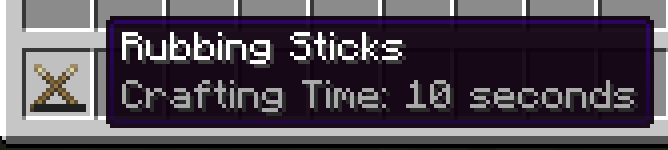
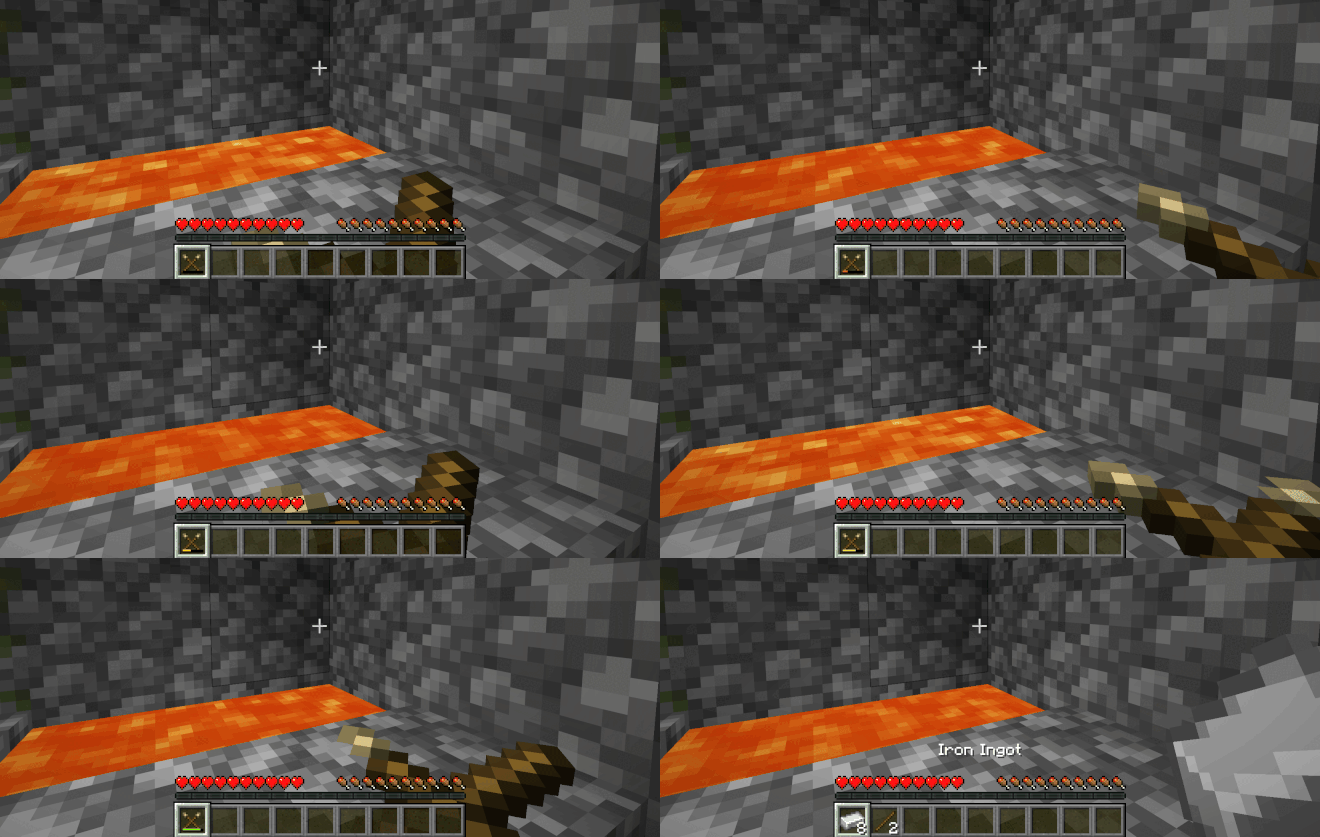
About this Mod
Slowcraft
Slowcraft is a library mod for modpack, datapack and mod authors to create progressive crafting items called SlowTools.
Inspired by the Knitting system in Better Than Wolves and the Polishing system in Create.
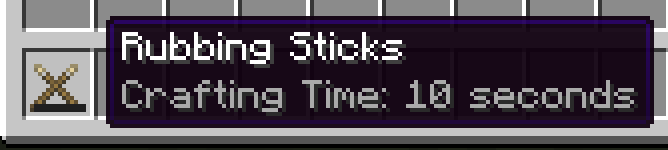
SlowTools
SlowTools are intermediary crafting items, intended to be time-consuming crafts. The player holds right-click to work on it while its durability bar shows the current progress.
Progress is saved when the player stops, so a long craft can be completed a little at a time. Once the bar finishes, the SlowTool is consumed and its outputs are given to the player.
A real life example could include things like knitting, weaving, or whittling.
Requirements
- Fabric API
- (Optional) JEI
Slowcraft is a library mod. Installing it by itself does not add anything; mods, modpacks, and datapacks use it to create their own SlowTools.
Documentation
Made for Modpacks, Datapacks and Mods
Slowcraft supports two ways to create SlowTools:
- Data-driven: SlowTools can be added through datapack JSON files without any Java.
- Java-driven: SlowTools can be registered as items for mod developers who want custom sounds, assets, or additional behavior.
SlowTools can be configured with a crafting time, up to four item outputs, and more!
Integration
When JEI is installed, Slowcraft adds a Progressive Crafting recipe category showing each SlowTool's outputs and crafting time.
SlowTools have an Information page, and SlowTools are added to JEI automatically.
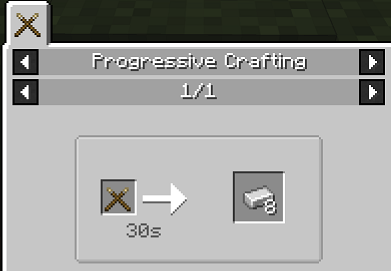
JEI is optional and is not required to use Slowcraft.
Planned Integration:
- EMI / REI / etc.
- KubeJS
Credits
- FlowerChild and the BTW CE 3.0 Community for the inspiration and art assets
- Ivangeevo for assistance with item logic
Slowcraft was originally created for a modpack of my own, but anyone is welcome to use it in their mods or modpacks.
Available Versions
How to Install Slowcraft on Your Server
Order Server
Order a Minecraft Java server with at least 3 GB RAM (4 GB recommended).
Set fabric Loader
In the panel under "Egg", select the fabric loader and matching Minecraft version (26.2).
Install Mod
Open the mod browser in the dashboard and search for "Slowcraft". Click "Install" – done! Alternatively, upload the .jar via SFTP to the /mods folder.
Compatibility
Mod Loaders
Minecraft Versions
26.2, 26.1.2, 1.21.1
Server-side
✓ RequiredRecommended RAM
4 GB(min. 3 GB)Frequently Asked Questions
Slowcraft server crashes on startup – what to do?
Most common cause: wrong fabric version or insufficient RAM. Check the server log (latest.log) for "OutOfMemoryError" or "Mixin" errors. With Mado Hosting: ensure at least 3 GB RAM is allocated and the loader matches the mod version (26.2). You can switch loaders with one click in the panel.
Is Slowcraft compatible with fabric?
Slowcraft officially supports fabric for Minecraft 26.2, 26.1.2, 1.21.1. The Mado dashboard automatically detects incompatible loader combinations.
Server lagging with Slowcraft – how to optimize performance?
Recommended RAM: 4 GB (per 8 players). Use /spark profiler to check if Slowcraft consumes the most tick time. Common fixes: reduce server view-distance to 8-10, install "performant" or "starlight" as supplementary mods on Forge. With Mado Hosting, your server runs on NVMe SSDs with dedicated CPU cores for minimal latency.
Similar Mods




Rent Modded Server
Install Slowcraft with just one click on your server.