
Smart Optimization
This mod lowering or enlarge graphic settings based on your FPS
Screenshots
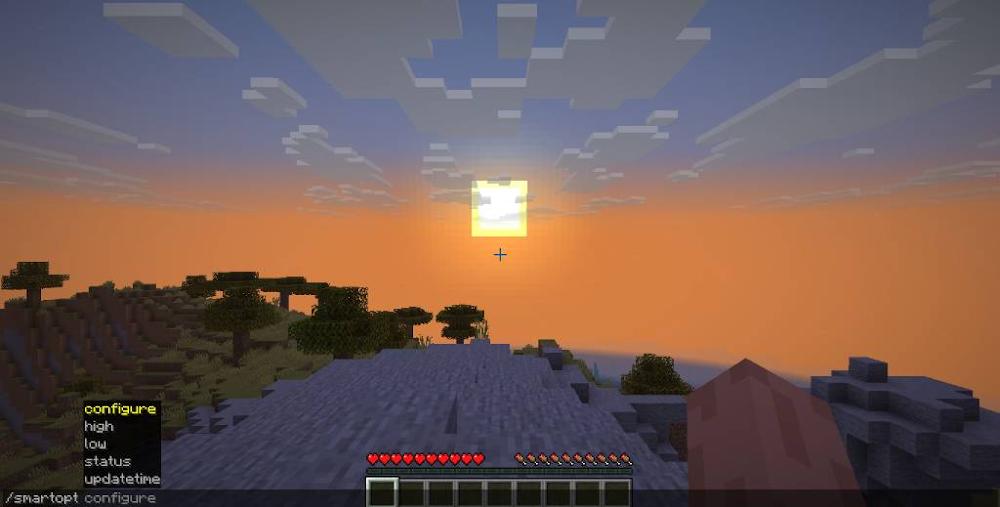
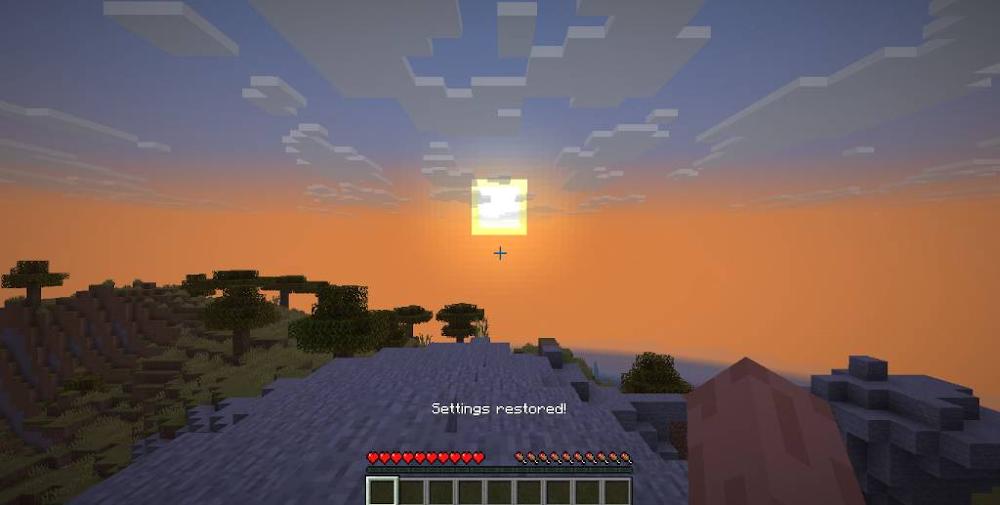
About this Mod
Smart Optimization
Smart Optimization is an adaptive performance optimization mod for Minecraft that automatically adjusts your graphics settings based on your current FPS.
The mod continuously monitors performance and dynamically applies or restores graphical settings depending on whether your game is running below or above your configured FPS thresholds.
This allows you to keep high-quality visuals most of the time while still ensuring smooth gameplay during heavy performance drops.
⚠️ This mod is still in active development. Features may change, and new optimization options will be added over time.
Important stuff
The update time is the time it takes to change the settings again. If you're not sure what value is the best for your device, then this section would be helpful.
If you have a low-end PC or laptop and always want to play with a lot of FPS, I recommend setting the update time to a lower value like 30 (seconds)
If you want stable FPS, even if you have a good PC or laptop, I will recommend setting the update time to a higher value like 300 (seconds / 5 minutes).
**You can edit the update time in the chat with this command:
/smartopt updatetime
**
Note: The lowest value you can enter is 20 (seconds). The highest value you can enter is 600 (seconds / 10 minutes)
How it works
Smart Optimization tracks your average FPS over time.
- If FPS drops below the low threshold, the mod gradually reduces performance-heavy settings.
- If FPS rises above the high threshold, the mod restores your original settings step by step.
Before making any changes, Smart Optimization saves your original configuration so everything can be restored exactly as it was.
Optimizations are applied gradually in a controlled order to avoid sudden visual changes.
Optimizations include
Depending on configuration, Smart Optimization can adjust the following:
- Entity render distance
- Entity shadows
- Particle effects
- Cloud rendering
- Simulation distance
- Render distance
Each category can be individually enabled or disabled.
Commands
FPS control
Set the FPS threshold for when optimization starts:
/smartopt low <fps>
Set the FPS threshold for when settings are restored:
/smartopt high <fps>
Set how often FPS is checked:
/smartopt updatetime <seconds>
Configuration system
Enable or disable specific optimizations:
/smartopt configure <setting> <true/false>
Available settings:
- entitydistance
- entityshadows
- particles
- clouds
- simulationdistance
- renderdistance
Example:
/smartopt configure particles false
This prevents Smart Optimization from modifying particle settings.
Status
View all current settings:
/smartopt status
This includes:
- FPS thresholds
- Update interval
- Enabled optimization options
Features
- Adaptive FPS monitoring
- Gradual performance optimization
- Automatic restoration of original settings
- Fully configurable optimization system
- Lightweight client-side design
- No permanent visual changes
Who is this mod for?
Smart Optimization is designed for players who:
- experience FPS drops in specific situations
- want better performance without permanently lowering graphics settings
- play on low-end or mid-range PCs
- use modpacks or heavy worlds
- prefer automatic optimization instead of manual tweaking
Development status
This mod is currently in active development.
More features, optimization options, and configuration controls will be added in future updates.
Available Versions
How to Install Smart Optimization on Your Server
Order Server
Order a Minecraft Java server with at least 3 GB RAM (4 GB recommended).
Set fabric Loader
In the panel under "Egg", select the fabric loader and matching Minecraft version (1.21.11).
Install Mod
Open the mod browser in the dashboard and search for "Smart Optimization". Click "Install" – done! Alternatively, upload the .jar via SFTP to the /mods folder.
Compatibility
Mod Loaders
Minecraft Versions
1.21.11
Server-side
✗ UnsupportedRecommended RAM
4 GB(min. 3 GB)Frequently Asked Questions
Smart Optimization server crashes on startup – what to do?
Most common cause: wrong fabric version or insufficient RAM. Check the server log (latest.log) for "OutOfMemoryError" or "Mixin" errors. With Mado Hosting: ensure at least 3 GB RAM is allocated and the loader matches the mod version (1.21.11). You can switch loaders with one click in the panel.
Is Smart Optimization compatible with fabric?
Smart Optimization officially supports fabric for Minecraft 1.21.11. The Mado dashboard automatically detects incompatible loader combinations.
Server lagging with Smart Optimization – how to optimize performance?
Recommended RAM: 4 GB (per 8 players). Use /spark profiler to check if Smart Optimization consumes the most tick time. Common fixes: reduce server view-distance to 8-10, install "performant" or "starlight" as supplementary mods on Forge. With Mado Hosting, your server runs on NVMe SSDs with dedicated CPU cores for minimal latency.
Similar Mods


Rent Modded Server
Install Smart Optimization with just one click on your server.