
Sonora
Play your own .ogg music files in Minecraft with simple commands.
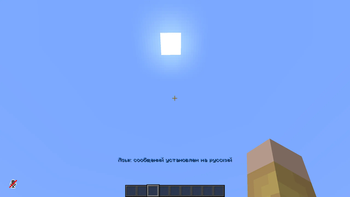
Screenshots
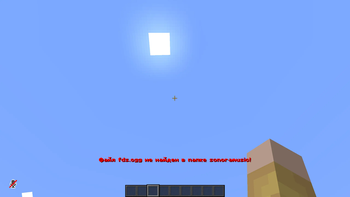
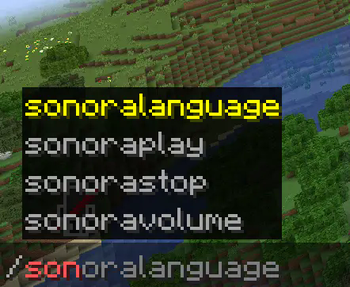
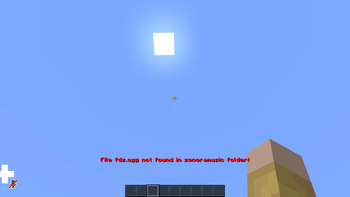
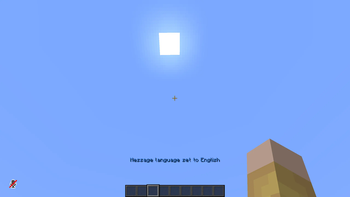
About this Mod
🌍 [ENGLISH]
Sonora is a lightweight client-side mod that allows you to play your own .ogg music files directly in Minecraft using simple commands. It's perfect for creating immersive experiences, background music, or just enjoying your favorite tracks while you play.
🎧 How it works:
Drop .ogg files (no spaces, only English names and underscores) into the automatically created sonoramusic folder.
Use simple commands to play or stop music in-game.
⚙️ Commands:
/sonoraplay <filename>         – Plays a .ogg file from the "sonoramusic" folder
/sonorastop                    – Stops currently playing music
/sonoralanguage <en/ru>        – Changes mod language
/sonoravolume <1-100>          – Sets volume level in percent
📌 Important Notes:
File names must be in English, contain no spaces, and only allow characters like underscores (_).
The first time you play a track, the game may freeze or lag briefly, depending on the file size and bitrate. This is normal.
This mod uses OpenAL to handle audio playback.
🔐 Server Compatibility:
Works perfectly on most servers, including CubeCraft and other community servers.
❗ On strict servers like Hypixel, you may be blocked from joining while the mod is installed. This is because:
The mod uses native libraries (OpenAL).
It accesses your local file system.
It is not whitelisted on those servers.
This is a fully client-side mod and does not give you any competitive advantage.
💡 Sonora is my next step as a mod developer — it's my first mod that handles files and audio systems. Thanks for checking it out!
🌍 [РУССКИЙ]
Sonora — это лёгкий клиентский мод для Minecraft, позволяющий проигрывать ваши собственные .ogg-файлы прямо в игре с помощью простых команд. Идеален для фоновой музыки, ролевых проектов или просто приятной атмосферы.
🎧 Как работает:
Поместите .ogg-файлы (названия на английском, без пробелов, можно использовать только символы вроде нижнего подчёркивания (_)) в автоматически созданную папку sonoramusic.
Управляйте воспроизведением с помощью команд.
⚙️ Команды:
/sonoraplay <имя файла>        – Воспроизводит .ogg-файл из папки "sonoramusic"
/sonorastop                    – Останавливает воспроизведение
/sonoralanguage <en/ru>        – Меняет язык мода
/sonoravolume <1-100>          – Изменяет громкость в процентах
📌 Важно:
Названия файлов должны быть на английском, без пробелов и спецсимволов, кроме _.
При первом воспроизведении файла возможна небольшая задержка/фриз, особенно если файл большой или с высоким битрейтом.
Для звука используется OpenAL.
🔐 Совместимость с серверами:
Мод прекрасно работает на большинстве серверов, таких как CubeCraft и других.
❗ Однако на серверах с жёсткой защитой (например, Hypixel) мод может заблокировать вход. Причины:
Использование нативной библиотеки OpenAL.
Доступ к локальной файловой системе.
Отсутствие мода в списке "доверенных".
Это исключительно клиентский мод, не дающий никаких преимуществ в игре.
💡 Sonora — мой следующий шаг как разработчика. Это первый мод, который обрабатывает файлы и использует систему звука. Спасибо, что попробовали!
Available Versions
How to Install Sonora on Your Server
Order Server
Order a Minecraft Java server with at least 3 GB RAM (4 GB recommended).
Set forge Loader
In the panel under "Egg", select the forge loader and matching Minecraft version (1.20.1).
Install Mod
Open the mod browser in the dashboard and search for "Sonora". Click "Install" – done! Alternatively, upload the .jar via SFTP to the /mods folder.
Compatibility
Mod Loaders
Minecraft Versions
1.20.1
Server-side
✗ UnsupportedRecommended RAM
4 GB(min. 3 GB)Frequently Asked Questions
Sonora server crashes on startup – what to do?
Most common cause: wrong forge version or insufficient RAM. Check the server log (latest.log) for "OutOfMemoryError" or "Mixin" errors. With Mado Hosting: ensure at least 3 GB RAM is allocated and the loader matches the mod version (1.20.1). You can switch loaders with one click in the panel.
Is Sonora compatible with forge?
Sonora officially supports forge for Minecraft 1.20.1. The Mado dashboard automatically detects incompatible loader combinations.
Server lagging with Sonora – how to optimize performance?
Recommended RAM: 4 GB (per 8 players). Use /spark profiler to check if Sonora consumes the most tick time. Common fixes: reduce server view-distance to 8-10, install "performant" or "starlight" as supplementary mods on Forge. With Mado Hosting, your server runs on NVMe SSDs with dedicated CPU cores for minimal latency.
Similar Mods




![[ETF] Entity Texture Features](https://cdn.modrinth.com/data/BVzZfTc1/af683d206d50b05258d865b0d6e4aa2f2cee12f2_96.webp)
![[EMF] Entity Model Features](https://cdn.modrinth.com/data/4I1XuqiY/6e5bbd0d06b1741bfdab6c0cfab6de8fdaf0064c_96.webp)
Rent Modded Server
Install Sonora with just one click on your server.