
Sort'em All
A lightweight QoL mod that adds fast, intuitive inventory sorting and item management.
Screenshots

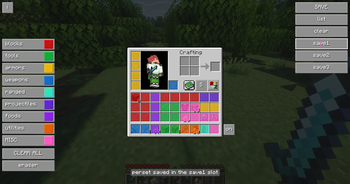
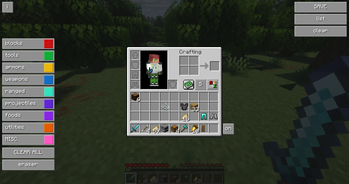
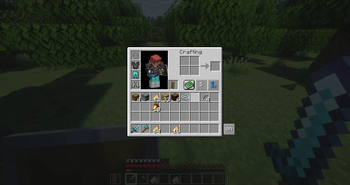
About this Mod
Simple, fast, and intuitive inventory sorting for a smoother Minecraft experience.
This mod adds quality-of-life improvements to inventory management, making it easier and faster to organize your items without interrupting gameplay.
✨ Features
⚡ Quick inventory sorting with a customizable keybind****
📦 Smart item organization based on item types
🔍 Item highlighting to easily find matching items
🎯 Clean and minimal UI designed for clarity and speed
⚙️ Configurable settings to fit your playstyle
🛡️ Multiplayer Compatibility
Server-friendly design
Automation features are disabled or restricted in multiplayer
No unfair advantages or hidden mechanics
🧪 Project Status
This mod is actively being developed and improved.
More advanced features (like intelligent chest sorting) are planned for future versions.
💡 Goal
To provide a lightweight, clean, and useful inventory management system that feels natural and enhances the vanilla experience.
Available Versions
How to Install Sort'em All on Your Server
Order Server
Order a Minecraft Java server with at least 3 GB RAM (4 GB recommended).
Set fabric Loader
In the panel under "Egg", select the fabric loader and matching Minecraft version (1.21.11).
Install Mod
Open the mod browser in the dashboard and search for "Sort'em All". Click "Install" – done! Alternatively, upload the .jar via SFTP to the /mods folder.
Compatibility
Mod Loaders
Minecraft Versions
1.21.11
Server-side
✗ UnsupportedRecommended RAM
4 GB(min. 3 GB)Frequently Asked Questions
Sort'em All server crashes on startup – what to do?
Most common cause: wrong fabric version or insufficient RAM. Check the server log (latest.log) for "OutOfMemoryError" or "Mixin" errors. With Mado Hosting: ensure at least 3 GB RAM is allocated and the loader matches the mod version (1.21.11). You can switch loaders with one click in the panel.
Is Sort'em All compatible with fabric?
Sort'em All officially supports fabric for Minecraft 1.21.11. The Mado dashboard automatically detects incompatible loader combinations.
Server lagging with Sort'em All – how to optimize performance?
Recommended RAM: 4 GB (per 8 players). Use /spark profiler to check if Sort'em All consumes the most tick time. Common fixes: reduce server view-distance to 8-10, install "performant" or "starlight" as supplementary mods on Forge. With Mado Hosting, your server runs on NVMe SSDs with dedicated CPU cores for minimal latency.
Similar Mods




![[ETF] Entity Texture Features](https://cdn.modrinth.com/data/BVzZfTc1/af683d206d50b05258d865b0d6e4aa2f2cee12f2_96.webp)
![[EMF] Entity Model Features](https://cdn.modrinth.com/data/4I1XuqiY/6e5bbd0d06b1741bfdab6c0cfab6de8fdaf0064c_96.webp)
Rent Modded Server
Install Sort'em All with just one click on your server.