Sound Controller: Tweaked
A fork of BVengo's Sound Controller, a mod that provides complete control over the volume of every sound in the game.
Screenshots
About this Mod
This mod is a fork.
This project originates from BVengo's Sound Controller.
Their mod is already amazing! I've been a fan for a couple years now; if you like this fork, I'd ask that you consider supporting them on their Ko-Fi.
What is Sound Controller?
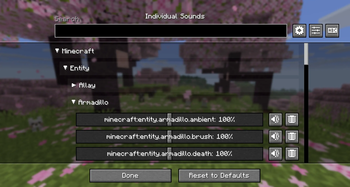
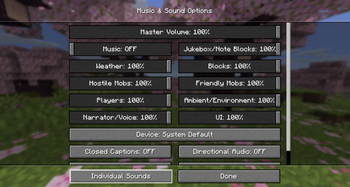
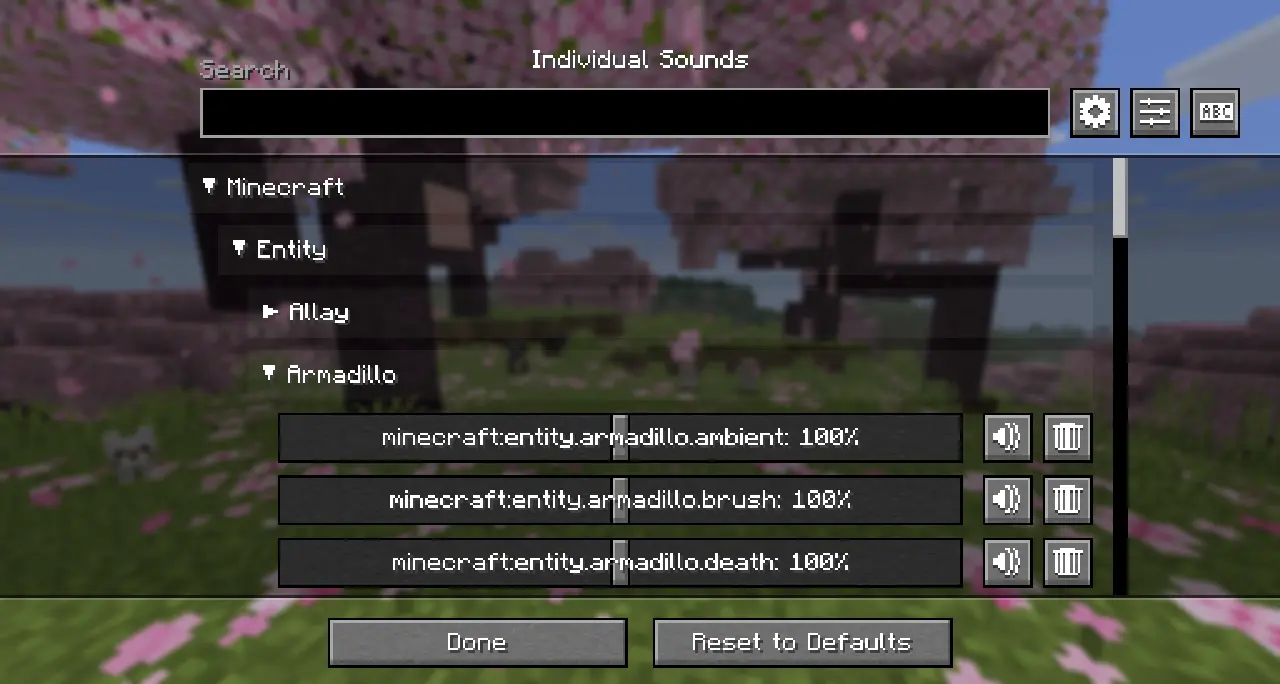
Sound Controller offers a neat and convenient interface to search and adjust the volume of individual sounds.
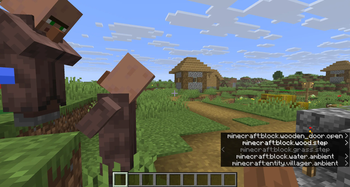
This can be especially useful in cases where you want to adjust sounds without adjusting an entire sound category, such as when a certain entity (like endermen or villagers) that are too loud.
Why Use This Fork?
1) Neoforge
Though this wasn't my only reason for forking the mod, I'm sure this will be the main appeal for this fork, as the original mod wasn't written for Neoforge.
2) Tweaks
This fork serves as 'my take' on the mod; some of my tweaks so far include:
- Categorized Sounds
The sound entries in the Individual Sounds screen are now grouped in collapsable categories for easier readability.
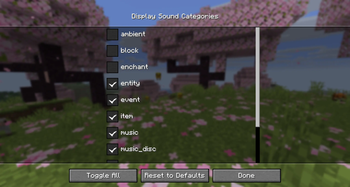
- Filter Sound Categories
A new button allows you to filter out specific sound categories (namespace-insensitive) to show only the ones you're using.
- New Buttons
This was a personal aesthetic choice; the original mod's buttons were done very well.
Available Versions
How to Install Sound Controller: Tweaked on Your Server
Order Server
Order a Minecraft Java server with at least 3 GB RAM (4 GB recommended).
Set fabric Loader
In the panel under "Egg", select the fabric loader and matching Minecraft version (26.1.2).
Install Mod
Open the mod browser in the dashboard and search for "Sound Controller: Tweaked". Click "Install" – done! Alternatively, upload the .jar via SFTP to the /mods folder.
Compatibility
Mod Loaders
Minecraft Versions
26.1.2, 26.1.1, 26.1 (+1 more)
Server-side
✗ UnsupportedRecommended RAM
4 GB(min. 3 GB)Frequently Asked Questions
Sound Controller: Tweaked server crashes on startup – what to do?
Most common cause: wrong fabric version or insufficient RAM. Check the server log (latest.log) for "OutOfMemoryError" or "Mixin" errors. With Mado Hosting: ensure at least 3 GB RAM is allocated and the loader matches the mod version (26.1.2). You can switch loaders with one click in the panel.
Is Sound Controller: Tweaked compatible with fabric and neoforge and quilt?
Sound Controller: Tweaked officially supports fabric, neoforge, quilt for Minecraft 26.1.2, 26.1.1, 26.1. The Mado dashboard automatically detects incompatible loader combinations.
Server lagging with Sound Controller: Tweaked – how to optimize performance?
Recommended RAM: 4 GB (per 8 players). Use /spark profiler to check if Sound Controller: Tweaked consumes the most tick time. Common fixes: reduce server view-distance to 8-10, install "performant" or "starlight" as supplementary mods on Forge. With Mado Hosting, your server runs on NVMe SSDs with dedicated CPU cores for minimal latency.
Similar Mods




Rent Modded Server
Install Sound Controller: Tweaked with just one click on your server.