
SoundSelection Babric
This mod adds custom sound loading capabilities to the game similar to texture packs. Special thanks to Spring Spring for the sound icon and to NFC team for the pack list GUI.
Screenshots
About this Mod
SoundSelection for Minecraft Beta 1.7.3
A babric mod for Minecraft Beta 1.7.3 that adds custom sound loading capabilities to the game similar to texture packs. Special thanks to Spring Spring for the sound icon and to NFC team for the pack list GUI.
Sound Selection
Mod works on Multiplayer as it is completely clientside!
- GUI icon can be disabled using CryonicConfig.
- After loading the mod and selecting your desired soundpack, go to the config folder and change
displayGUIin thesoundselection.jsonfile tofalse.
- After loading the mod and selecting your desired soundpack, go to the config folder and change
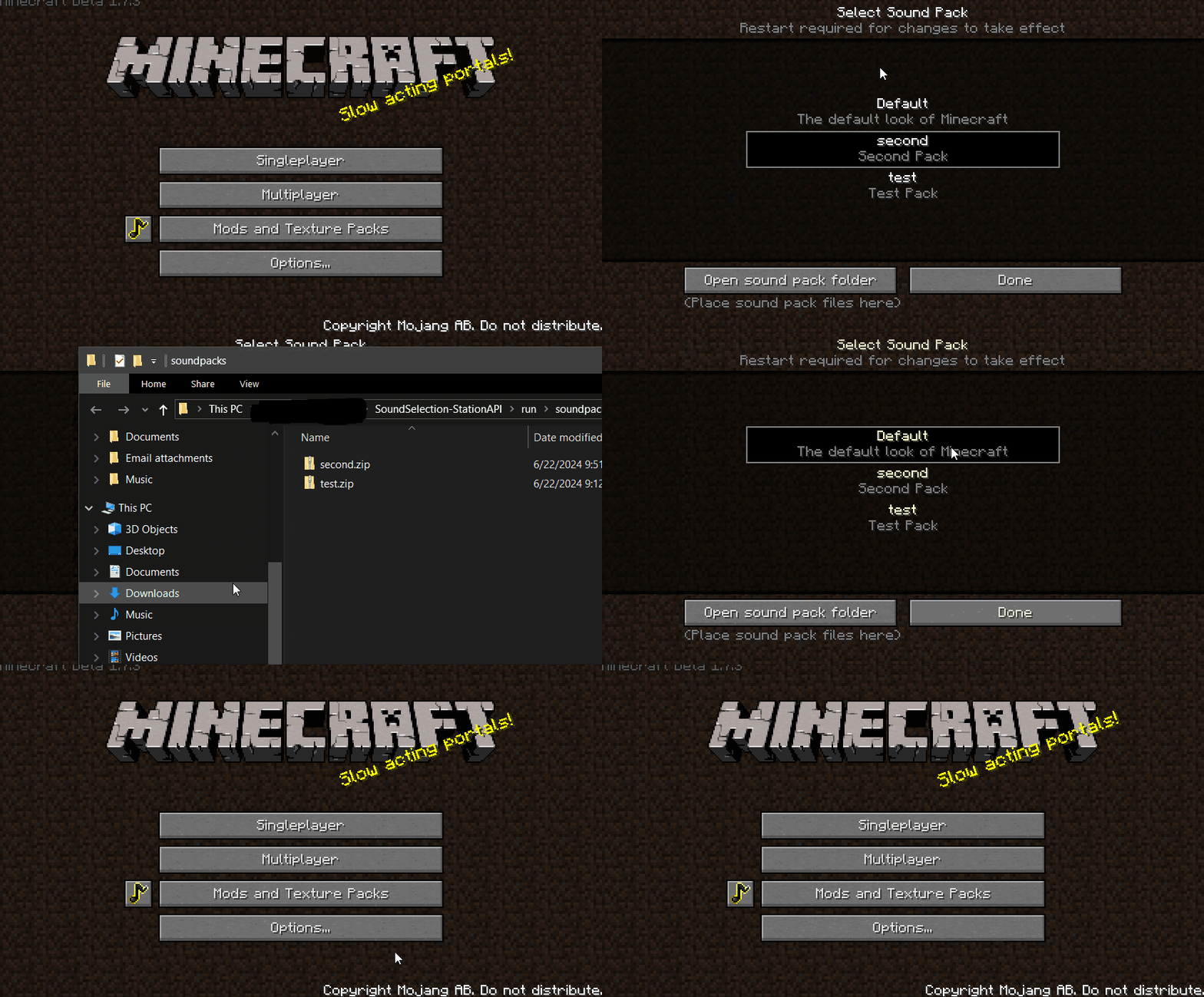
- Adds ability to add sound packs to the game.
- On first run of the mod a folder named
soundpackswill be created. - To make a sound pack copy the structure of the
resourcesfolder and edit whatever you want, once finished zip the pack and remove sounds you did not change. - Default Minecraft sounds will be used if a sound is not found in the sound pack.
pack.mcmetais used to get the packdescriptionandtitle, if no title is provided the zip name will be used as the title.- When the mod is run, click the sound icon to go to the sound pack selection screen.
- The sounds will be extracted to
resources-soundpackwhen a sound pack is selected. - Unfortunately after you select your desired sound pack you must restart the game for the new sounds to load.
- On first run of the mod a folder named
Installation using Prism Launcher
- Download an instance of Babric for Prism Launcher: https://github.com/Glass-Series/babric-prism-instance
- Install Java 17 and set the instance to use it: https://adoptium.net/temurin/releases/
- (Optional) Add CryonicConfig to the mod folder for the instance: https://modrinth.com/mod/cryonicconfig
- (Optional) Add StationAPI to the mod folder for the instance: https://modrinth.com/mod/stationapi
- (Optional) Add Mod Menu to the mod folder for the instance: https://modrinth.com/mod/modmenu-beta
- Add this mod to the mod folder for the instance: https://github.com/telvarost/BetaTweaks-StationAPI/releases
- Run and enjoy! 👍
Feedback
Got any suggestions on what should be added next? Feel free to share it by creating an issue. Know how to code and want to do it yourself? Then look below on how to get started.
Contributing
Thanks for considering contributing! To get started fork this repository, make your changes, and create a PR.
If you are new to StationAPI consider watching the following videos on Babric/StationAPI Minecraft modding: https://www.youtube.com/watch?v=9-sVGjnGJ5s&list=PLa2JWzyvH63wGcj5-i0P12VkJG7PDyo9T
Available Versions
How to Install SoundSelection Babric on Your Server
Order Server
Order a Minecraft Java server with at least 3 GB RAM (4 GB recommended).
Set babric Loader
In the panel under "Egg", select the babric loader and matching Minecraft version (b1.7.3).
Install Mod
Open the mod browser in the dashboard and search for "SoundSelection Babric". Click "Install" – done! Alternatively, upload the .jar via SFTP to the /mods folder.
Compatibility
Mod Loaders
Minecraft Versions
b1.7.3
Server-side
✗ UnsupportedRecommended RAM
4 GB(min. 3 GB)Frequently Asked Questions
SoundSelection Babric server crashes on startup – what to do?
Most common cause: wrong babric version or insufficient RAM. Check the server log (latest.log) for "OutOfMemoryError" or "Mixin" errors. With Mado Hosting: ensure at least 3 GB RAM is allocated and the loader matches the mod version (b1.7.3). You can switch loaders with one click in the panel.
Is SoundSelection Babric compatible with babric and fabric?
SoundSelection Babric officially supports babric, fabric for Minecraft b1.7.3. The Mado dashboard automatically detects incompatible loader combinations.
Server lagging with SoundSelection Babric – how to optimize performance?
Recommended RAM: 4 GB (per 8 players). Use /spark profiler to check if SoundSelection Babric consumes the most tick time. Common fixes: reduce server view-distance to 8-10, install "performant" or "starlight" as supplementary mods on Forge. With Mado Hosting, your server runs on NVMe SSDs with dedicated CPU cores for minimal latency.
Similar Mods




Rent Modded Server
Install SoundSelection Babric with just one click on your server.