
Space Station Craft 14
This project aims to recreate the game Space Station 14 in Minecraft.
Screenshots


About this Mod

🌌 About the mod 🌌
This mod is an attempt to port the game Space Station 14 into Minecraft. The purpose of SSC14 is to fully (or almost fully) transfer the game's mechanics into a three-dimensional space using the Minecraft engine.
⚙️ How this mod works in-game ⚙️
It is not designed as a modification for modpacks or simple survival gameplay. I do not recommend using it that way, as it will 100% behave strangely with vanilla Minecraft objects and cause inconvenience. The mod creates its own isolated environment, with its own mechanics, dimensions, and so on.
The only reasons you might need it are:
- Personal exploration of this modification, building stations, and other activities.
- Connecting to SSC14 servers (in the distant future);

☄️ What it adds ☄️
It's simple! It ports content from the game Space Station 14 into Minecraft. Specifically:
- Space, just as empty as in real life or SS14;
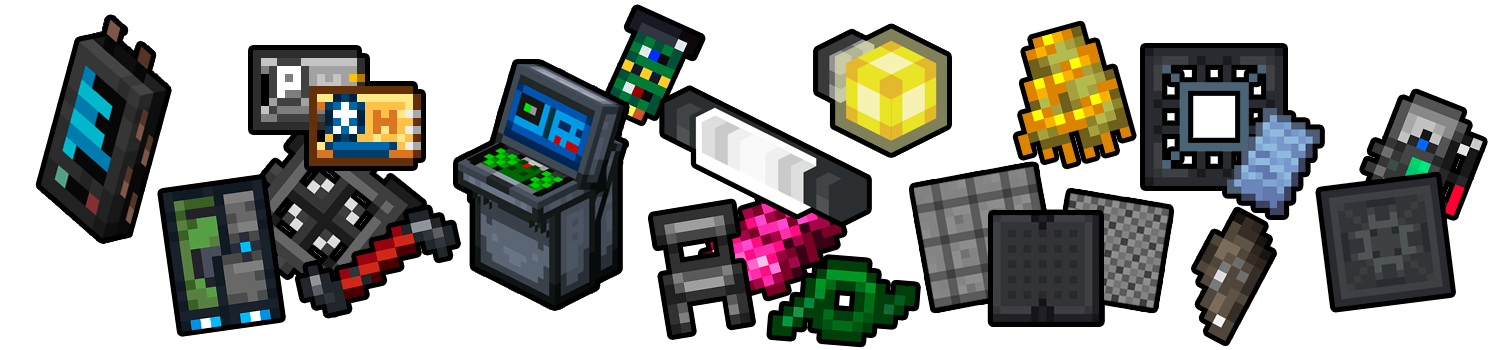
- Building blocks: walls, hull plating, tiles, frames, grates, windows, airlocks, wires, etc.;
- Mechanics: dragging unanchored objects, performing actions with delays and progress bars, step-by-step disassembly and assembly of equipment using tools, gravity, etc.;
Technical information
The mod is being created using MCreator.
Required mods for SSC14 to work:
Connect with mod development:
You can join the project on Discord
Project GitHub:
https://github.com/SpaceKyyyst/Space-Station-Craft-14
Spoiler
(The project is being developed by a Russian-speaking community, but we have created a separate channel on the server for communication with English-speaking audience :3)
Available Versions
How to Install Space Station Craft 14 on Your Server
Order Server
Order a Minecraft Java server with at least 3 GB RAM (4 GB recommended).
Set neoforge Loader
In the panel under "Egg", select the neoforge loader and matching Minecraft version (1.21.8).
Install Mod
Open the mod browser in the dashboard and search for "Space Station Craft 14". Click "Install" – done! Alternatively, upload the .jar via SFTP to the /mods folder.
Compatibility
Mod Loaders
Minecraft Versions
1.21.8
Server-side
✓ RequiredRecommended RAM
4 GB(min. 3 GB)Frequently Asked Questions
Space Station Craft 14 server crashes on startup – what to do?
Most common cause: wrong neoforge version or insufficient RAM. Check the server log (latest.log) for "OutOfMemoryError" or "Mixin" errors. With Mado Hosting: ensure at least 3 GB RAM is allocated and the loader matches the mod version (1.21.8). You can switch loaders with one click in the panel.
Is Space Station Craft 14 compatible with neoforge?
Space Station Craft 14 officially supports neoforge for Minecraft 1.21.8. The Mado dashboard automatically detects incompatible loader combinations.
Server lagging with Space Station Craft 14 – how to optimize performance?
Recommended RAM: 4 GB (per 8 players). Use /spark profiler to check if Space Station Craft 14 consumes the most tick time. Common fixes: reduce server view-distance to 8-10, install "performant" or "starlight" as supplementary mods on Forge. With Mado Hosting, your server runs on NVMe SSDs with dedicated CPU cores for minimal latency.
Similar Mods




Rent Modded Server
Install Space Station Craft 14 with just one click on your server.