
Spaconium
This is a multifunctional mod with new dimensions, biomes, ores, magic features etc.
Screenshots
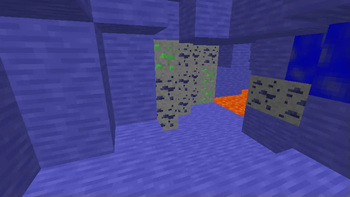
About this Mod
Spaconium:
This mod can enter in a lot of category like: combat and pvp, dimensions and biome, alchemy and magic, technology and science fiction, etc.
Join the server (not available now) or download this mod,
you will be able to:
discover news dimensions,
choose between the human and the powers (see below at Human And Powers)
use functionalities like home feature (you can set an home and tp to this at any time), faction feature, etc.
news commands
and so much more
Human And Powers:
When you will start to play you will have to choose between two class: The Humans And Magicians and The Powers
The Humans And Magicians are normal human whereas the Powers are living creature that doesn't need special object or incantation to use their powers, their powers be part of they, they are separated between three type: the Fire, the Snow and the Nature.
If you select Humans And Magicians you will have two choices : Technological Humans (with advanced technology etc., you will be able, when you will have the needed level, to learn the magic) or Magicians (you will learn the magic in the start of the game but you will find it harder to learn advanced technology)
If you select Powers you will have three choices: Fire (they have fire powers, electricity powers and all powers that are related to hot things), Snow (they have snow powers, wind powers and all powers that are related to cold things) and Nature (they have plants powers, animal powers and all powers that are related to the nature).
If you join the server the class choice screen will be automaticly appear but if you create a world with the mod without joining the server you will have to use the /resetclass command to choose your class.
More infos on the github or in the discord server.
G_Zod, contact to G_Zod#1311 (discord), or github.com/gzod01 (github)
Available Versions
How to Install Spaconium on Your Server
Order Server
Order a Minecraft Java server with at least 3 GB RAM (4 GB recommended).
Set forge Loader
In the panel under "Egg", select the forge loader and matching Minecraft version (1.19.2).
Install Mod
Open the mod browser in the dashboard and search for "Spaconium". Click "Install" – done! Alternatively, upload the .jar via SFTP to the /mods folder.
Compatibility
Mod Loaders
Minecraft Versions
1.19.2
Server-side
✗ UnsupportedRecommended RAM
4 GB(min. 3 GB)Frequently Asked Questions
Spaconium server crashes on startup – what to do?
Most common cause: wrong forge version or insufficient RAM. Check the server log (latest.log) for "OutOfMemoryError" or "Mixin" errors. With Mado Hosting: ensure at least 3 GB RAM is allocated and the loader matches the mod version (1.19.2). You can switch loaders with one click in the panel.
Is Spaconium compatible with forge?
Spaconium officially supports forge for Minecraft 1.19.2. The Mado dashboard automatically detects incompatible loader combinations.
Server lagging with Spaconium – how to optimize performance?
Recommended RAM: 4 GB (per 8 players). Use /spark profiler to check if Spaconium consumes the most tick time. Common fixes: reduce server view-distance to 8-10, install "performant" or "starlight" as supplementary mods on Forge. With Mado Hosting, your server runs on NVMe SSDs with dedicated CPU cores for minimal latency.
Similar Mods





Rent Modded Server
Install Spaconium with just one click on your server.