
Spawn Radar
A mod that locates and finds spawner clusters.
Screenshots
About this Mod
Spawn Radar is a Fabric client-side tool for technical players who want to squeeze every drop of efficiency out of mob farms. It scans the world for vanilla spawners, groups them into activation clusters, and renders fully interactive overlays so you can design multi-spawner contraptions without guesswork.
Highlights
- Smart scanning – Run
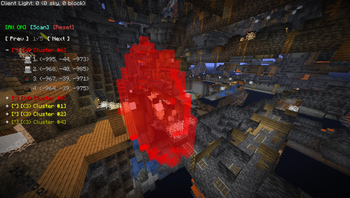
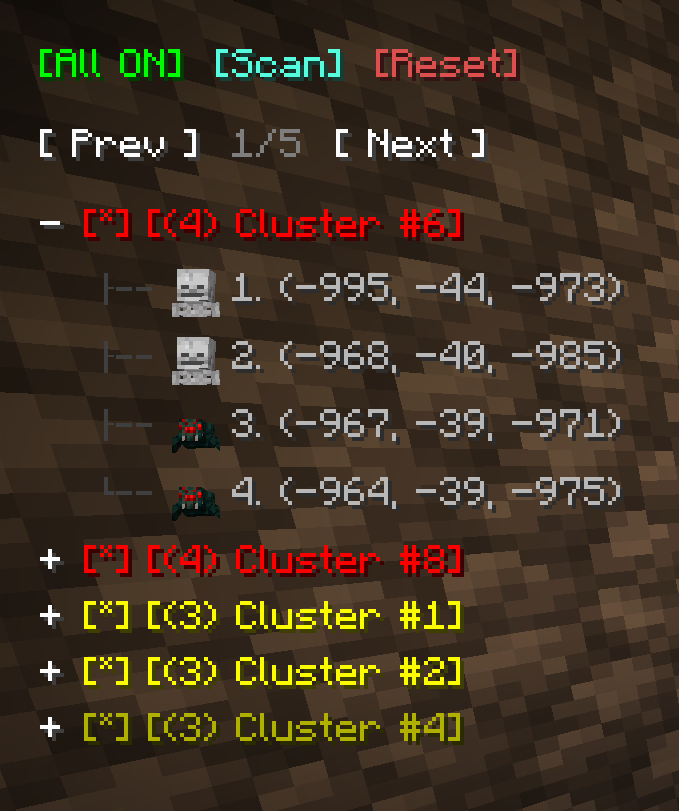
/radar:scanto discover every spawner inside a configurable radius. Spawn Radar groups overlapping activation spheres into numbered clusters so you immediately know which grinders can share a kill chamber. - Interactive HUD panel – Open chat to reveal a draggable, paginated panel that lists clusters and individual spawners. Each entry supports hover + click interactions, volume toggles, and highlight management.
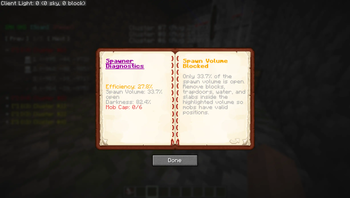
- Visualization overlays – Enable per-spawner spawn volume, mob-cap volume, and activation-region outlines. Colours, opacity, and outline thickness are all configurable.
- Rich command palette – Quickly rescan, toggle highlights, inspect clusters, reset data, or open a detailed help guide. Tab completion offers context-aware suggestions for every argument.
- Deep configuration – A full Cloth Config screen lets you tune scanning behaviour, HUD layout, icon style, highlight defaults, colour palettes, and more. Tooltips explain every option.
Commands
All commands are client-side (/radar:*).
| Command | Description |
|---|---|
/radar:scan [proximity|size] [radius] |
Scan for spawners and rebuild clusters. Optional sorting controls ordering, optional radius (1‑256 chunks) overrides the configured default. |
/radar:toggle <id|all> |
Toggle HUD highlight for a specific cluster or every cluster at once. Suggestions include all and each known cluster id. |
/radar:info <id> |
Display a rich summary of a cluster: highlight status, quick action buttons, and a list of every spawner with copyable coordinates and clickable teleport shortcuts. |
/radar:reset |
Clear the block bank, cached clusters, highlights, and HUD state. Useful when switching worlds or after major terrain edits. |
/radar:help [scan|toggle|info|reset] |
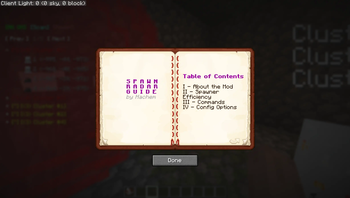
Show the overview guide or drill down into per-command usage with extra details about arguments. |
HUD & Visualization Cheatsheet
- Cluster panel – Open chat to reveal it, drag to reposition, use the pagination buttons to flip pages, and click entries to highlight/toggle clusters. Each spawner row includes:
- Mob puppet or spawn-egg icon (configurable)
- Teleport buttons that run
/tp - Optional spawn-volume / mob-cap-volume toggles when the HUD is focused
- Highlight styles – Switch between solid boxes or outlines, choose colours and opacity, and optionally enable per-spawner spawn/mob-cap volumes (default state plus manual overrides via HUD toggles).
Configuration
Spawn Radar exposes virtually everything through the in-game Cloth Config screen (Mod Menu → Spawn Radar):
- Scanning radius, thread count, auto-highlight behaviour, frustum culling, cluster sorting order
- HUD layout (element count, offsets, left/right alignment)
- Spawner icon mode (3D mob puppet vs spawn egg texture)
- Highlight style (outline vs solid), outline thickness, colour palette, per-feature opacity/colour
- Volume toggles and defaults for spawn/mob-cap visualizers
License
This project is licensed under the MIT License. You are free to use, modify, and distribute the mod as long as the original license and copyright notice are included.
Available Versions
How to Install Spawn Radar on Your Server
Order Server
Order a Minecraft Java server with at least 3 GB RAM (4 GB recommended).
Set fabric Loader
In the panel under "Egg", select the fabric loader and matching Minecraft version (1.21.11).
Install Mod
Open the mod browser in the dashboard and search for "Spawn Radar". Click "Install" – done! Alternatively, upload the .jar via SFTP to the /mods folder.
Compatibility
Mod Loaders
Minecraft Versions
1.21.11, 1.21.10
Server-side
✓ RequiredRecommended RAM
4 GB(min. 3 GB)Frequently Asked Questions
Spawn Radar server crashes on startup – what to do?
Most common cause: wrong fabric version or insufficient RAM. Check the server log (latest.log) for "OutOfMemoryError" or "Mixin" errors. With Mado Hosting: ensure at least 3 GB RAM is allocated and the loader matches the mod version (1.21.11). You can switch loaders with one click in the panel.
Is Spawn Radar compatible with fabric?
Spawn Radar officially supports fabric for Minecraft 1.21.11, 1.21.10. The Mado dashboard automatically detects incompatible loader combinations.
Server lagging with Spawn Radar – how to optimize performance?
Recommended RAM: 4 GB (per 8 players). Use /spark profiler to check if Spawn Radar consumes the most tick time. Common fixes: reduce server view-distance to 8-10, install "performant" or "starlight" as supplementary mods on Forge. With Mado Hosting, your server runs on NVMe SSDs with dedicated CPU cores for minimal latency.
Similar Mods




![[ETF] Entity Texture Features](https://cdn.modrinth.com/data/BVzZfTc1/af683d206d50b05258d865b0d6e4aa2f2cee12f2_96.webp)
![[EMF] Entity Model Features](https://cdn.modrinth.com/data/4I1XuqiY/6e5bbd0d06b1741bfdab6c0cfab6de8fdaf0064c_96.webp)
Rent Modded Server
Install Spawn Radar with just one click on your server.