
Special Armors
Color changing armors and more
Screenshots
About this Mod
Special Armors
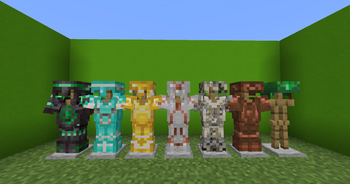
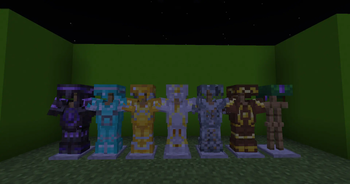
Special Armors is a datapack that adds various Armor Customizations
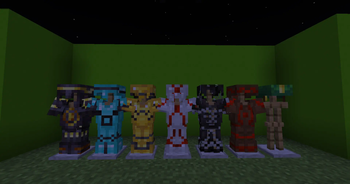
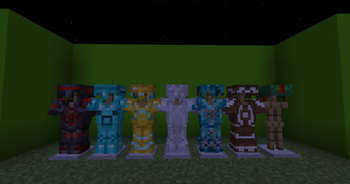
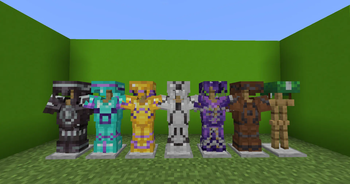
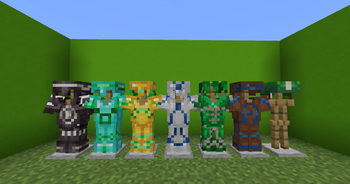
currently you can craft armor that changes color once an Armor Trim is applied
(Specifically, the Armor Trim Material is changed continuously)
There is an optional Ressourcepack available on the Planet Minecraft page which disables Armor equip Sounds in case the built in sound suppresion fails.
Works with:
Iron Armor
Gold Armor
Chain Armor
Diamond Armor
Netherite Armor
Leather Armor
Turtle Helmet
Works while a player is wearing it or on an Armor stand as well as Item Frames so feel free to show it off :)
You can craft each piece by combining the armor piece with Lapiz, Amethyst Shard, Redstone, Copper
Ingot, Netherquartz, Gold Ingot, Diamond and an Emerald. Positioning is irrelevant but all these pieces are needed.

Also makes Armor Trims craftable, sorround any armor trim with the block you need to duplicate the desired trim and put a diamond in the top middle spot. (Since some of the Blocks are used for multiple Trims the Diamond is placed in a diffrent spot (bottom middle; middle left/right; bottom left/right))
If you can't remember that don't worry all recipes added by the Data Pack will instantly show in your Recipe Book
I plan on adding Color changing Leather Armor as well as maybe some armors that have an effect more than Cosmetic :)
Available Versions
How to Install Special Armors on Your Server
Order Server
Order a Minecraft Java server with at least 3 GB RAM (4 GB recommended).
Set datapack Loader
In the panel under "Egg", select the datapack loader and matching Minecraft version (1.21).
Install Mod
Open the mod browser in the dashboard and search for "Special Armors". Click "Install" – done! Alternatively, upload the .jar via SFTP to the /mods folder.
Compatibility
Mod Loaders
Minecraft Versions
1.21, 1.21-pre2, 1.21-pre1 (+5 more)
Server-side
✓ RequiredRecommended RAM
4 GB(min. 3 GB)Frequently Asked Questions
Special Armors server crashes on startup – what to do?
Most common cause: wrong datapack version or insufficient RAM. Check the server log (latest.log) for "OutOfMemoryError" or "Mixin" errors. With Mado Hosting: ensure at least 3 GB RAM is allocated and the loader matches the mod version (1.21). You can switch loaders with one click in the panel.
Is Special Armors compatible with datapack and fabric and forge and quilt?
Special Armors officially supports datapack, fabric, forge, quilt for Minecraft 1.21, 1.21-pre2, 1.21-pre1. Note: Forge and Fabric mods are NOT cross-compatible – pick one loader and stick with it. The Mado dashboard automatically detects incompatible loader combinations.
Server lagging with Special Armors – how to optimize performance?
Recommended RAM: 4 GB (per 8 players). Use /spark profiler to check if Special Armors consumes the most tick time. Common fixes: reduce server view-distance to 8-10, install "performant" or "starlight" as supplementary mods on Forge. With Mado Hosting, your server runs on NVMe SSDs with dedicated CPU cores for minimal latency.
Similar Mods

![[ETF] Entity Texture Features](https://cdn.modrinth.com/data/BVzZfTc1/af683d206d50b05258d865b0d6e4aa2f2cee12f2_96.webp)
![[EMF] Entity Model Features](https://cdn.modrinth.com/data/4I1XuqiY/6e5bbd0d06b1741bfdab6c0cfab6de8fdaf0064c_96.webp)



Rent Modded Server
Install Special Armors with just one click on your server.