Speedometer
a simple mod to display your speed
Screenshots

About this Mod
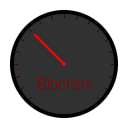
This is a simple mod that displays your speed while riding something, flying, or just walking/running around, and also for when you are interested in how much speed boost you get from an effect or upgraded equipment.
This mod uses:
Architectury API for easy cross-comparability between NeoForge and Fabric.
Cloth Config API for cross comparability of config system.
You also need:
Fabric API for Architectury API.
How to change config?
- The easiest way is to install Cloth Config API and use the in-game configuration menu.
- Alternatively, you can manually edit the configuration file. However, this method is more complex and not recommended unless you are confident in your coding or JSON knowledge.
This project contains a resourcepack, currently avalible on this project or under the 6.2 releases for NeoForged and Fabric. This resourcepack isn't spesific for one platform. The resourcepack is optinal to chage the default speedometer with a difrent one.
Known issue
When adding this mod and starting the game an issue i call "silent crash" caqn happen where the crash log simce like it was fabric/neoforged itself that crashed.
Steps to solve this or know where the issue came from
- Remove speedometer
- This is done by ether moving the mod jar file from the
modsdirectory or addeding.disabledto the end of the file name, examplespeedometer-6.2.1-Fabric.jar.disabled
- This is done by ether moving the mod jar file from the
- Start the game and see if you still get the silent crash
- If the silent crash still happen then follow this with all other mods untill it stops silent crashing and slowly rule out all mods that causes this issue and make sure you use the right version of libraries and modloader
- If the silent crashes stoped after removing speedometer then make sure you use the leatest vbersion of the librarie mods
- I compile the mod with the lasted version as of last check so to be sure you get the right version check gradle.properties. OPS make sure that if the mod get the closest version nummber of the libraries for your minecraft version or follow the following
- NeoForged
- NeoForged have no spesific
- Fabric
- Optinal: Get the lastest version of Mod Menu
- Both
- Get the lastest version of Cloth Config
- Get the lastest version of Architectu
- If this dident help, I'm sorry but This issue is extremly subjectiv and if the provided steps dident help it's hard to tell how it can be fixed
Available Versions
How to Install Speedometer on Your Server
Order Server
Order a Minecraft Java server with at least 3 GB RAM (4 GB recommended).
Set fabric Loader
In the panel under "Egg", select the fabric loader and matching Minecraft version (26.1.2).
Install Mod
Open the mod browser in the dashboard and search for "Speedometer". Click "Install" – done! Alternatively, upload the .jar via SFTP to the /mods folder.
Compatibility
Mod Loaders
Minecraft Versions
26.1.2, 26.1.1, 26.1 (+23 more)
Server-side
✗ UnsupportedRecommended RAM
4 GB(min. 3 GB)Frequently Asked Questions
Speedometer server crashes on startup – what to do?
Most common cause: wrong fabric version or insufficient RAM. Check the server log (latest.log) for "OutOfMemoryError" or "Mixin" errors. With Mado Hosting: ensure at least 3 GB RAM is allocated and the loader matches the mod version (26.1.2). You can switch loaders with one click in the panel.
Is Speedometer compatible with fabric and forge and neoforge?
Speedometer officially supports fabric, forge, neoforge for Minecraft 26.1.2, 26.1.1, 26.1. Note: Forge and Fabric mods are NOT cross-compatible – pick one loader and stick with it. The Mado dashboard automatically detects incompatible loader combinations.
Server lagging with Speedometer – how to optimize performance?
Recommended RAM: 4 GB (per 8 players). Use /spark profiler to check if Speedometer consumes the most tick time. Common fixes: reduce server view-distance to 8-10, install "performant" or "starlight" as supplementary mods on Forge. With Mado Hosting, your server runs on NVMe SSDs with dedicated CPU cores for minimal latency.
Similar Mods




![[ETF] Entity Texture Features](https://cdn.modrinth.com/data/BVzZfTc1/af683d206d50b05258d865b0d6e4aa2f2cee12f2_96.webp)
![[EMF] Entity Model Features](https://cdn.modrinth.com/data/4I1XuqiY/6e5bbd0d06b1741bfdab6c0cfab6de8fdaf0064c_96.webp)
Rent Modded Server
Install Speedometer with just one click on your server.