SpindleMark
Simple custom music discs for modpacks
Screenshots
About this Mod
What
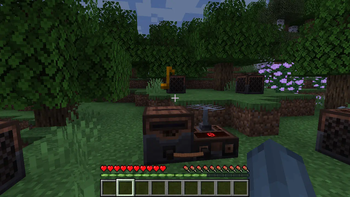
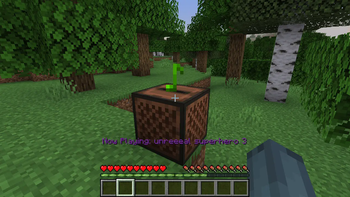
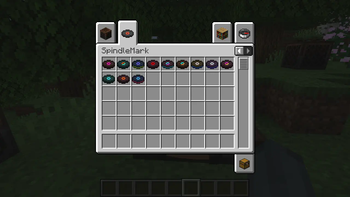
SpindleMark is a quick way to add music discs to modpacks. Simply drop any Ogg Vorbis, XM, S3M, or MOD file into the new music directory in your game directory, and it will be scanned and discovered, appearing in a new creative tab. Discs get randomly generated colors, and the displayed author/title are plucked right from the audio tags. Play length tracking is tick-accurate.
How
Only one item is registered — the server is entirely unaware of what the music is, making for easy updates and quick prototyping. NBT-savvy users can make discs that play any sound event in the game. A simple F3+T will reload the music list.
Module files may also be optionally compressed with BZip2 to save space. Why BZip2? Vanilla actually ships a library for decompressing it, and in my testing it's the best compression algorithm available without adding new code for module files.
As of 1.1.0, you can also add "built-in" discs via JSON files in the music directory. Let's say you've always wished Biome Fest was available as a music disc:
{
    "artist": "C418",
    "title": "Biome Fest",
    "length": "06:22.94",
    "sound": "minecraft:music/game/creative/creative1",
    "start": "29.76"
}
start allows you to skip into the track, for things that have a long lead-in like Biome Fest that you would like to skip when being played as a disc.
Here's a pack of JSON files for adding built-in discs of every Creative and menu track.
Why
Created for custom booth music at BlanketCon 23!
The name is meaningless — I wasn't sure what to call this mod, so I looked up a glossary of vinyl record terms and picked the first one that sounded interesting. Apparently a "spindle mark" is a type of blemish on a disc indicating it's been played many times and without much care.
Available Versions
How to Install SpindleMark on Your Server
Order Server
Order a Minecraft Java server with at least 3 GB RAM (4 GB recommended).
Set fabric Loader
In the panel under "Egg", select the fabric loader and matching Minecraft version (1.20.1).
Install Mod
Open the mod browser in the dashboard and search for "SpindleMark". Click "Install" – done! Alternatively, upload the .jar via SFTP to the /mods folder.
Compatibility
Mod Loaders
Minecraft Versions
1.20.1, 1.20
Server-side
✓ RequiredRecommended RAM
4 GB(min. 3 GB)Frequently Asked Questions
SpindleMark server crashes on startup – what to do?
Most common cause: wrong fabric version or insufficient RAM. Check the server log (latest.log) for "OutOfMemoryError" or "Mixin" errors. With Mado Hosting: ensure at least 3 GB RAM is allocated and the loader matches the mod version (1.20.1). You can switch loaders with one click in the panel.
Is SpindleMark compatible with fabric and quilt?
SpindleMark officially supports fabric, quilt for Minecraft 1.20.1, 1.20. The Mado dashboard automatically detects incompatible loader combinations.
Server lagging with SpindleMark – how to optimize performance?
Recommended RAM: 4 GB (per 8 players). Use /spark profiler to check if SpindleMark consumes the most tick time. Common fixes: reduce server view-distance to 8-10, install "performant" or "starlight" as supplementary mods on Forge. With Mado Hosting, your server runs on NVMe SSDs with dedicated CPU cores for minimal latency.
Similar Mods

![[ETF] Entity Texture Features](https://cdn.modrinth.com/data/BVzZfTc1/af683d206d50b05258d865b0d6e4aa2f2cee12f2_96.webp)
![[EMF] Entity Model Features](https://cdn.modrinth.com/data/4I1XuqiY/6e5bbd0d06b1741bfdab6c0cfab6de8fdaf0064c_96.webp)



Rent Modded Server
Install SpindleMark with just one click on your server.