
#SP Wallet
A mod for counting your diamond ores.
Screenshots
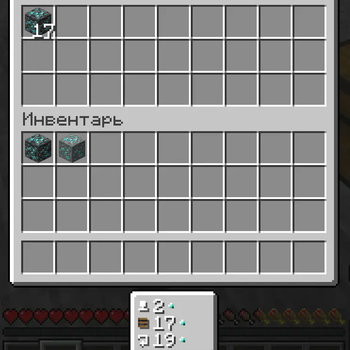
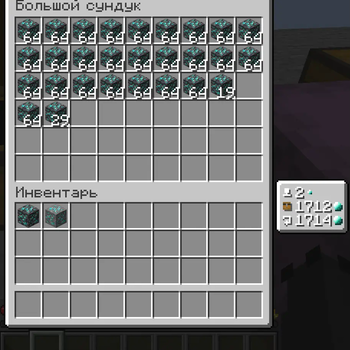
About this Mod
EN
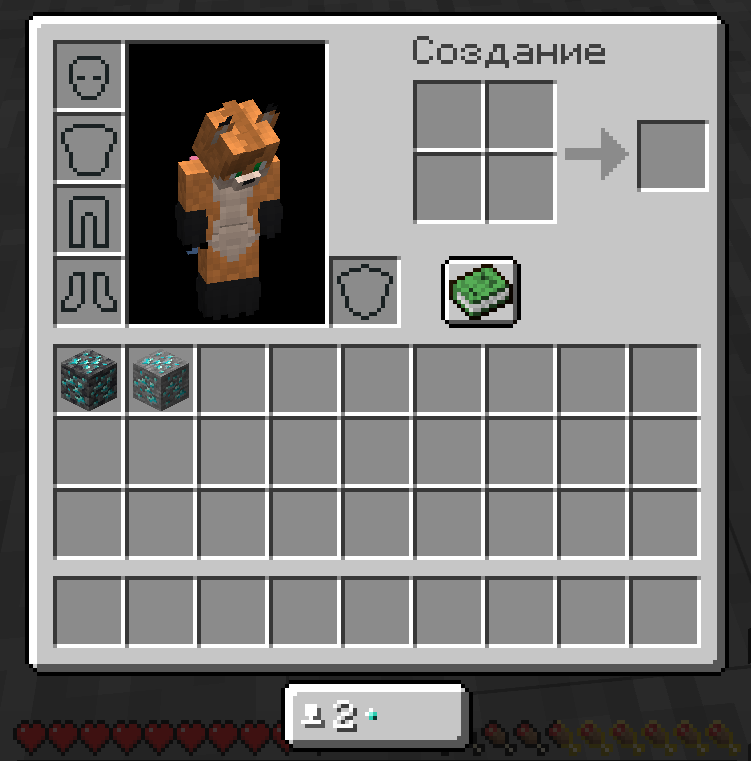
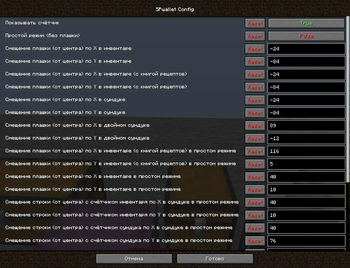
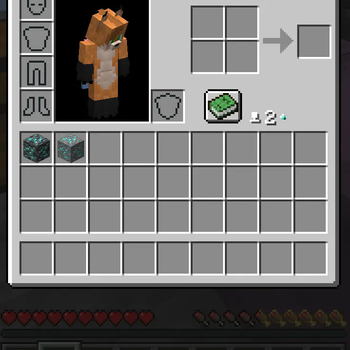
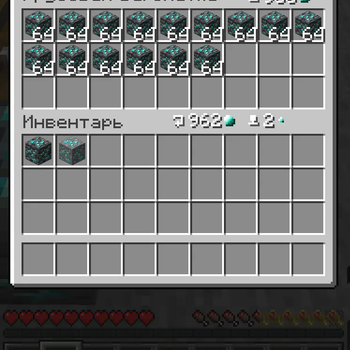
Mod made specifically for #SP servers. It will add a Diamond Ore counter (currency on #SP servers) to the inventory and to the storage GUI. You can choose 2 modes: Show the counter on a special plate under the inventory or display the counter directly in the inventory. You can also adjust the position of all counters in the config (relative to the center).
RU
Мод сделан специально для серверов #СП. Он добавит в инвентарь и в GUI хранилищ счетчик Алмазной Руды (валюта на серверах #СП). Вы можете выбрать 2 режима: Показывать счетчик на специальной плашке под инвентарем или отображать счетчик прямо в инвентаре. Вы так-же можете настроить положение всех плашек и счетчиков в конфиге (относительно центра).
Если вы игрок #СП, то вы можете добавить в конфиг API токен и айди карты, что позволит вам видеть ваш баланс прямо в инвентаре. Также вы можете вывести баланс прямо в чат, воспользовавшись командой /spwallet balance get <card id> <card token> или просто /spwallet balance get, чтобы взять данные из конфига.
Как получить API токен и айди карты
- Зайдите на сервер СП
- Зайдите на сайт СП в "Кошелёк"
- Выберите нужную карту и нажмите на значок "Поделиться"
- Нажмите "Сгенерировать новый API токен" и, прочитав открывшуюся информацию, нажмите "ОК"
- В течение минуты на СП в чат вам отправят API токен и айди карты, которые вам нужно поочерёдно скопировать, наведясь в чате и нажав ЛКМ, а после чего вставить в конфиг #SP Wallet в списке модов.
Баланс карты стал красного цвета?
Это означает то, что при получении баланса карты от SPworlds API. Чтобы выяснить причину, используйте пункты ниже:
- Попробуйте
/spwallet balance get. Если ошибка связана с "ддос защитой" - просто подождите (возможно, долго). - Перепроверьте API токен и айди карты, вписанные в конфиг.
- Если ничего из вышеперечисленного не помогло, то посмотрите полную ошибку через консоль/логи и напишите issue на GitHub мода или обратитесь в наш Discord.
Discord
Специально для #СП
Available Versions
How to Install #SP Wallet on Your Server
Order Server
Order a Minecraft Java server with at least 3 GB RAM (4 GB recommended).
Set fabric Loader
In the panel under "Egg", select the fabric loader and matching Minecraft version (1.21.1).
Install Mod
Open the mod browser in the dashboard and search for "#SP Wallet". Click "Install" – done! Alternatively, upload the .jar via SFTP to the /mods folder.
Compatibility
Mod Loaders
Minecraft Versions
1.21.1, 1.21, 1.20.4 (+6 more)
Server-side
✗ UnsupportedRecommended RAM
4 GB(min. 3 GB)Frequently Asked Questions
#SP Wallet server crashes on startup – what to do?
Most common cause: wrong fabric version or insufficient RAM. Check the server log (latest.log) for "OutOfMemoryError" or "Mixin" errors. With Mado Hosting: ensure at least 3 GB RAM is allocated and the loader matches the mod version (1.21.1). You can switch loaders with one click in the panel.
Is #SP Wallet compatible with fabric?
#SP Wallet officially supports fabric for Minecraft 1.21.1, 1.21, 1.20.4. The Mado dashboard automatically detects incompatible loader combinations.
Server lagging with #SP Wallet – how to optimize performance?
Recommended RAM: 4 GB (per 8 players). Use /spark profiler to check if #SP Wallet consumes the most tick time. Common fixes: reduce server view-distance to 8-10, install "performant" or "starlight" as supplementary mods on Forge. With Mado Hosting, your server runs on NVMe SSDs with dedicated CPU cores for minimal latency.
Similar Mods




![[ETF] Entity Texture Features](https://cdn.modrinth.com/data/BVzZfTc1/af683d206d50b05258d865b0d6e4aa2f2cee12f2_96.webp)
![[EMF] Entity Model Features](https://cdn.modrinth.com/data/4I1XuqiY/6e5bbd0d06b1741bfdab6c0cfab6de8fdaf0064c_96.webp)
Rent Modded Server
Install #SP Wallet with just one click on your server.