
Spyglass of Curios
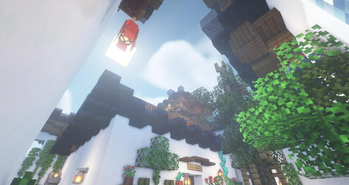
Now spyglass has a slot of curios, which can be used with a key press. Also, changing magnification by mouse scrolling and rendering spyglass model is available!
Screenshots


About this Mod

Overview
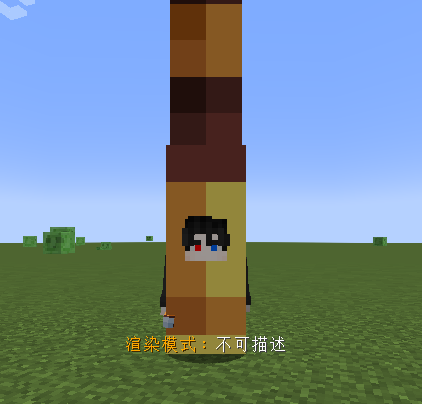
This mod adds a Curios slot for spyglass. Now, you can friendly use spyglass in the spyglass slot with a key press. You can also adjust the magnification of the spyglass with the mouse scroll. In addition, each spyglass individually saves magnification information, which is displayed in the tooltip.

You can press shift+left-click to switch the render type of spyglass curio on player model, there are three types of renders can be selected.
This mod aims to serve as a functional alternative to some mods with inherent magnification features, in order to balance the acquisition of magnification and achieve a more immersive gaming experience.
Configuration
There are many rich configurations for you to choose from, such as whether to render the spyglass model, setting the maximum and minimum magnification of the spyglass, disabling information display, and so on.
It’s worth mentioning that you can enable the OPTIFINE-like cinematic camera in the configuration when the spyglass is activated.
Compatibility
This mod strives to be as compatible as possible with most mainstream mods, so that it can work normally in most mod packs. Therefore, if you find some compatibility issues with other mods, or someplace where uses awkwardly, please tell me in the issues, and I will try my best to correct it to a satisfactory state~
Available Versions
How to Install Spyglass of Curios on Your Server
Order Server
Order a Minecraft Java server with at least 3 GB RAM (4 GB recommended).
Set forge Loader
In the panel under "Egg", select the forge loader and matching Minecraft version (1.20.1).
Install Mod
Open the mod browser in the dashboard and search for "Spyglass of Curios". Click "Install" – done! Alternatively, upload the .jar via SFTP to the /mods folder.
Compatibility
Mod Loaders
Minecraft Versions
1.20.1, 1.19.2, 1.18.2
Server-side
✓ RequiredRecommended RAM
4 GB(min. 3 GB)Frequently Asked Questions
Spyglass of Curios server crashes on startup – what to do?
Most common cause: wrong forge version or insufficient RAM. Check the server log (latest.log) for "OutOfMemoryError" or "Mixin" errors. With Mado Hosting: ensure at least 3 GB RAM is allocated and the loader matches the mod version (1.20.1). You can switch loaders with one click in the panel.
Is Spyglass of Curios compatible with forge?
Spyglass of Curios officially supports forge for Minecraft 1.20.1, 1.19.2, 1.18.2. The Mado dashboard automatically detects incompatible loader combinations.
Server lagging with Spyglass of Curios – how to optimize performance?
Recommended RAM: 4 GB (per 8 players). Use /spark profiler to check if Spyglass of Curios consumes the most tick time. Common fixes: reduce server view-distance to 8-10, install "performant" or "starlight" as supplementary mods on Forge. With Mado Hosting, your server runs on NVMe SSDs with dedicated CPU cores for minimal latency.
Similar Mods

![[ETF] Entity Texture Features](https://cdn.modrinth.com/data/BVzZfTc1/af683d206d50b05258d865b0d6e4aa2f2cee12f2_96.webp)
![[EMF] Entity Model Features](https://cdn.modrinth.com/data/4I1XuqiY/6e5bbd0d06b1741bfdab6c0cfab6de8fdaf0064c_96.webp)



Rent Modded Server
Install Spyglass of Curios with just one click on your server.