
squaremap
squaremap is a minimalistic & lightweight world map viewer for Minecraft servers, using the vanilla map rendering style
Screenshots
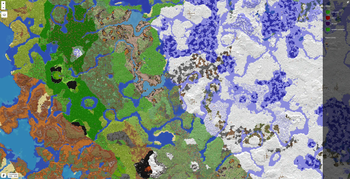
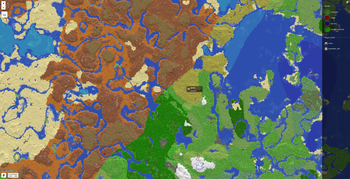
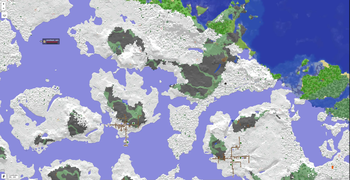
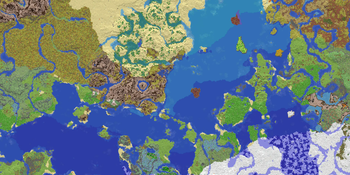
About this Mod
squaremap
What is squaremap
squaremap is a minimalistic and lightweight live world map viewer for Minecraft servers.
squaremap hooks into your Minecraft server as a plugin or mod on a supported platform, then generates and manages a live map of your server, viewable in any web browser.
Features
- Ultra fast render times. Get your map rendered today, not next week.
- Simple vanilla-like top down 2D view, designed for navigation.
- Player markers showing yaw rotation, health, and armor.
- Easy to setup and configure.
- Up to date Leaflet front-end.
- Addons and integrations for many popular plugins.
Supported platforms
- Paper
- Sponge
- Fabric (requires Fabric API)
- NeoForge
Downloads
Downloads can be obtained here on Modrinth, or from GitHub releases for all supported platforms.
Development builds
Development builds are available at https://jenkins.jpenilla.xyz/job/squaremap/
Demo
Official squaremap demo: https://squaremap-demo.jpenilla.xyz/
License
This project is licensed under the MIT license
Leaflet (the web ui frontend) is licensed under 2-clause BSD License
API
squaremap provides simple APIs to draw markers, shapes, icons, and etc. on rendered maps. Javadocs are hosted on the maven repository alongside the binaries, and should be automatically downloaded by your IDE. See the README and Wiki for more details about the API.
Available Versions
How to Install squaremap on Your Server
Order Server
Order a Minecraft Java server with at least 3 GB RAM (4 GB recommended).
Set fabric Loader
In the panel under "Egg", select the fabric loader and matching Minecraft version (26.1.2).
Install Mod
Open the mod browser in the dashboard and search for "squaremap". Click "Install" – done! Alternatively, upload the .jar via SFTP to the /mods folder.
Compatibility
Mod Loaders
Minecraft Versions
26.1.2, 1.21.11, 1.21.10 (+13 more)
Server-side
✗ UnsupportedRecommended RAM
4 GB(min. 3 GB)Frequently Asked Questions
squaremap server crashes on startup – what to do?
Most common cause: wrong fabric version or insufficient RAM. Check the server log (latest.log) for "OutOfMemoryError" or "Mixin" errors. With Mado Hosting: ensure at least 3 GB RAM is allocated and the loader matches the mod version (26.1.2). You can switch loaders with one click in the panel.
Is squaremap compatible with fabric and folia and forge and neoforge and paper and sponge?
squaremap officially supports fabric, folia, forge, neoforge, paper, sponge for Minecraft 26.1.2, 1.21.11, 1.21.10. Note: Forge and Fabric mods are NOT cross-compatible – pick one loader and stick with it. The Mado dashboard automatically detects incompatible loader combinations.
Server lagging with squaremap – how to optimize performance?
Recommended RAM: 4 GB (per 8 players). Use /spark profiler to check if squaremap consumes the most tick time. Common fixes: reduce server view-distance to 8-10, install "performant" or "starlight" as supplementary mods on Forge. With Mado Hosting, your server runs on NVMe SSDs with dedicated CPU cores for minimal latency.
Similar Mods

![[ETF] Entity Texture Features](https://cdn.modrinth.com/data/BVzZfTc1/af683d206d50b05258d865b0d6e4aa2f2cee12f2_96.webp)
![[EMF] Entity Model Features](https://cdn.modrinth.com/data/4I1XuqiY/6e5bbd0d06b1741bfdab6c0cfab6de8fdaf0064c_96.webp)



Rent Modded Server
Install squaremap with just one click on your server.