![Staccato's Minerals [ALPHA]](https://cdn.modrinth.com/data/dy5bB54M/ee47746675db7d5a446ddfd5f03e8616fff094a1.png)
Staccato's Minerals [ALPHA]
Mod is in early Alpha state and currently adds Amber as a new furnace fuel and material to craft torches out of and Tungsten as a material (currently does nothing) to be found as a deepslate ore
Screenshots
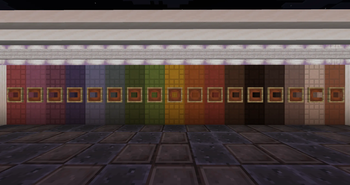
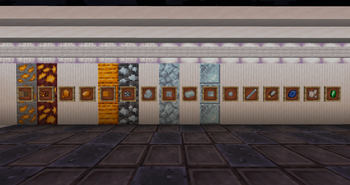
About this Mod
What is "Staccato's Minerals"?
That is relatively simple ... it's just my first ever mod that is centered around:
Minerals!
With this mod my goal is to add features to Minecraft that I feel like should already be in
the game like more Terracotta variants and more reasons to do some archeology.
The mod currently features:
- Amber: A new furnace fuel and material to craft into torches (can be found in the overworld
as well as in the Nether) - Tungsten: As a Deepslate Ore along with Ingots, Pieces (Nuggets), Raw Tungsten, Tungsten
Rod and Tungsten Shears (not functional yet)
What I want the Mod to be (aka what I am working on):
- Adding a Tungsten tool and armor set
- Making Amber a Trim Material that will add a certain effect when used on an armor
- Adding minerals that serve as a base to adding more Trim Materials and therefore more
effects - Adding a crafting station to craft the "normal" minerals into pure variants which are
needed for the effects - Adding a totem/amulet system that uses the minerals as a "catalyst" for effects
- Adding Tungsten as a material for tools and an important material for Totem crafting (like
a better brush, some better shears) - Adding various different decorational blocks and block variants (things like more terracotta variants, etc)
DISCLAIMER
With all that said, please keep in mind that this is my first ever experience with modding Minecraft, so things may take a while to be added or may completely be changed as I am still getting familiar with how everything works.
Please Note: currently the project is licensed as "All Rights Reserved" this is because this project is still in its Alpha phase and therefore things might change a lot. In the future when there is an actual release the licensing will definitely change.
Available Versions
How to Install Staccato's Minerals [ALPHA] on Your Server
Order Server
Order a Minecraft Java server with at least 3 GB RAM (4 GB recommended).
Set neoforge Loader
In the panel under "Egg", select the neoforge loader and matching Minecraft version (1.21.11).
Install Mod
Open the mod browser in the dashboard and search for "Staccato's Minerals [ALPHA]". Click "Install" – done! Alternatively, upload the .jar via SFTP to the /mods folder.
Compatibility
Mod Loaders
Minecraft Versions
1.21.11, 1.21.1
Server-side
✓ RequiredRecommended RAM
4 GB(min. 3 GB)Frequently Asked Questions
Staccato's Minerals [ALPHA] server crashes on startup – what to do?
Most common cause: wrong neoforge version or insufficient RAM. Check the server log (latest.log) for "OutOfMemoryError" or "Mixin" errors. With Mado Hosting: ensure at least 3 GB RAM is allocated and the loader matches the mod version (1.21.11). You can switch loaders with one click in the panel.
Is Staccato's Minerals [ALPHA] compatible with neoforge?
Staccato's Minerals [ALPHA] officially supports neoforge for Minecraft 1.21.11, 1.21.1. The Mado dashboard automatically detects incompatible loader combinations.
Server lagging with Staccato's Minerals [ALPHA] – how to optimize performance?
Recommended RAM: 4 GB (per 8 players). Use /spark profiler to check if Staccato's Minerals [ALPHA] consumes the most tick time. Common fixes: reduce server view-distance to 8-10, install "performant" or "starlight" as supplementary mods on Forge. With Mado Hosting, your server runs on NVMe SSDs with dedicated CPU cores for minimal latency.
Similar Mods

![[ETF] Entity Texture Features](https://cdn.modrinth.com/data/BVzZfTc1/af683d206d50b05258d865b0d6e4aa2f2cee12f2_96.webp)
![[EMF] Entity Model Features](https://cdn.modrinth.com/data/4I1XuqiY/6e5bbd0d06b1741bfdab6c0cfab6de8fdaf0064c_96.webp)



Rent Modded Server
Install Staccato's Minerals [ALPHA] with just one click on your server.