
StreamerConfigs
A client‑side implementation of my StreamerUtils mod. StreamerConfigs (this implementation) provides security the server-side mod lacks.
Screenshots
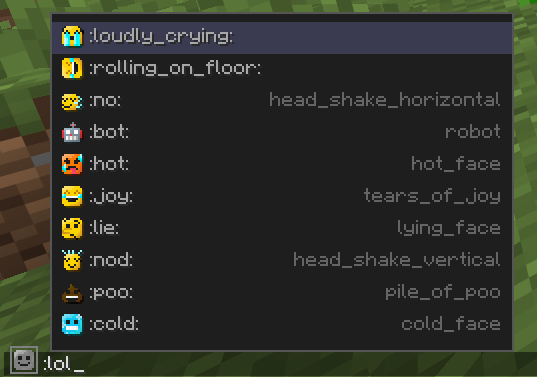
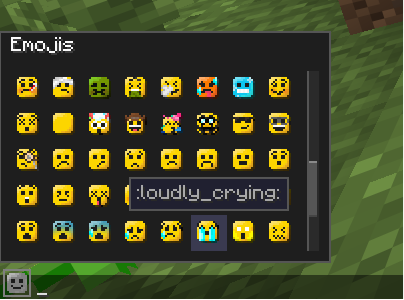

About this Mod

StreamerConfigs is the client‑side Fabric mod implementation of StreamerUtils. The server-side mod adds custom nameplate icons, coloured usernames, live status, follow alerts, and interactive chat commands – all configurable per player and saved LOCALLY --- USING THIS MODDD.
Showcase:
If you don't know about the server-side mod... what are you doing here? I want to be honest with you, this mod is COMPLETELY USELESS without the server having the other mod, as this mod is just a glorified security measure for that mod. What do I mean by that? Well, the server-side mod saves credentials on the server, which means that technically server owners (or any admin that has access to console and files) could just check ppl's auth tokens when people use this mod.
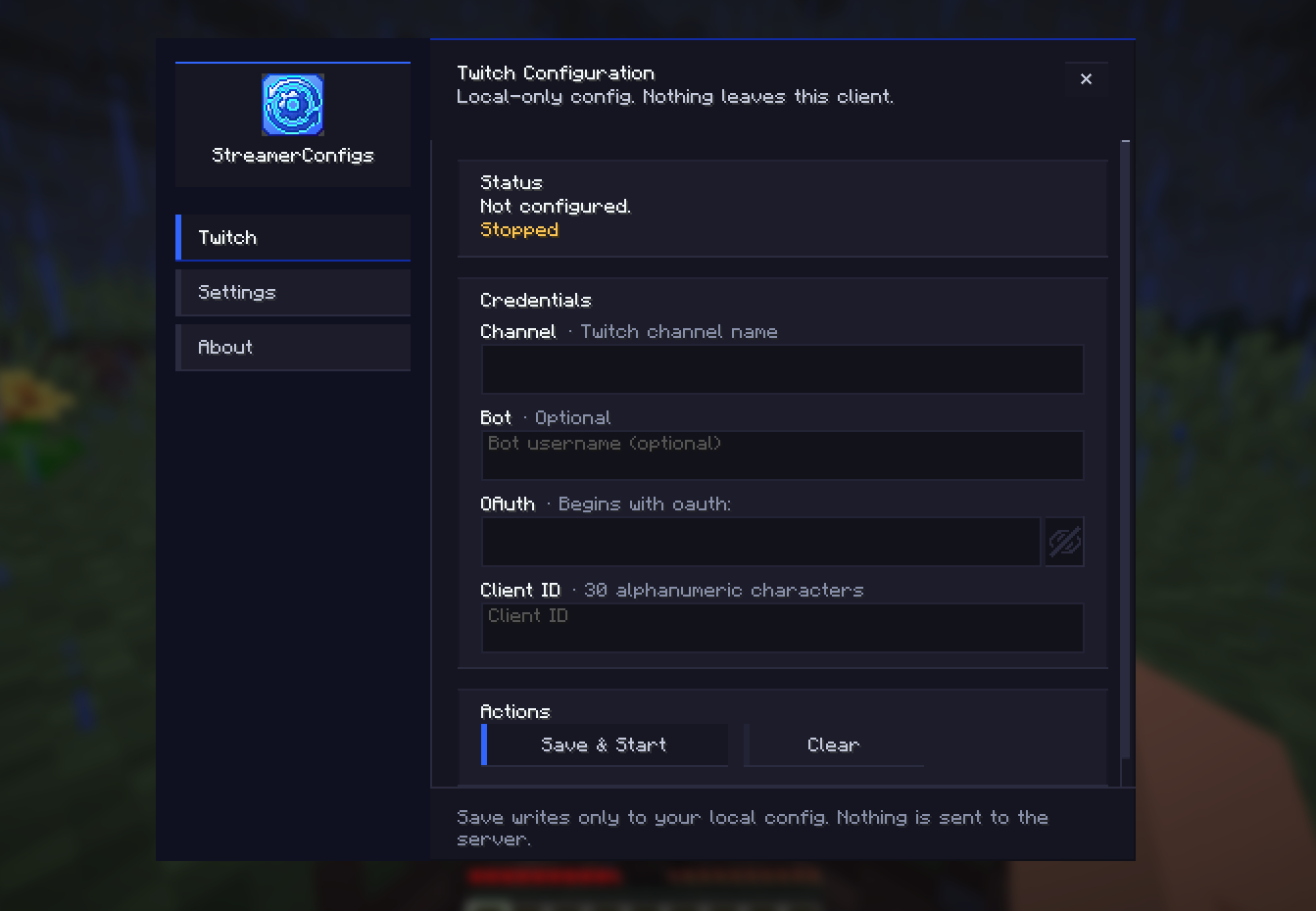
What does this mod do then? Well, glad you asked (you didn't... did you?)! By default, you can press F8 to open the in-game menu of StreamerConfigs. This is where you can connect your Twitch streamer account and/or change your looks and other settings.
THE GREAT THING IS: by connecting your twitch stuff through this mod, the mod takes over the Twitch API calls, so your credentials are never sent to the server, not even in memory!!!! Which means your tokens are completely local and entirely safe ^^
If you want to inspect the code or verify its safety, the source is available on GitHub (as always).
Supports Minecraft 1.21.11 (other versions may work with updated mappings). Future updates might target 26.1/2 (or perhaps some requested versions, if ppl are interested) and add more features.
If you have any questions or suggestions, hit me up on Discord (as usual)!
IMPORTANT! This project is in no way, shape or form, endorsed or sponsored by Twitch, Youtube, Kick or any other company which might be represented in this mod. Any icons included with this mod, or its resource pack, are purely for aesthetic, cosmetic purposes. Furthermore, the Twitch integration is simply using an open-source library as a dependency.
|| Note: This mod is open‑source under GPL‑3.0‑or‑later. Its use must comply with the license terms. It includes MIT‑licensed Twitch4J‑fabric and Apache 2.0 commons‑logging – full notices are inside the JAR. ||
Available Versions
How to Install StreamerConfigs on Your Server
Order Server
Order a Minecraft Java server with at least 3 GB RAM (4 GB recommended).
Set fabric Loader
In the panel under "Egg", select the fabric loader and matching Minecraft version (1.21.11).
Install Mod
Open the mod browser in the dashboard and search for "StreamerConfigs". Click "Install" – done! Alternatively, upload the .jar via SFTP to the /mods folder.
Compatibility
Mod Loaders
Minecraft Versions
1.21.11
Server-side
✗ UnsupportedRecommended RAM
4 GB(min. 3 GB)Frequently Asked Questions
StreamerConfigs server crashes on startup – what to do?
Most common cause: wrong fabric version or insufficient RAM. Check the server log (latest.log) for "OutOfMemoryError" or "Mixin" errors. With Mado Hosting: ensure at least 3 GB RAM is allocated and the loader matches the mod version (1.21.11). You can switch loaders with one click in the panel.
Is StreamerConfigs compatible with fabric?
StreamerConfigs officially supports fabric for Minecraft 1.21.11. The Mado dashboard automatically detects incompatible loader combinations.
Server lagging with StreamerConfigs – how to optimize performance?
Recommended RAM: 4 GB (per 8 players). Use /spark profiler to check if StreamerConfigs consumes the most tick time. Common fixes: reduce server view-distance to 8-10, install "performant" or "starlight" as supplementary mods on Forge. With Mado Hosting, your server runs on NVMe SSDs with dedicated CPU cores for minimal latency.
Similar Mods

![[ETF] Entity Texture Features](https://cdn.modrinth.com/data/BVzZfTc1/af683d206d50b05258d865b0d6e4aa2f2cee12f2_96.webp)
![[EMF] Entity Model Features](https://cdn.modrinth.com/data/4I1XuqiY/6e5bbd0d06b1741bfdab6c0cfab6de8fdaf0064c_96.webp)



Rent Modded Server
Install StreamerConfigs with just one click on your server.