
Structural Safety
A server-side utility that protects structures by switching players to Adventure Mode, while allowing them to break specific blocks and use timed torches.
Screenshots
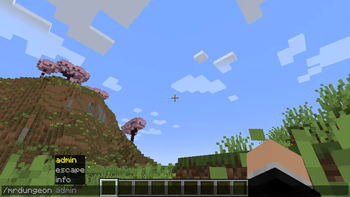
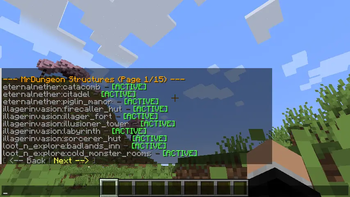
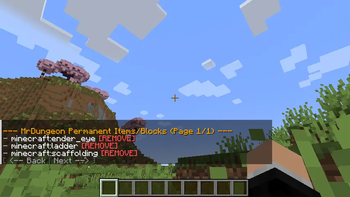
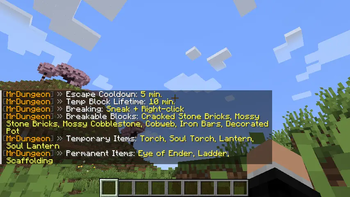
About this Mod
Structural Safety
Keep generated structures intact. Automatically.
Structural Safety protects naturally generated structures from grief and environmental
damage by switching players into Adventure Mode inside them — while still letting them
loot, fight, and explore. Fully configurable in‑game, no commands memorized required.
✨ What it does
When a player enters a protected structure (dungeon, mansion, trial chamber, village …):
- 🛡️ They are put into Adventure Mode automatically (with an action‑bar notice + sound). When they leave, their previous game mode is restored — even across disconnects/restarts.
- ⛏️ No griefing: blocks can't be broken or placed freely…
- ✅ …but exploration still works: loot chests, fight mobs, pull levers, brush suspicious sand, and break a curated list of "weak" blocks (cobwebs, vines, pots …) so you never get stuck.
- 💥🔥🌋 Environmental protection: explosions, fire (including fire spread and lava‑lit fire), and flowing lava cannot destroy protected structure blocks.
- 🚪 Anti‑stuck: a
/structuralsafety escapecommand teleports a trapped player to the nearest safe spot.
Everything is configurable live, in‑game, through a clean clickable menu — no file editing needed (but a JSON config exists for power users).
🎮 Core features
Adventure‑Mode protection
Players inside a protected structure are forced into Adventure Mode every second. Creative and
Spectator players are never affected. Optional Op‑Bypass lets staff keep their game mode.
Smart interaction whitelist
Even in Adventure Mode, players can still:
- Break a configurable list of breakable blocks by sneak + right‑click (follows vanilla tool rules — e.g. cobweb needs a sword/shears).
- Interact with whitelisted blocks (repeaters, comparators, suspicious sand/gravel — brushable blocks always allowed).
- Place whitelisted items, split into:
- Temporary items (e.g. torches, ladders, hay/slime for self‑rescue) that auto‑remove after a timer.
- Permanent items (e.g. ladders, scaffolding, ender eye).
Environmental damage protection (toggleable)
| Protection | Default | What it blocks |
|---|---|---|
| Explosions | ON | TNT, creepers, etc. removing structure blocks |
| Fire | ON | Fire appearing and burning structure blocks — including fire started by lava |
| Lava | ON | Flowing lava entering protected structures |
Each can be toggled independently. Turn Fire off and lava/fire behave exactly like vanilla again.
Sprawling structures
Spread‑out structures like villages use their overall bounding box instead of tight per‑building
boxes — so plazas, gardens and paths between houses are protected too. The sprawling list is configurable.
/escape anti‑stuck
Teleports the player to the nearest safe surface position (no lava/fire, room to stand). Has a configurable
cooldown when used outside a structure (to prevent fast‑travel abuse) but is always allowed when actually
stuck inside a protected area.
🧱 Command reference
Player commands work for everyone. Admin commands require permission level 2 (op).
Open the clickable menu any time with/structuralsafety.
Player
| Command | Description |
|---|---|
/structuralsafety or /structuralsafety help |
Open the main menu |
/structuralsafety info |
Show current settings & lists |
/structuralsafety escape |
Teleport to the nearest safe spot |
Admin — overview
| Command | Description |
|---|---|
/structuralsafety admin |
Open the admin menu |
/structuralsafety admin protection |
Open the protection panel (click to toggle) |
/structuralsafety admin protection <explosions|fire|lava> [true|false] |
Toggle / set one protection |
/structuralsafety admin opbypass [true|false] |
Let ops keep their game mode |
Admin — structures
| Command | Description |
|---|---|
/structuralsafety admin structure / … list [page] |
Browse & toggle protected structures |
/structuralsafety admin structure protect <name> |
Protect a structure |
/structuralsafety admin structure unprotect <name> |
Unprotect a structure |
/structuralsafety admin structure protectall / unprotectall |
Protect / unprotect all |
/structuralsafety admin structure sprawling list |
Show sprawling structures |
/structuralsafety admin structure sprawling add|remove <name> |
Manage sprawling list |
Admin — player allowances
| Command | Description |
|---|---|
/structuralsafety admin allow |
Open the allowances menu |
/structuralsafety admin allow break list|add <block>|remove <block> |
Blocks players may break |
/structuralsafety admin allow interact list|add <block>|remove <block> |
Blocks players may interact with |
/structuralsafety admin allow place temp list|add <item>|remove <item> |
Temporary placeable items |
/structuralsafety admin allow place perm list|add <item>|remove <item> |
Permanent placeable items |
Admin — timers
| Command | Description |
|---|---|
/structuralsafety admin time |
Show current timers |
/structuralsafety admin time escape <minutes> |
/escape cooldown |
/structuralsafety admin time temp <minutes> |
Temporary‑block lifetime |
Structure names accept either the plain name (e.g. Pillager Outpost) or the raw ID (e.g. minecraft:pillager_outpost), with tab‑completion.
🗂️ Default protected structures
Out of the box these vanilla structures are protected:abandoned_mineshaft, simple_dungeon, pillager_outpost, desert_pyramid, jungle_pyramid,mansion, monument, stronghold, trial_chambers, ancient_city, fortress, bastion_remnant,nether_fossil, end_city.
Modded structures are detected automatically and added to the config (disabled by default) — just
enable the ones you want via /structuralsafety admin structure protect <name>.
⚙️ Configuration
A JSON config is created at config/structuralsafety_settings.json. Everything there can also be set
in‑game, so editing by hand is optional. Keys include:structures, sprawling_structures, weak_blocks, interact_allowed, temp_place_items,perm_place_items, cooldown_minutes, temp_minutes, op_bypass,protect_explosions, protect_fire, protect_lava.
New default entries are merged into existing configs on update without wiping your customizations.
❤️ Credits & Links
Made with ❤️ by Mrstilu2k6
🔗 Modrinth · 🔗 CurseForge · ☕ PayPal
💬 Found a bug? Have a suggestion? Drop it in the comments or open an issue — every piece of feedback helps!
☕ Enjoying the mod? If you'd like to support my work, a small tip is greatly appreciated. Every bit of support helps me dedicate more time to updates and new features!
Available Versions
How to Install Structural Safety on Your Server
Order Server
Order a Minecraft Java server with at least 3 GB RAM (4 GB recommended).
Set fabric Loader
In the panel under "Egg", select the fabric loader and matching Minecraft version (1.21.1).
Install Mod
Open the mod browser in the dashboard and search for "Structural Safety". Click "Install" – done! Alternatively, upload the .jar via SFTP to the /mods folder.
Compatibility
Mod Loaders
Minecraft Versions
1.21.1, 1.21, 1.20.1 (+1 more)
Server-side
✓ RequiredRecommended RAM
4 GB(min. 3 GB)Frequently Asked Questions
Structural Safety server crashes on startup – what to do?
Most common cause: wrong fabric version or insufficient RAM. Check the server log (latest.log) for "OutOfMemoryError" or "Mixin" errors. With Mado Hosting: ensure at least 3 GB RAM is allocated and the loader matches the mod version (1.21.1). You can switch loaders with one click in the panel.
Is Structural Safety compatible with fabric and neoforge?
Structural Safety officially supports fabric, neoforge for Minecraft 1.21.1, 1.21, 1.20.1. The Mado dashboard automatically detects incompatible loader combinations.
Server lagging with Structural Safety – how to optimize performance?
Recommended RAM: 4 GB (per 8 players). Use /spark profiler to check if Structural Safety consumes the most tick time. Common fixes: reduce server view-distance to 8-10, install "performant" or "starlight" as supplementary mods on Forge. With Mado Hosting, your server runs on NVMe SSDs with dedicated CPU cores for minimal latency.
Similar Mods




Rent Modded Server
Install Structural Safety with just one click on your server.