
Structured Crafting
Craft stuff in your world, automatically
About this Mod
This mod adds just one new block to the game, the Structured Crafter. It allows you to craft stuff in your world by determining the structure around this Structured Crafter. This block will try to craft every second on the condition that it has an active redstone signal.
This first image below shows an example on how to craft a regular crafting table. The nine blocks at the base (opposite direction of the arrow) will be checked if it matches a crafting recipe. In this case it matches the recipe of a crafting table, so at the other side of the block, a crafting table will be created and the input blocks will be consumed.
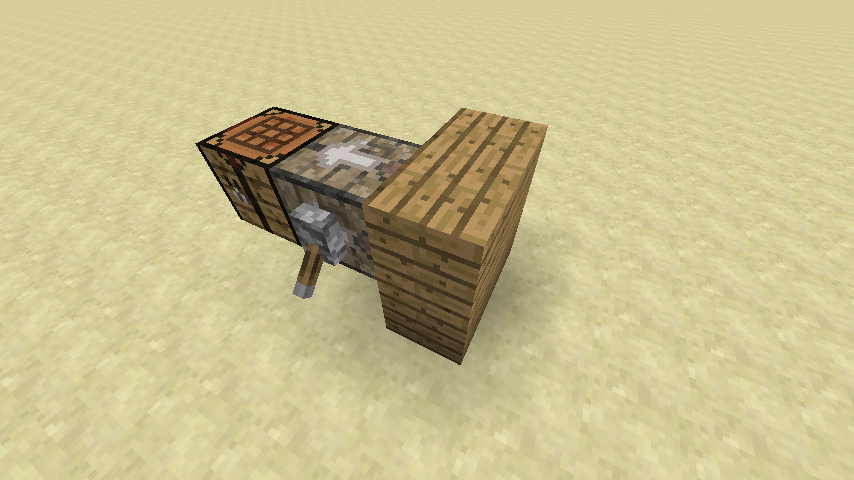
The recipe detection is flexible enough to handle various positions and rotations for input blocks as can be seen below.
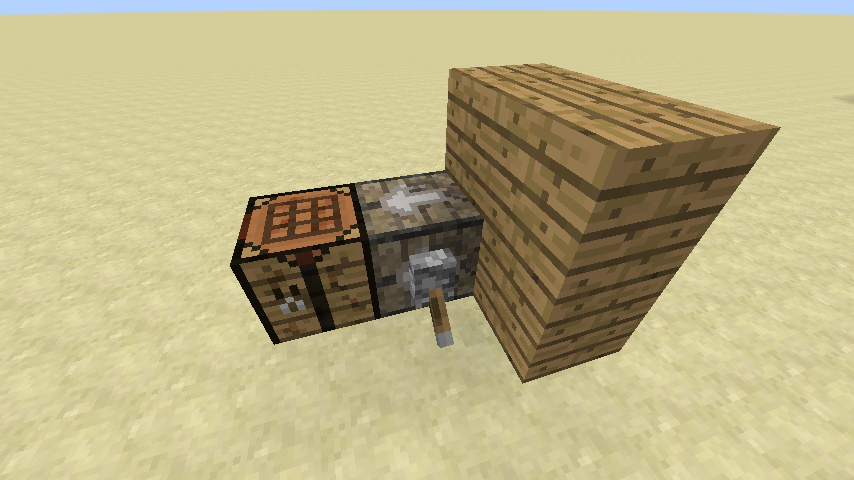
Instead of input blocks, you can also use input inventories, like for example chests.
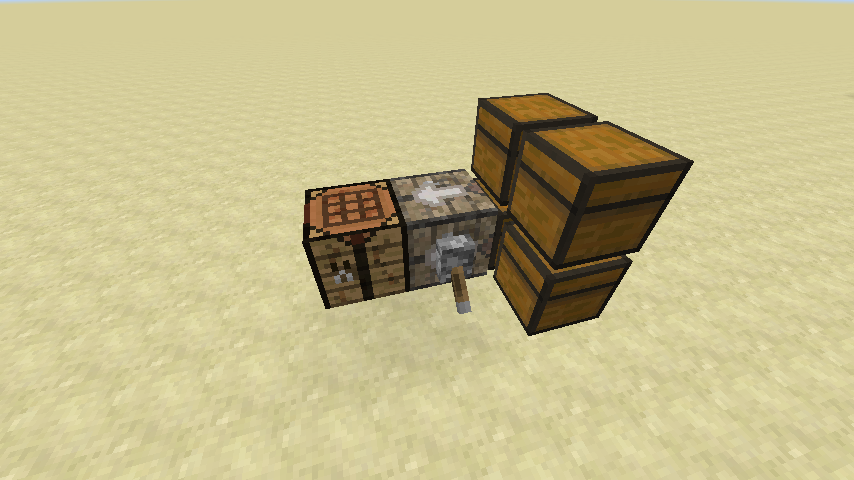
These can be used in combination with input blocks as well.
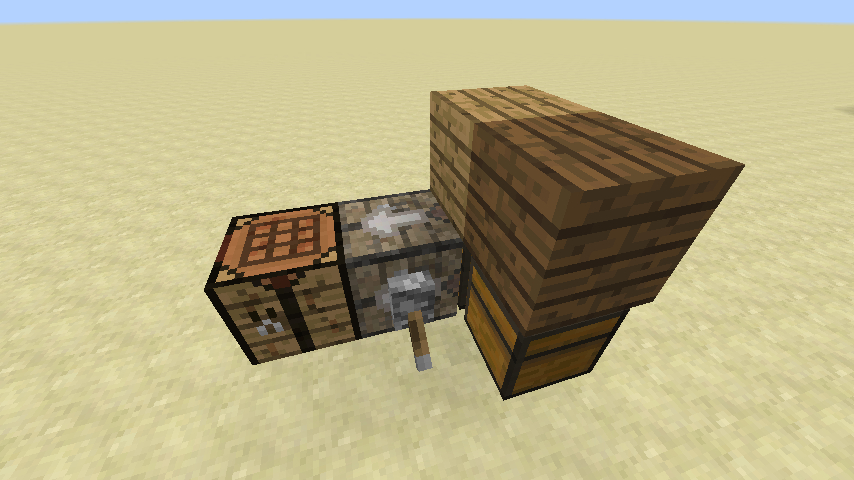
When a recipe has multiple output items (like 1 log to four planks), it will try to place the first block and drop the others on top of it.
If the item can not be placed, all items will just be dropped in the world.
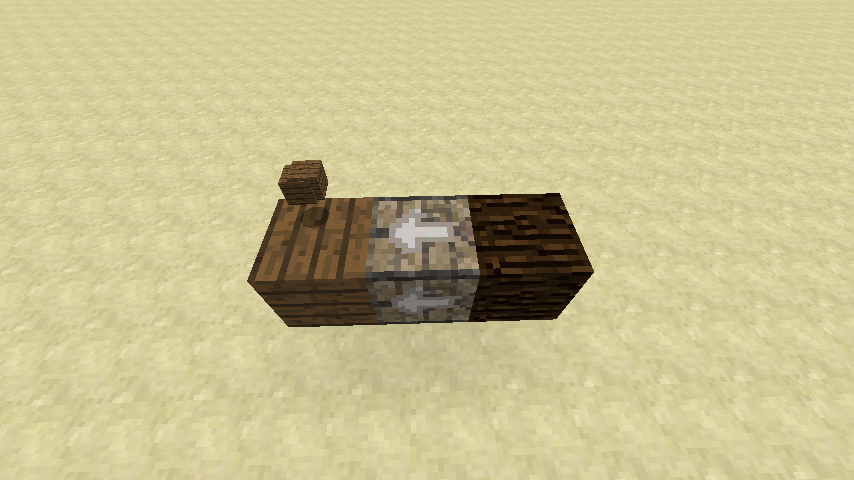
Inventories can be used in the output as well, this is useful for these cases when there are multiple output items, so we can capture them all in a chest.
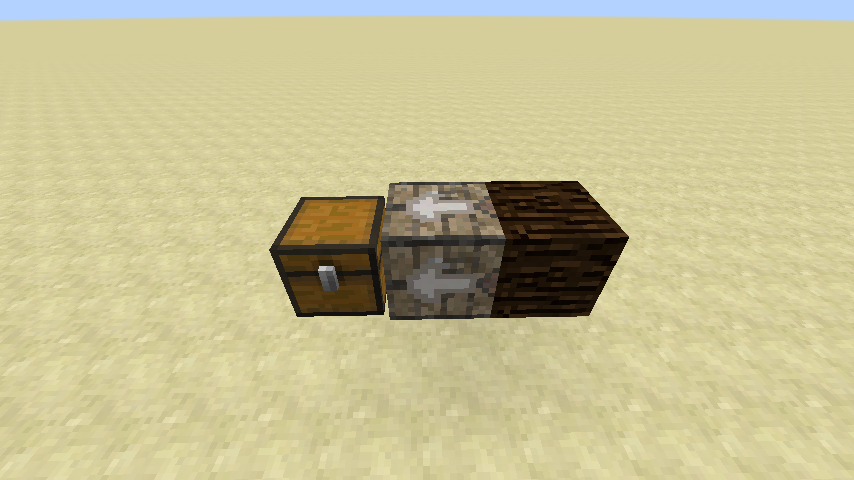
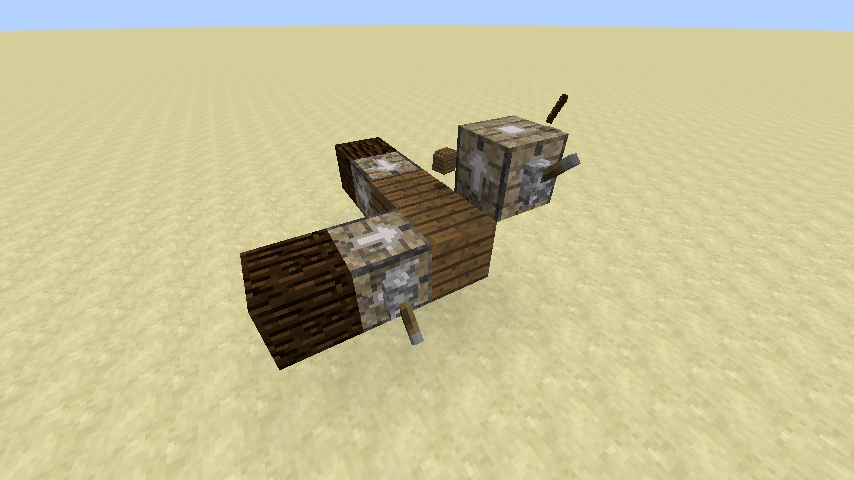
You can create endlessly complex crafting systems with this, like the one that can be seen below.
This mod collects anonymized startup data, this can be disabled in the config file and adheres to Minecraft's snooper settings.

If you like this mod, consider supporting me on Patreon!
Available Versions
How to Install Structured Crafting on Your Server
Order Server
Order a Minecraft Java server with at least 3 GB RAM (4 GB recommended).
Set fabric Loader
In the panel under "Egg", select the fabric loader and matching Minecraft version (26.1.2).
Install Mod
Open the mod browser in the dashboard and search for "Structured Crafting". Click "Install" – done! Alternatively, upload the .jar via SFTP to the /mods folder.
Compatibility
Mod Loaders
Minecraft Versions
26.1.2, 26.1.1, 1.21.11 (+14 more)
Server-side
✓ RequiredRecommended RAM
4 GB(min. 3 GB)Frequently Asked Questions
Structured Crafting server crashes on startup – what to do?
Most common cause: wrong fabric version or insufficient RAM. Check the server log (latest.log) for "OutOfMemoryError" or "Mixin" errors. With Mado Hosting: ensure at least 3 GB RAM is allocated and the loader matches the mod version (26.1.2). You can switch loaders with one click in the panel.
Is Structured Crafting compatible with fabric and forge and neoforge and quilt?
Structured Crafting officially supports fabric, forge, neoforge, quilt for Minecraft 26.1.2, 26.1.1, 1.21.11. Note: Forge and Fabric mods are NOT cross-compatible – pick one loader and stick with it. The Mado dashboard automatically detects incompatible loader combinations.
Server lagging with Structured Crafting – how to optimize performance?
Recommended RAM: 4 GB (per 8 players). Use /spark profiler to check if Structured Crafting consumes the most tick time. Common fixes: reduce server view-distance to 8-10, install "performant" or "starlight" as supplementary mods on Forge. With Mado Hosting, your server runs on NVMe SSDs with dedicated CPU cores for minimal latency.
Similar Mods




![[ETF] Entity Texture Features](https://cdn.modrinth.com/data/BVzZfTc1/af683d206d50b05258d865b0d6e4aa2f2cee12f2_96.webp)
![[EMF] Entity Model Features](https://cdn.modrinth.com/data/4I1XuqiY/6e5bbd0d06b1741bfdab6c0cfab6de8fdaf0064c_96.webp)
Rent Modded Server
Install Structured Crafting with just one click on your server.