
StylizedDamage
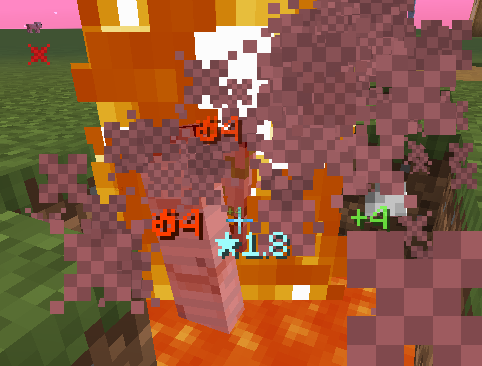
A damage number display mod, offering a highly customizable and buttery-smooth experience.
Screenshots
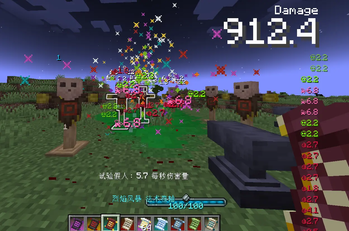
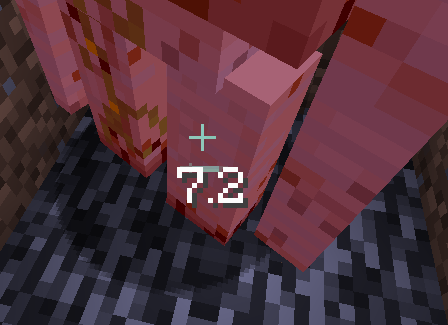
About this Mod
StylizedDamage - A Different Kind of Damage Number
Description
A damage number display mod that offers a highly customizable and buttery-smooth experience.
You can bind different visual styles to different damage types, with support for custom prefixes, suffixes, and small icons.
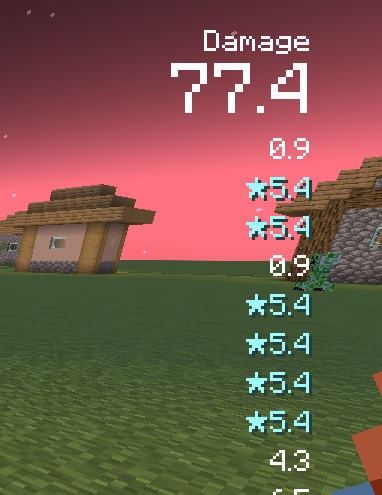
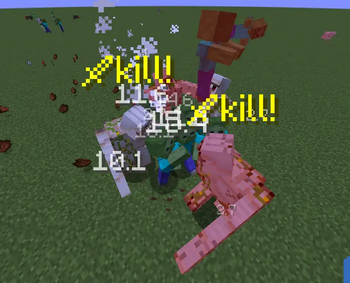
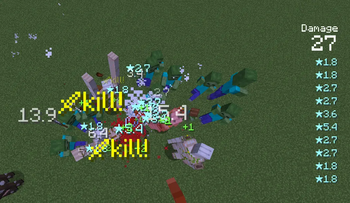
Features kill pop-ups, a total damage display in the top-right corner, and intelligent damage number positioning.
Technical Highlights
Implemented using a World-to-HUD approach, allowing you to see damage numbers through blocks and from any direction.
- Numbers emerge exactly where they should — from your crosshair during melee attacks, or from the projectile's position for ranged attacks. Unlike other damage number mods that simply float above entities' heads.
- Compatible with various camera angles and FOV settings.
- Works with zoom effects such as telescopes and scope attachments from gun mods.
- Smooth movement and scaling.
- Performance optimized.
Highly Customizable
This mod uses a Selector + Style system.
In the Selector, you can assign specific number styles based on damage magnitude, team affiliation, entity type, and damage type.
In the Style, you can customize the number's appearance, content, and animation:
- Adjust number size and linger duration based on damage value.
- Add custom prefixes, suffixes, and icons.
- Build your own animations from four components: position, scale, opacity, and brightness.
Total Damage Display
A total damage number is shown in the top-right corner, with a trailing list of recent damage instances.
The trailing damage numbers support custom styles and feature dynamic animations that enhance the feeling of impact.
Integration
This mod comes with pre-configured styles and selector settings for Iron's Spells 'n Spellbooks, ready to use out of the box. See Gallery Image 1 for the effect.
Start Using It Now
Everything you need is right here:
https://yanbwe.github.io/Yanbwe-Wiki/en/stylizeddamage/
Gallery
| 1 | 2 | 3 |
|---|---|---|
|
 |
|
|
|
|
Available Versions
How to Install StylizedDamage on Your Server
Order Server
Order a Minecraft Java server with at least 3 GB RAM (4 GB recommended).
Set forge Loader
In the panel under "Egg", select the forge loader and matching Minecraft version (1.21.1).
Install Mod
Open the mod browser in the dashboard and search for "StylizedDamage". Click "Install" – done! Alternatively, upload the .jar via SFTP to the /mods folder.
Compatibility
Mod Loaders
Minecraft Versions
1.21.1, 1.20.1
Server-side
✓ RequiredRecommended RAM
4 GB(min. 3 GB)Frequently Asked Questions
StylizedDamage server crashes on startup – what to do?
Most common cause: wrong forge version or insufficient RAM. Check the server log (latest.log) for "OutOfMemoryError" or "Mixin" errors. With Mado Hosting: ensure at least 3 GB RAM is allocated and the loader matches the mod version (1.21.1). You can switch loaders with one click in the panel.
Is StylizedDamage compatible with forge and neoforge?
StylizedDamage officially supports forge, neoforge for Minecraft 1.21.1, 1.20.1. The Mado dashboard automatically detects incompatible loader combinations.
Server lagging with StylizedDamage – how to optimize performance?
Recommended RAM: 4 GB (per 8 players). Use /spark profiler to check if StylizedDamage consumes the most tick time. Common fixes: reduce server view-distance to 8-10, install "performant" or "starlight" as supplementary mods on Forge. With Mado Hosting, your server runs on NVMe SSDs with dedicated CPU cores for minimal latency.
Similar Mods

![[ETF] Entity Texture Features](https://cdn.modrinth.com/data/BVzZfTc1/af683d206d50b05258d865b0d6e4aa2f2cee12f2_96.webp)
![[EMF] Entity Model Features](https://cdn.modrinth.com/data/4I1XuqiY/6e5bbd0d06b1741bfdab6c0cfab6de8fdaf0064c_96.webp)



Rent Modded Server
Install StylizedDamage with just one click on your server.