
Sulfur Depths
This mod adds a new biome boiling caves and a new mob - sulfur slime with unique mechanics and items to the game
Screenshots
About this Mod

Sulfur Depths - this mod adds a new biome to the game - the Boiling Caves.
Requirements:
Terrablender
Resource pack (optional)
New blocks:
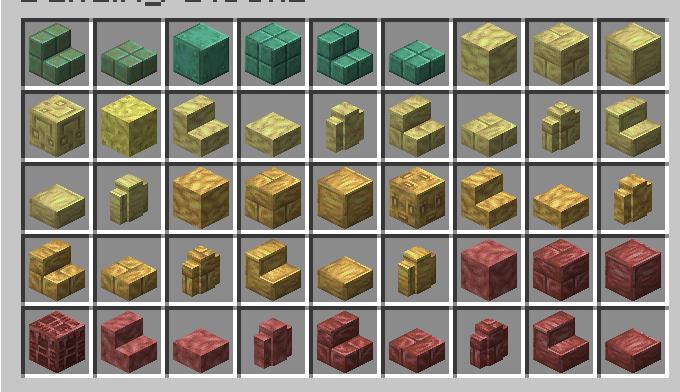
Cinnabar and Sulfur - which can be crafted into other decorative blocks using a workbench or stone cutter. Additionally, if you smelt any sulfur block using a campfire or fire, it will turn into a heated sulfur variant (more orange and more durable).
The potent sulfur block - which spawns at the bottom of sulfur lakes - inflicts nausea on the player if they swim in water containing this block, and if they are completely submerged, it inflicts poisoning and blindness.
New items:
Glob of mercury - obtained by smelting a Cinnabar block (smelting Sulfur produce gunpowder) and causes nausea if kept in your inventory - used to feed a Sulfur Slime
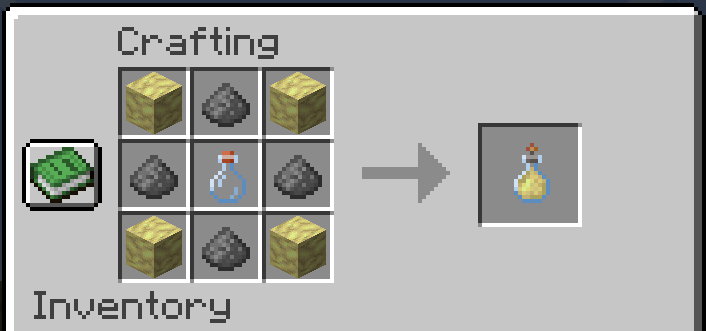
Mercury bottle - allows you to double the signal strength of Redstone dust by right-clicking (if it is already powered)
Mercury bucket - allows you to pour a new type of liquid - mercury, which is very dense but highly toxic
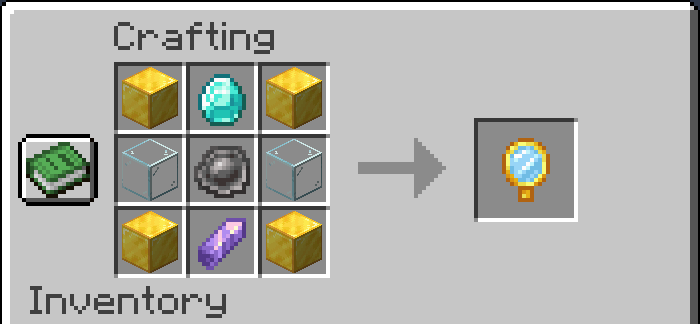
Mercury Mirror - allows you to spotlight all entities nearby for a few seconds
Sulfur Bomb - this item can be thrown to create a small cloud of smoke on the ground that inflicts blindness on everyone inside
New mob
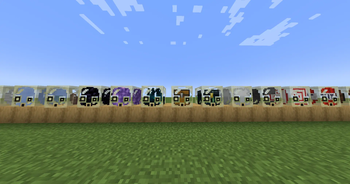
Sulfur Slime
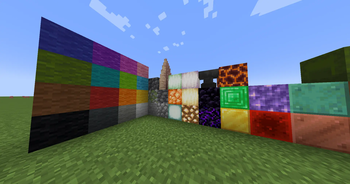
The main mechanic of this mob is its ability to hold any block in the game (mod blocks are also supported) and push it using the push command, but some blocks give it special properties:
- All types of wool - makes it lighter
- All types of stone (including deepslate) – make it heavier, but if pushed toward a mob or player, it deals minor damage
- Pointed Dripstone - if pushed toward a mob/player, the slime will deal double damage depending on what the player used to strike (if the item is enchanted, this is also taken into account)
- All light-emitting blocks - turn the slime into a light source (dynamic)
- Anvil and Obsidian - make it very heavy, and if dropped from a height (very fast fall speed), it will deal damage to a mob/player like an anvil
- Lure blocks - an emerald block lures villagers, a gold block lures piglins
- Damage blocks - Magma ignites nearby entities and creates fire when pushed; cactus deals damage to everyone nearby
- Amethyst block - creates a beautiful sound when struck
- Redstone block - activates all nearby mechanisms and activates redstone dust (if very close)
- Copper block - if it’s a regular copper block, slimes are slightly heavier than usual; if it’s oxidized and struck by lightning, the oxidation disappears and it becomes very light
- Ice blocks - the slime doesn’t bounce off the ground when hit, but slides across it
- Cursed blocks - if the target is a block, all nearby projectiles will be magnetically drawn to the sulfur slime; dynamite - if dropped from a height, it will explode upon contact with a block
- Honey block - makes the sulfur slime very sticky (it sticks to walls)
Slime block - makes the slime very elastic - Music blocks - a note block plays a sound when struck (instrument blocks are supported); a Jukebox allows music disks to be played inside the mob
- Workstations - all workstations and workbenches are fully functional inside this mob
- Storage blocks - all storage blocks (chests, barrels, and shulkers) are functional inside this mob, and the Ender Chest also works
- Sculk sensor - moves forward if there’s a mob nearby making sounds
Additional Features
If you set any sulfur block on fire, the flames will be blue.
You can collect Sulfur Slime in a bucket.
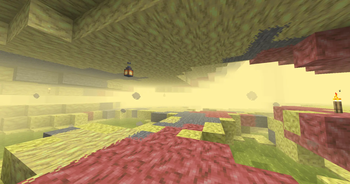
In the Boiling Caves biome, there is a constant thick yellow fog with ambient sound.
Available Versions
How to Install Sulfur Depths on Your Server
Order Server
Order a Minecraft Java server with at least 4 GB RAM (6 GB recommended).
Set forge Loader
In the panel under "Egg", select the forge loader and matching Minecraft version (1.21.1).
Install Mod
Open the mod browser in the dashboard and search for "Sulfur Depths". Click "Install" – done! Alternatively, upload the .jar via SFTP to the /mods folder.
Compatibility
Mod Loaders
Minecraft Versions
1.21.1, 1.21, 1.20.1
Server-side
✓ RequiredRecommended RAM
6 GB(min. 4 GB)Frequently Asked Questions
Sulfur Depths server crashes on startup – what to do?
Most common cause: wrong forge version or insufficient RAM. Check the server log (latest.log) for "OutOfMemoryError" or "Mixin" errors. With Mado Hosting: ensure at least 4 GB RAM is allocated and the loader matches the mod version (1.21.1). You can switch loaders with one click in the panel.
Is Sulfur Depths compatible with forge and neoforge?
Sulfur Depths officially supports forge, neoforge for Minecraft 1.21.1, 1.21, 1.20.1. The Mado dashboard automatically detects incompatible loader combinations.
Server lagging with Sulfur Depths – how to optimize performance?
Recommended RAM: 6 GB (per 5 players). Use /spark profiler to check if Sulfur Depths consumes the most tick time. Common fixes: reduce server view-distance to 8-10, install "performant" or "starlight" as supplementary mods on Forge. With Mado Hosting, your server runs on NVMe SSDs with dedicated CPU cores for minimal latency.
Similar Mods




Rent Modded Server
Install Sulfur Depths with just one click on your server.