
Sun Fade
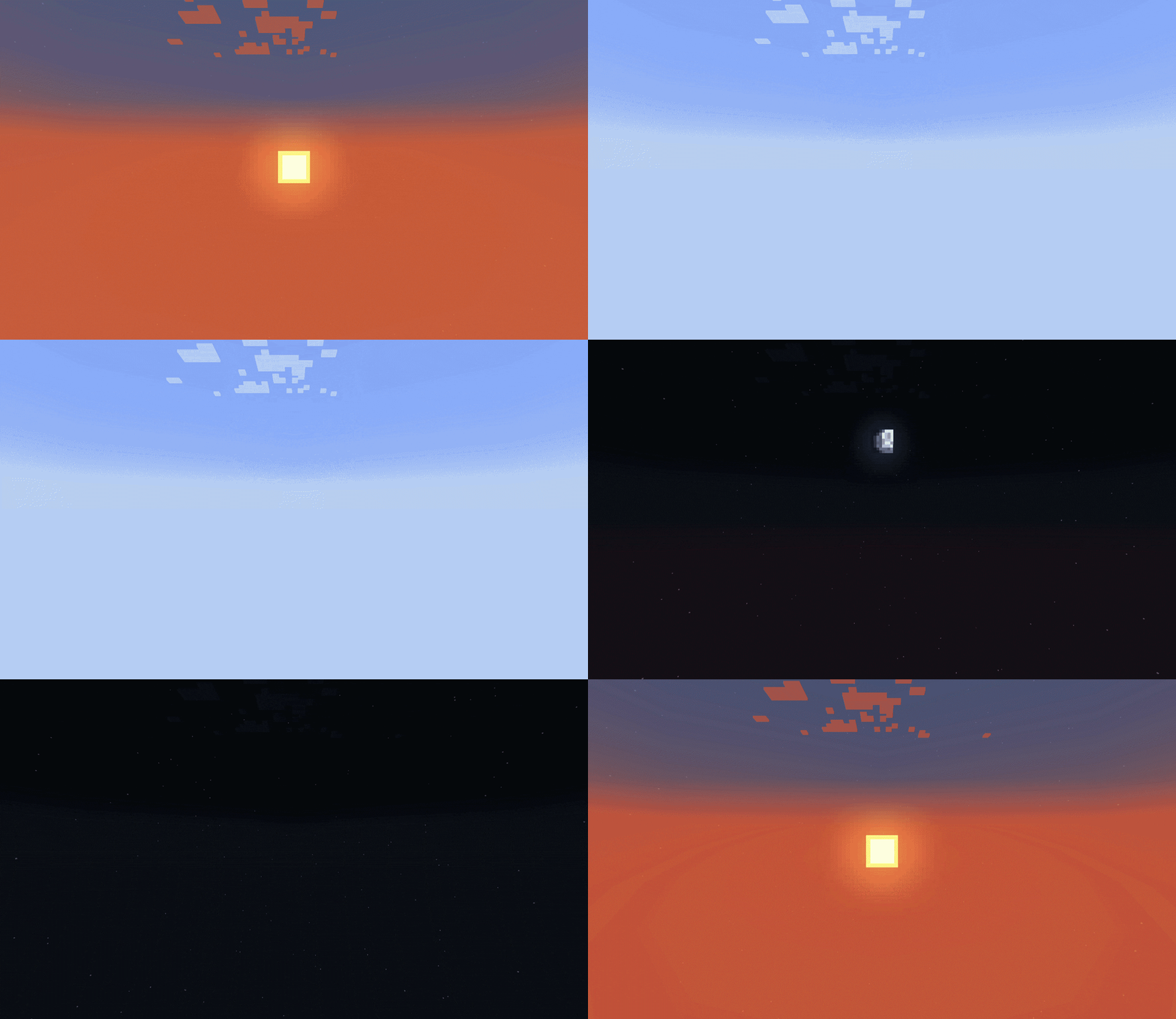
Fades the Sun and Moon away when they pass below the horizon, ideal for void worlds
Screenshots

About this Mod
Sun and Moon Fading
Ever played on a Skyblock and get annoyed by the Sun still being visible at the bottom of the world? This mod aims to fix that! After the Sun sets, it will slowly start to fade out, until it is no longer visible.
Same thing with the Moon
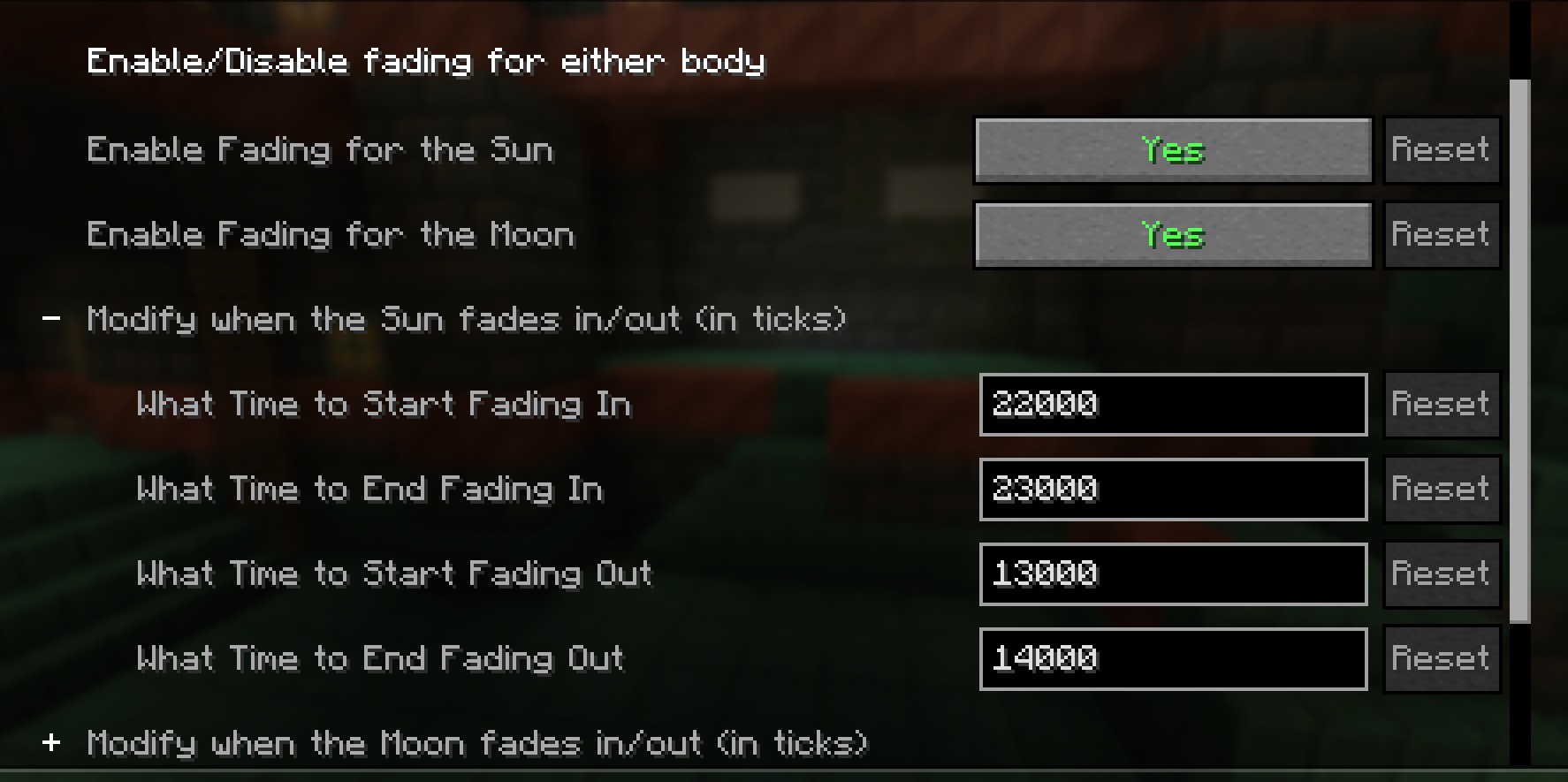
Fully Customizable
This Mod aims to be compatible with all kinds of worlds and playstyles.
Don't like the time the Sun fades? You change change that
Do you still want the Moon to be visible at all times? You can disable its fading
Compatibilites
Current Incompatibilites:
Unknown
It's Likely that this mod will conflict with many Skybox mods, as they'd both be touching the same code. Let me know if you run into an incompatibility and I'll try to see about fixing it!
Partial Incompatibility
Iris Shaders
While there's no errors, the shaders override any changes this mod implements! But if you are using shaders, there should be some that provide similar effects as this mod
Available Versions
How to Install Sun Fade on Your Server
Order Server
Order a Minecraft Java server with at least 3 GB RAM (4 GB recommended).
Set fabric Loader
In the panel under "Egg", select the fabric loader and matching Minecraft version (1.21.1).
Install Mod
Open the mod browser in the dashboard and search for "Sun Fade". Click "Install" – done! Alternatively, upload the .jar via SFTP to the /mods folder.
Compatibility
Mod Loaders
Minecraft Versions
1.21.1
Server-side
✗ UnsupportedRecommended RAM
4 GB(min. 3 GB)Frequently Asked Questions
Sun Fade server crashes on startup – what to do?
Most common cause: wrong fabric version or insufficient RAM. Check the server log (latest.log) for "OutOfMemoryError" or "Mixin" errors. With Mado Hosting: ensure at least 3 GB RAM is allocated and the loader matches the mod version (1.21.1). You can switch loaders with one click in the panel.
Is Sun Fade compatible with fabric and neoforge?
Sun Fade officially supports fabric, neoforge for Minecraft 1.21.1. The Mado dashboard automatically detects incompatible loader combinations.
Server lagging with Sun Fade – how to optimize performance?
Recommended RAM: 4 GB (per 8 players). Use /spark profiler to check if Sun Fade consumes the most tick time. Common fixes: reduce server view-distance to 8-10, install "performant" or "starlight" as supplementary mods on Forge. With Mado Hosting, your server runs on NVMe SSDs with dedicated CPU cores for minimal latency.
Similar Mods

![[ETF] Entity Texture Features](https://cdn.modrinth.com/data/BVzZfTc1/af683d206d50b05258d865b0d6e4aa2f2cee12f2_96.webp)
![[EMF] Entity Model Features](https://cdn.modrinth.com/data/4I1XuqiY/6e5bbd0d06b1741bfdab6c0cfab6de8fdaf0064c_96.webp)



Rent Modded Server
Install Sun Fade with just one click on your server.