Sven's Wiki
Adds an entire in-game wiki to Minecraft. No more searching 10 different websites, just open the wiki menu and search! Also includes additional features.
Screenshots
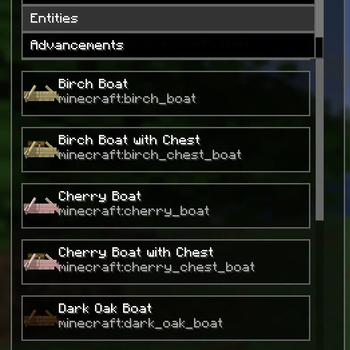
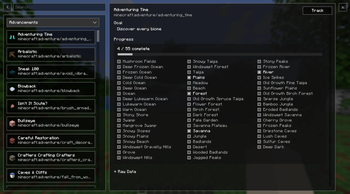
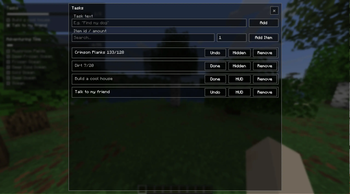
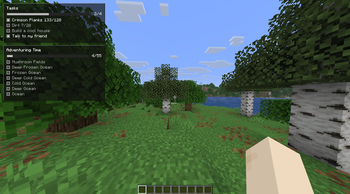
![[ALPHA] Wiki screen](https://cdn.modrinth.com/data/1n8WXRU1/images/d0a003a98ca5bf6c4940d22959c2b71e1e414f9f_350.webp)
![[ALPHA] Item tag filtering](https://cdn.modrinth.com/data/1n8WXRU1/images/3685f0fb1013279a4e3e07203c5eb5c94496bbde_350.webp)
About this Mod
Sven's Wiki
Tired of constantly alt-tabbing to your browser or digging through countless websites just to find basic information?
Sven's Wiki brings a fully integrated wiki experience directly into Minecraft, so everything you need is available exactly where you need it.
No interruptions. No ads. Just information, in-game.
Project Status
Current Features
Data-Driven Wiki Interface
A flexible and scalable system that dynamically pulls and displays in-game data.In-Game Search System
Quickly find items, entities, and more without leaving your world.Integrated Detail View
View detailed information about selected entries directly within the UI.Task & To-Do Overlay
Track goals and tasks without leaving the game.Item Collection Overlay
Build and manage gathering lists for crafting or progression.Advancement Overlay
See the progress of any advancement on screen.
Planned Features
Handcrafted Vanilla Wiki Pages
Custom-written, high-quality pages for all vanilla items and entities.Mod Integration API
Allow other mods to easily add their own custom wiki pages.
Available Versions
How to Install Sven's Wiki on Your Server
Order Server
Order a Minecraft Java server with at least 3 GB RAM (4 GB recommended).
Set fabric Loader
In the panel under "Egg", select the fabric loader and matching Minecraft version (26.2).
Install Mod
Open the mod browser in the dashboard and search for "Sven's Wiki". Click "Install" – done! Alternatively, upload the .jar via SFTP to the /mods folder.
Compatibility
Mod Loaders
Minecraft Versions
26.2, 26.1.2
Server-side
✗ UnsupportedRecommended RAM
4 GB(min. 3 GB)Frequently Asked Questions
Sven's Wiki server crashes on startup – what to do?
Most common cause: wrong fabric version or insufficient RAM. Check the server log (latest.log) for "OutOfMemoryError" or "Mixin" errors. With Mado Hosting: ensure at least 3 GB RAM is allocated and the loader matches the mod version (26.2). You can switch loaders with one click in the panel.
Is Sven's Wiki compatible with fabric and neoforge?
Sven's Wiki officially supports fabric, neoforge for Minecraft 26.2, 26.1.2. The Mado dashboard automatically detects incompatible loader combinations.
Server lagging with Sven's Wiki – how to optimize performance?
Recommended RAM: 4 GB (per 8 players). Use /spark profiler to check if Sven's Wiki consumes the most tick time. Common fixes: reduce server view-distance to 8-10, install "performant" or "starlight" as supplementary mods on Forge. With Mado Hosting, your server runs on NVMe SSDs with dedicated CPU cores for minimal latency.
Similar Mods




![[ETF] Entity Texture Features](https://cdn.modrinth.com/data/BVzZfTc1/af683d206d50b05258d865b0d6e4aa2f2cee12f2_96.webp)

Rent Modded Server
Install Sven's Wiki with just one click on your server.