
Sync System Time
Adds a new gamerule that syncs in game time with system time
Screenshots

About this Mod
Sync System Time
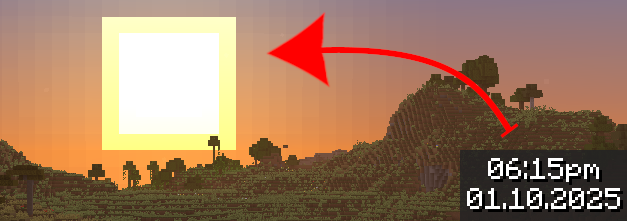
This simple mod adds a new gamerule to make in game time reflect system (real) time. That means, for example, if it's 8am for you, it will be 8am in your world too.
Usage
Only the server needs this mod installed to work, users do not need to have it installed on their clients. Installing it on the client will only add the new gamerules to the Game Rules menu when creating a new world, they appear in a new category and are fully localized.
Once the mod is installed, all you have to do is change syncSystemTime gamerule to true by using the /gamerule syncSystemTime true command. You can turn off this game rule at any time to return to normal time flow.
Note: The in game day counter does not progress while synchronizing.
Documentation
The mod comes with 3 new gamerules explained in the table below
| Name | Description | Default Value |
|---|---|---|
syncSystemTime |
Whether the in game time should follow system time. Synchronization parameters can be modified via other gamerules. Respects doDaylightCycle which will pause synchronization when false. |
false |
gameTimeOffset |
Offsets synchronization by using ticks. Default value of -6000 will make in game 6am match real 6am. | -6000 |
systemTimeOffset |
Offsets synchronization by using seconds. Useful for simulating different time zone. | 0 |
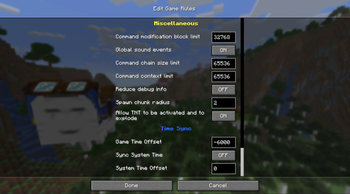
Screenshot of Game Rules menu: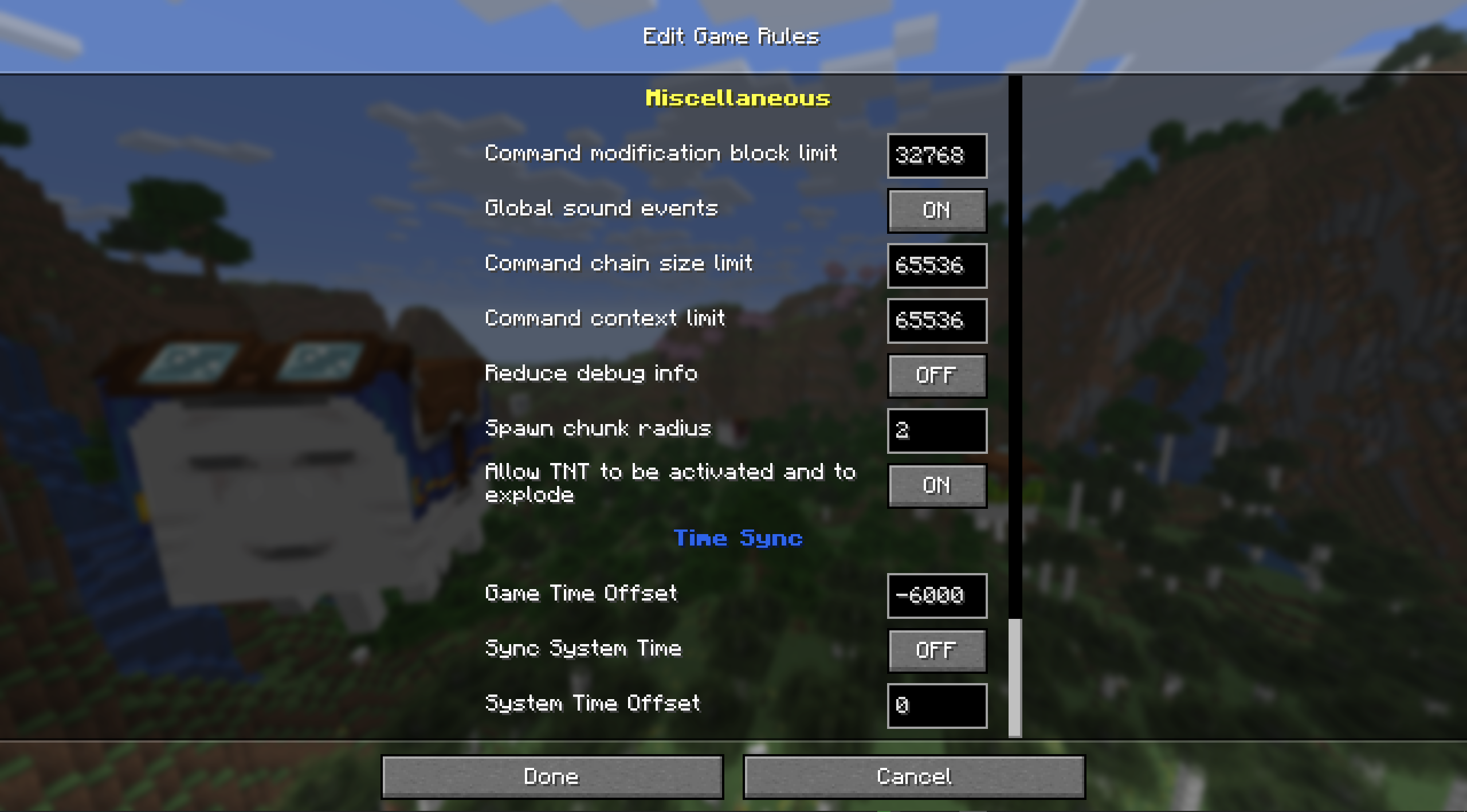
Translation
The only strings added by this mod appear in Game Rules menu, that is name of the new category as well as name and description for each of the 3 gamerules. If you want to translate them, then feel free to open PRs with new translations on the linked repository!
Credits
Special thanks to people on Fabric Modding Discord server for answering my many questions which helped me make this mod!
Available Versions
How to Install Sync System Time on Your Server
Order Server
Order a Minecraft Java server with at least 3 GB RAM (4 GB recommended).
Set fabric Loader
In the panel under "Egg", select the fabric loader and matching Minecraft version (1.21.8).
Install Mod
Open the mod browser in the dashboard and search for "Sync System Time". Click "Install" – done! Alternatively, upload the .jar via SFTP to the /mods folder.
Compatibility
Mod Loaders
Minecraft Versions
1.21.8
Server-side
✓ RequiredRecommended RAM
4 GB(min. 3 GB)Frequently Asked Questions
Sync System Time server crashes on startup – what to do?
Most common cause: wrong fabric version or insufficient RAM. Check the server log (latest.log) for "OutOfMemoryError" or "Mixin" errors. With Mado Hosting: ensure at least 3 GB RAM is allocated and the loader matches the mod version (1.21.8). You can switch loaders with one click in the panel.
Is Sync System Time compatible with fabric?
Sync System Time officially supports fabric for Minecraft 1.21.8. The Mado dashboard automatically detects incompatible loader combinations.
Server lagging with Sync System Time – how to optimize performance?
Recommended RAM: 4 GB (per 8 players). Use /spark profiler to check if Sync System Time consumes the most tick time. Common fixes: reduce server view-distance to 8-10, install "performant" or "starlight" as supplementary mods on Forge. With Mado Hosting, your server runs on NVMe SSDs with dedicated CPU cores for minimal latency.
Similar Mods




![[ETF] Entity Texture Features](https://cdn.modrinth.com/data/BVzZfTc1/af683d206d50b05258d865b0d6e4aa2f2cee12f2_96.webp)

Rent Modded Server
Install Sync System Time with just one click on your server.