Screenshots

About this Mod
TabFaces mod for Minecraft Forge 1.7.10
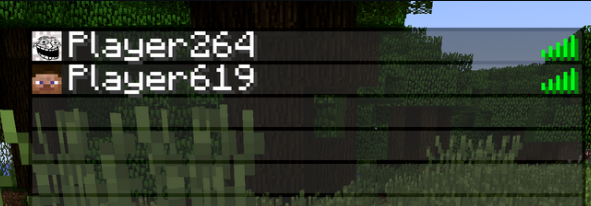
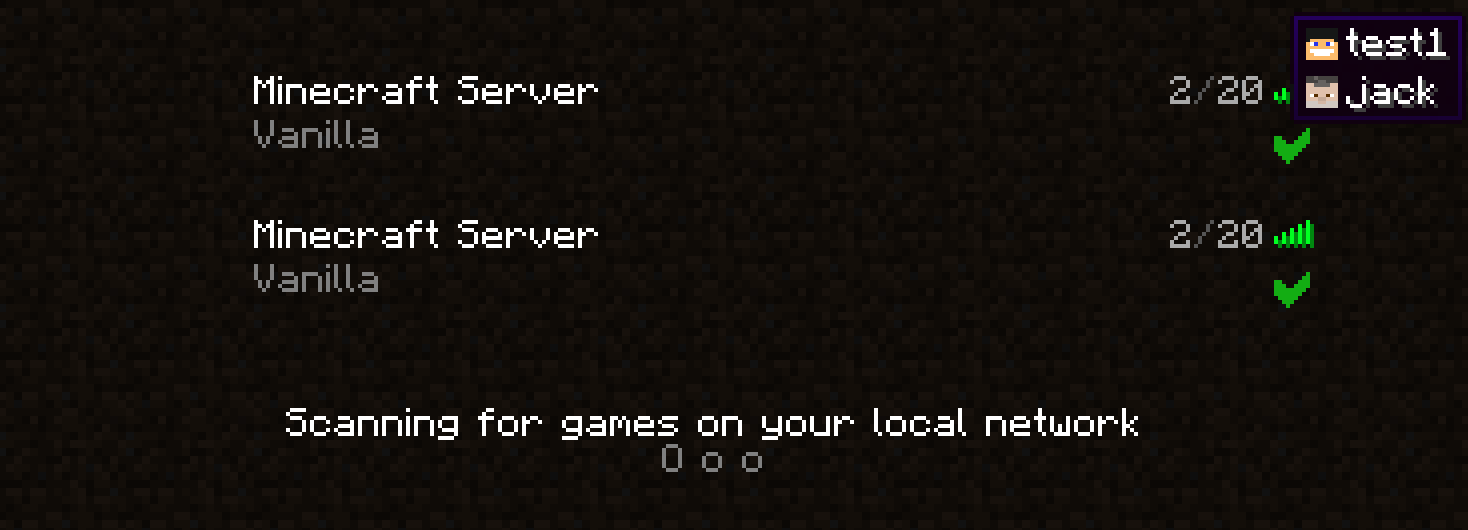
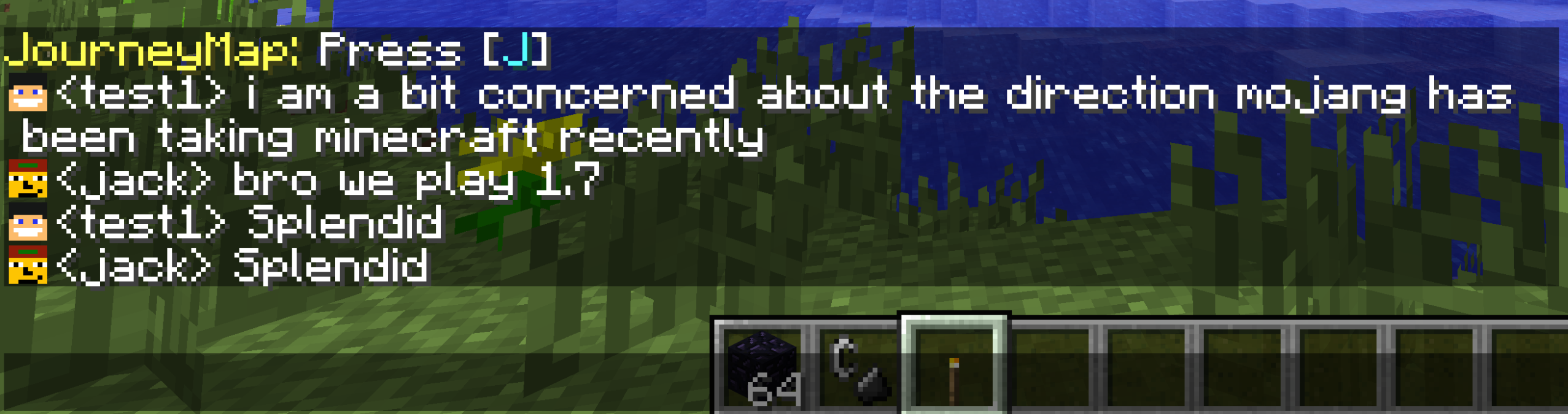
Display player faces in the server tab menu, in the chat, and the server population info tooltip.







Dependencies
- As of version 1.0.2, UniMixins


 is a required dependency.
 - Prior to version 1.0.10, CarbonConfig is a required dependency.
- As of version 1.0.9, SkinPort is an optional dependency and has added compat.
- As of version 1.0.16, FentLib
 is an optional dependency and provides modern + HD skin compat.
Incompatibilities
- Better Ping Display is not compatible.
FAQ
What does this mod do?
- Player faces in the tab menu backport.
- Player faces in the server selection menu (
1.0.2). - Player faces in the chat (
1.0.5). - Player faces in TabbyChat (
1.0.7). Since1.0.8TabbyChat specific configs can be changed from the TabbyChat GUI as well.
Client? Server? Which side?
- As of version
1.0.2, client only, will do nothing on the server. - As of version
1.0.8, server is required for GT:NH ServerUtilities compat.
Will this work with [insert auth mod]?
It should work on all online servers. Tested on a clean server and one treated with authlib-injector. Has compatibility with Wawel Auth as well.
Misc
If you use the debug config to add a team to all members (to test width handling), remove that team with the tabfaces_dbg_cleanup command. This command is registered only if both, server and client have the debug config set to true.
Building
./gradlew build.
License
LGPLv3.
Buy me a coffee
- ko-fi.com
- Monero:
893tQ56jWt7czBsqAGPq8J5BDnYVCg2tvKpvwTcMY1LS79iDabopdxoUzNLEZtRTH4ewAcKLJ4DM4V41fvrJGHgeKArxwmJ

Available Versions
How to Install TabFaces on Your Server
Order Server
Order a Minecraft Java server with at least 3 GB RAM (4 GB recommended).
Set forge Loader
In the panel under "Egg", select the forge loader and matching Minecraft version (1.7.10).
Install Mod
Open the mod browser in the dashboard and search for "TabFaces". Click "Install" – done! Alternatively, upload the .jar via SFTP to the /mods folder.
Compatibility
Mod Loaders
Minecraft Versions
1.7.10
Server-side
✗ UnsupportedRecommended RAM
4 GB(min. 3 GB)Frequently Asked Questions
TabFaces server crashes on startup – what to do?
Most common cause: wrong forge version or insufficient RAM. Check the server log (latest.log) for "OutOfMemoryError" or "Mixin" errors. With Mado Hosting: ensure at least 3 GB RAM is allocated and the loader matches the mod version (1.7.10). You can switch loaders with one click in the panel.
Is TabFaces compatible with forge?
TabFaces officially supports forge for Minecraft 1.7.10. The Mado dashboard automatically detects incompatible loader combinations.
Server lagging with TabFaces – how to optimize performance?
Recommended RAM: 4 GB (per 8 players). Use /spark profiler to check if TabFaces consumes the most tick time. Common fixes: reduce server view-distance to 8-10, install "performant" or "starlight" as supplementary mods on Forge. With Mado Hosting, your server runs on NVMe SSDs with dedicated CPU cores for minimal latency.
Similar Mods




![[ETF] Entity Texture Features](https://cdn.modrinth.com/data/BVzZfTc1/af683d206d50b05258d865b0d6e4aa2f2cee12f2_96.webp)
![[EMF] Entity Model Features](https://cdn.modrinth.com/data/4I1XuqiY/6e5bbd0d06b1741bfdab6c0cfab6de8fdaf0064c_96.webp)
Rent Modded Server
Install TabFaces with just one click on your server.