
Tables & Chairs 2
Modular, functional, and customisable tables and chairs for your Minecraft game, built from the ground up for performance. Vanilla furniture originally based on Axel's Tables & Chairs!
Screenshots
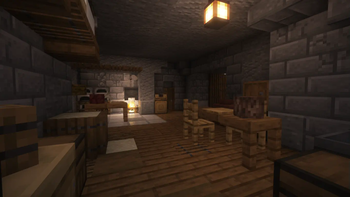
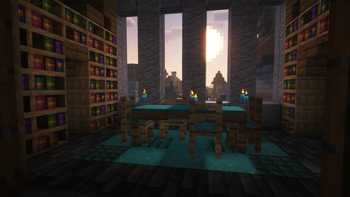
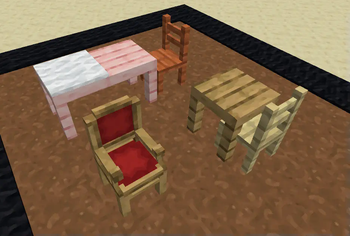
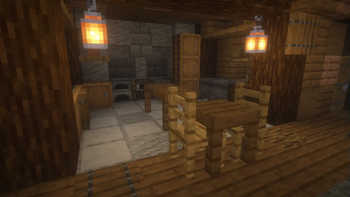
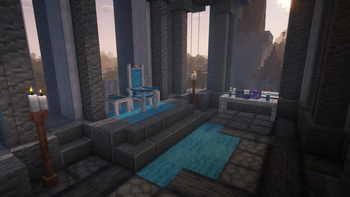
About this Mod
Tables & Chairs 2
Probably the nicest looking, stable feeling and performant table and chair datapack. Originally based on Axel's Tables and Chairs, rewritten from the ground up by me. It uses all the latest datapack features to bring you a solid mod-like experience!
RESOURCE PACK REQUIRED (unless installed as a mod)
Chairs
Right click: sit on chair
Left click (2x): destroy chair
Shift right click: rotate chair
Shift left click: move chair
Right click with a carpet to add a custom carpet layer. To take it off, right click again with shears or break the chair entirely.
Tables
A custom block that should work as expected.
Placing tables next to each other will automatically connect them together. Shift-placing prevents connections. To destroy, hold left click on the table-top with a proper tool until it breaks.
TIP: Left clicking it with an item will put it into an 'edit' mode briefly. Use this mode while shifting to place blocks and items on top of it as if it were a regular block.
Crafting recipes
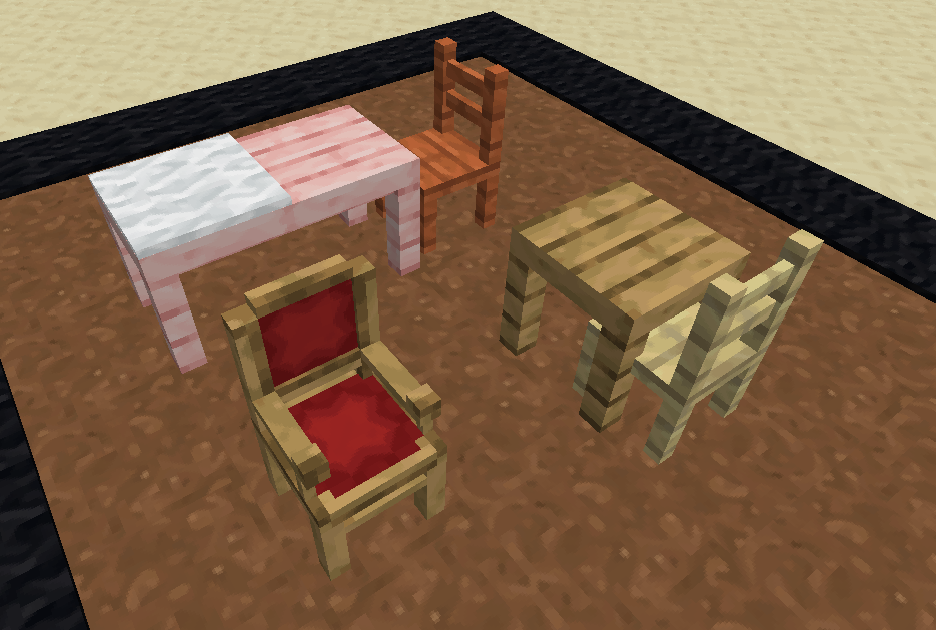
There are soooo many different types of chairs you can craft. You can craft them in each kind of wood material (oak, mangrove, acacia, etc.), and each can be decorated with 16 colours of carpet, too! The 'carved' variant is special as it will have a unique model for each material that you craft them in.
In creative, you can use the /function tac:give/ command to pick and choose furniture items to give yourself. It works just like the /give command does.
All of these amazing models were made by Axel // Chuckchuck (with the exception of the Pedestal Table which is new to T&C2).

Difference between Axel's Tables & Chairs and Tables & Chairs 2.
If you don't know what any of this means, then don't worry, it's not for you.
My goal has been to generally simplify and remove some complicated additions of the original in order to make it easier to understand and perform better. For example the Sawmill, a custom crafting station used to create tables and chairs, has simply been replaced with the crafting table for that reason. Candles, trophies and ornaments will also be omitted here, though they could come back in a seperate datapack if I decide to reimplement them. The Hammer or at least a hammer-type system is still planned to be added before it gets out of beta.
As we go along, I would like you to send me feedback on the discord server, or an Issue on Github page. --- Discord ---- Github ---
Why make this a datapack?
Unlike traditional mods, these elements will persist within your world across all future updates and releases while the resource pack is enabled. This works through the use of vanilla features that cannot be overwritten, making it safe to add into your main survival worlds and ensuring your builds for the future.
Removing and Upgrading
Removing this datapack was made simple so that you can use it in your main survival worlds without worrying about breakages in future updates. You can also convert old Axel's Tables & Chairs content into Tables & Chairs 2, or convert your existing furniture into block-based equivalents.
/function tac:config
^ Type this command and browse the available conversion modes.
For older versions, this may be /function tac:xxx/, and you'll have to browse them manually.
Available Conversion Modes
Upgrade
- Upgrades all T&C1 furniture into T&C2.
Replace
- Replaces all furniture with block-based equivalents.
Clear
- Removes all furniture from the area.
WARNING: All changes are permanent and cannot be undone. Testing in backups is recommended. Proceed with caution.
Available Versions
How to Install Tables & Chairs 2 on Your Server
Order Server
Order a Minecraft Java server with at least 3 GB RAM (4 GB recommended).
Set datapack Loader
In the panel under "Egg", select the datapack loader and matching Minecraft version (1.21.11).
Install Mod
Open the mod browser in the dashboard and search for "Tables & Chairs 2". Click "Install" – done! Alternatively, upload the .jar via SFTP to the /mods folder.
Compatibility
Mod Loaders
Minecraft Versions
1.21.11, 1.21.10, 1.21.9 (+5 more)
Server-side
✓ RequiredRecommended RAM
4 GB(min. 3 GB)Frequently Asked Questions
Tables & Chairs 2 server crashes on startup – what to do?
Most common cause: wrong datapack version or insufficient RAM. Check the server log (latest.log) for "OutOfMemoryError" or "Mixin" errors. With Mado Hosting: ensure at least 3 GB RAM is allocated and the loader matches the mod version (1.21.11). You can switch loaders with one click in the panel.
Is Tables & Chairs 2 compatible with datapack and fabric and forge and neoforge and quilt?
Tables & Chairs 2 officially supports datapack, fabric, forge, neoforge, quilt for Minecraft 1.21.11, 1.21.10, 1.21.9. Note: Forge and Fabric mods are NOT cross-compatible – pick one loader and stick with it. The Mado dashboard automatically detects incompatible loader combinations.
Server lagging with Tables & Chairs 2 – how to optimize performance?
Recommended RAM: 4 GB (per 8 players). Use /spark profiler to check if Tables & Chairs 2 consumes the most tick time. Common fixes: reduce server view-distance to 8-10, install "performant" or "starlight" as supplementary mods on Forge. With Mado Hosting, your server runs on NVMe SSDs with dedicated CPU cores for minimal latency.
Similar Mods

![[ETF] Entity Texture Features](https://cdn.modrinth.com/data/BVzZfTc1/af683d206d50b05258d865b0d6e4aa2f2cee12f2_96.webp)
![[EMF] Entity Model Features](https://cdn.modrinth.com/data/4I1XuqiY/6e5bbd0d06b1741bfdab6c0cfab6de8fdaf0064c_96.webp)



Rent Modded Server
Install Tables & Chairs 2 with just one click on your server.