
Teleprompter
An in-game teleprompter with live file syncing and dialogue highlighting for content creators and actors so they don't need to Alt-Tab.
Screenshots
About this Mod
Teleprompter Mod
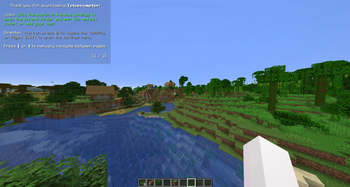
An in-game, highly customizable teleprompter designed for Minecraft content creators, actors, and directors. Read your scripts, stage directions, and dialogue directly on your screen while recording without ever having to Alt-Tab!
Note: This mod renders directly in-game. If you are capturing your own screen for a video (via OBS, etc.), the teleprompter will show up in your final footage.
Features
- Live File Syncing: Edit your scripts in your text editor. As soon as you hit
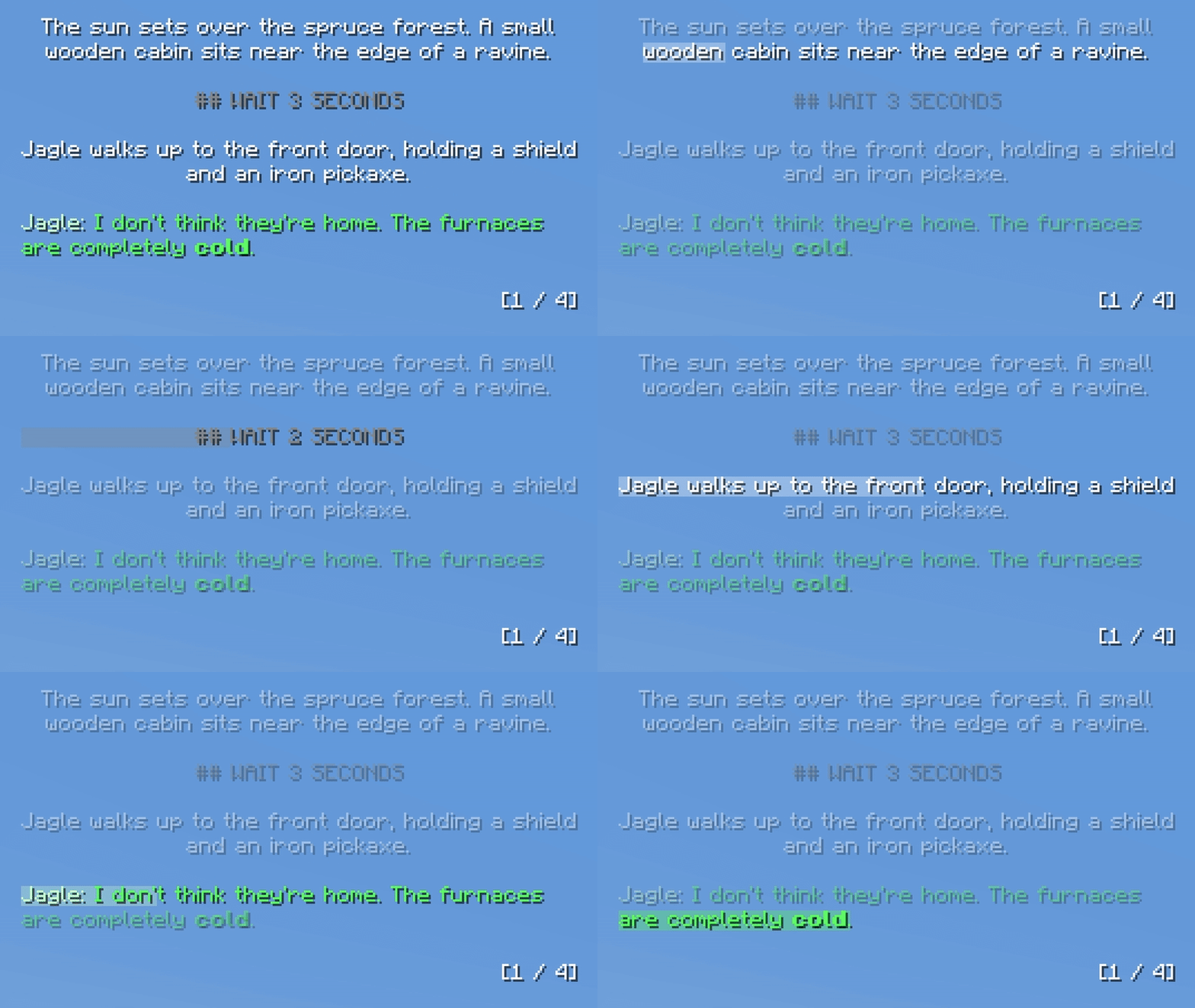
Ctrl + S, the teleprompter updates in-game instantly. - Line Highlighter: The active line tracker smoothly progresses down the page based on a customizable WPM setting.
- Dialogue Formatting: Automatically detects character names and colors them differently from stage directions. Set your username in the settings for a unique color.
- Markdown Support: Use standard Markdown in your text files to make words bold, italic, or underlined.
- UI-Responsive Scaling: Pin the prompter to any corner of your screen. It smoothly scales with your native Minecraft GUI scale, allowing you to fine-tune the box padding, text scale, and pixel offsets.
- Multi-Script Support: Drop as many
.txtfiles as you want into theconfig/scripts/folder and instantly cycle between them in-game via hotkey.
Writing Scripts
When you launch the game for the first time, the mod will generate a config/scripts/ folder with a built-in tutorial script. You can edit this or add your own.
Formatting Tips:
- Page Breaks: Type three dashes (
---) on a new line to force a smooth, hard page flip. (Paragraphs are also dynamically protected, ensuring sentences are never cut in half by a page break!) - Wait Commands: Type
## WAIT 10 SECONDSor## WAIT 2 MINUTESon its own line. The line highlighter feature will slow, and the text will physically count down to 0 live on your screen before moving to the next line. - Dialogue Formatting: To trigger the dialogue coloring and smart-alignment feature, you must use a colon and quotation marks.
- Example:
Michael: "Hello?" - Note: The quotation marks are used purely for the mod to detect the dialogue. They will be removed and hidden from the final text in-game.
- Example:
- Stage Directions: Any standard text or list (without the dialogue formatting) will automatically be centered in the box.
Available Versions
How to Install Teleprompter on Your Server
Order Server
Order a Minecraft Java server with at least 3 GB RAM (4 GB recommended).
Set fabric Loader
In the panel under "Egg", select the fabric loader and matching Minecraft version (1.21.11).
Install Mod
Open the mod browser in the dashboard and search for "Teleprompter". Click "Install" – done! Alternatively, upload the .jar via SFTP to the /mods folder.
Compatibility
Mod Loaders
Minecraft Versions
1.21.11
Server-side
✗ UnsupportedRecommended RAM
4 GB(min. 3 GB)Frequently Asked Questions
Teleprompter server crashes on startup – what to do?
Most common cause: wrong fabric version or insufficient RAM. Check the server log (latest.log) for "OutOfMemoryError" or "Mixin" errors. With Mado Hosting: ensure at least 3 GB RAM is allocated and the loader matches the mod version (1.21.11). You can switch loaders with one click in the panel.
Is Teleprompter compatible with fabric?
Teleprompter officially supports fabric for Minecraft 1.21.11. The Mado dashboard automatically detects incompatible loader combinations.
Server lagging with Teleprompter – how to optimize performance?
Recommended RAM: 4 GB (per 8 players). Use /spark profiler to check if Teleprompter consumes the most tick time. Common fixes: reduce server view-distance to 8-10, install "performant" or "starlight" as supplementary mods on Forge. With Mado Hosting, your server runs on NVMe SSDs with dedicated CPU cores for minimal latency.
Similar Mods




![[ETF] Entity Texture Features](https://cdn.modrinth.com/data/BVzZfTc1/af683d206d50b05258d865b0d6e4aa2f2cee12f2_96.webp)
![[EMF] Entity Model Features](https://cdn.modrinth.com/data/4I1XuqiY/6e5bbd0d06b1741bfdab6c0cfab6de8fdaf0064c_96.webp)
Rent Modded Server
Install Teleprompter with just one click on your server.