
TetherMine - Vein Miner
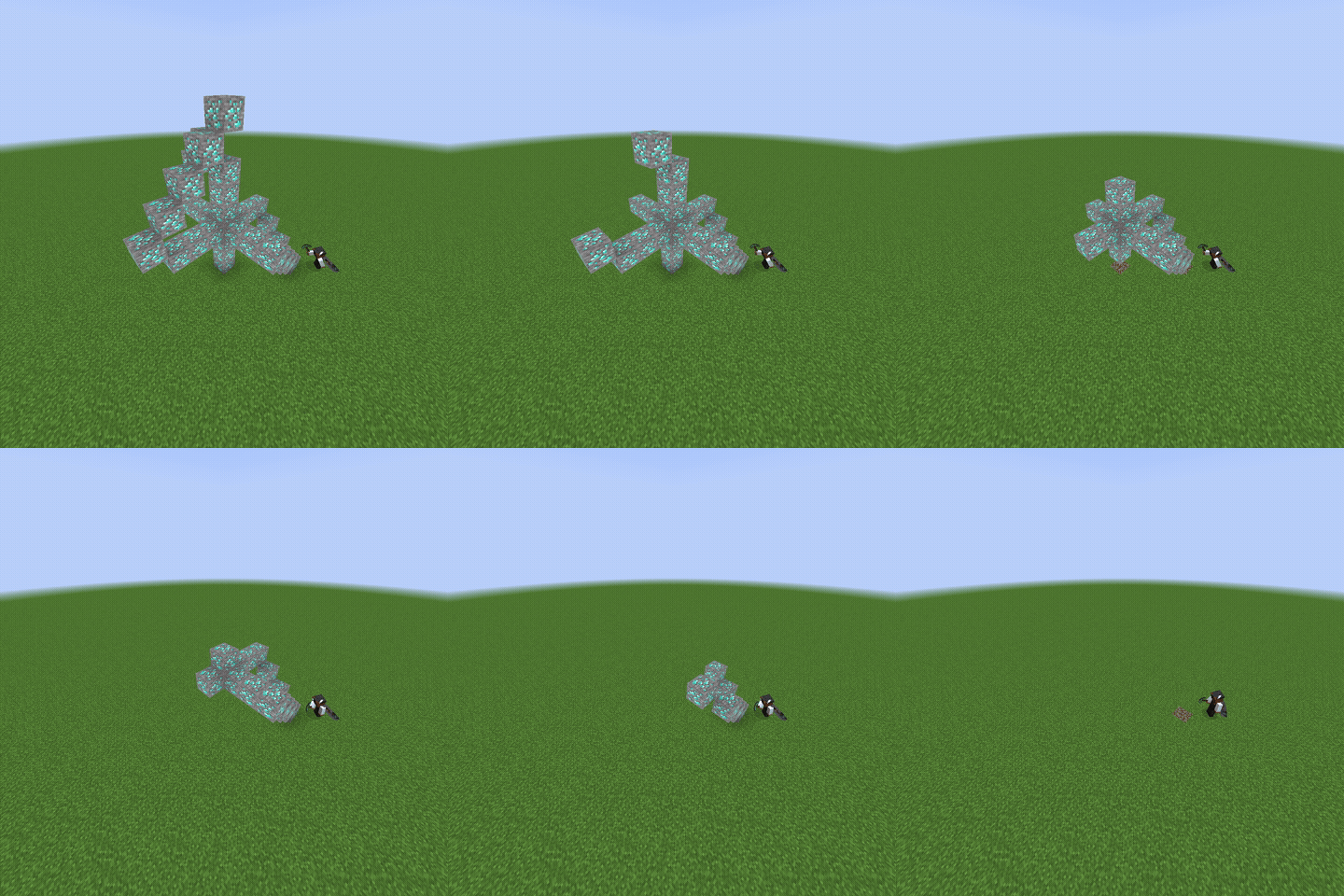
Sneak while mining ores or logs, and TetherMine breaks the farthest connected matching block first. The starting block breaks last, drops are delivered to your feet, and modded ores and logs are supported.
Screenshots
About this Mod
TetherMine is a Fabric mod for singleplayer and servers that changes how ores and logs are mined while sneaking.
Sneak while mining an ore or log, and TetherMine will search connected matching blocks, break the farthest one first, and deliver its drops to your feet. Keep mining the starting block to work through the whole vein or tree. The block you started on breaks last.
TetherMine supports diagonal connections, vanilla ores, vanilla logs, raw ore blocks, ancient debris, and many modded ores/logs automatically when they follow common block ID names like _ore, _log, _wood, _stem, or _hyphae.
Server owners and singleplayer users can customize behavior with config/tethermine.json or Mod Menu:
{
  "max_scan_blocks": 256,
  "additional_blocks": [
    "minecraft:raw_iron_block = iron_ore",
    "minecraft:raw_gold_block = gold_ore",
    "minecraft:raw_copper_block = copper_ore",
    "minecraft:ancient_debris"
  ],
  "disabled_blocks": []
}
max_scan_blocks controls how many connected matching blocks TetherMine checks per mining attempt. The default is 256, which is enough for normal veins and large trees while keeping performance safe.
additional_blocks lets you add blocks that TetherMine should handle. Use block_id = family_key to connect a block to an existing group. For example, minecraft:raw_copper_block = copper_ore makes raw copper blocks mine with copper ore. You can also add a block by itself, like minecraft:ancient_debris, to make it work as its own group.
disabled_blocks lets you turn off specific blocks. For example, adding minecraft:diamond_ore prevents TetherMine from handling regular diamond ore, even though it would normally be detected automatically.
TetherMine is server-side only for multiplayer, so players do not need to install it to join a server that has it.
Available Versions
How to Install TetherMine - Vein Miner on Your Server
Order Server
Order a Minecraft Java server with at least 3 GB RAM (4 GB recommended).
Set fabric Loader
In the panel under "Egg", select the fabric loader and matching Minecraft version (26.2).
Install Mod
Open the mod browser in the dashboard and search for "TetherMine - Vein Miner". Click "Install" – done! Alternatively, upload the .jar via SFTP to the /mods folder.
Compatibility
Mod Loaders
Minecraft Versions
26.2, 26.1.2, 26.1.1 (+1 more)
Server-side
✓ RequiredRecommended RAM
4 GB(min. 3 GB)Frequently Asked Questions
TetherMine - Vein Miner server crashes on startup – what to do?
Most common cause: wrong fabric version or insufficient RAM. Check the server log (latest.log) for "OutOfMemoryError" or "Mixin" errors. With Mado Hosting: ensure at least 3 GB RAM is allocated and the loader matches the mod version (26.2). You can switch loaders with one click in the panel.
Is TetherMine - Vein Miner compatible with fabric and neoforge?
TetherMine - Vein Miner officially supports fabric, neoforge for Minecraft 26.2, 26.1.2, 26.1.1. The Mado dashboard automatically detects incompatible loader combinations.
Server lagging with TetherMine - Vein Miner – how to optimize performance?
Recommended RAM: 4 GB (per 8 players). Use /spark profiler to check if TetherMine - Vein Miner consumes the most tick time. Common fixes: reduce server view-distance to 8-10, install "performant" or "starlight" as supplementary mods on Forge. With Mado Hosting, your server runs on NVMe SSDs with dedicated CPU cores for minimal latency.
Similar Mods




Rent Modded Server
Install TetherMine - Vein Miner with just one click on your server.