
TFMG Liquid Fuel Compat
Adds TFMG liquid fuels to Create Liquid Fuel on NeoForge 1.21.1, with balanced Blaze Burner heat levels.
Screenshots
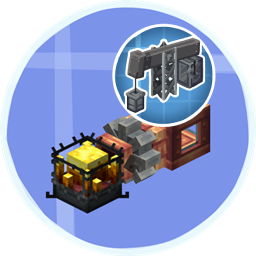
About this Mod
TFMG Liquid Fuel Compat
Adds The Factory Must Grow liquid fuels to Create Liquid Fuel for NeoForge 1.21.1.
This small compatibility mod exists as a workaround for the current 1.21.1 datapack issue in Create Liquid Fuel.
Instead of relying on the broken datapack path, it ships the fuel JSON files directly in the place where the mod currently reads them.
What it does
This mod adds the following TFMG fluids as valid Blaze Burner fuels for Create Liquid Fuel:
| Fluid | Heat level | Burn time | Consumption |
|---|---|---|---|
| Heavy Oil | Heated | 18 | 1 mB/t |
| Gasoline | Heated | 22 | 1 mB/t |
| Kerosene | Heated | 27 | 1 mB/t |
| Diesel | Heated | 32 | 1 mB/t |
| Naphtha | Heated | 36 | 1 mB/t |
| Napalm | Superheated | 34 | 2 mB/t |
Balance notes
- Heavy Oil is the weakest option and mainly useful as an early or low-grade fuel.
- Gasoline and Kerosene are mid-tier fuels.
- Diesel and Naphtha are strong standard fuels.
- Napalm is the premium option and provides Superheated Blaze Burner output, but consumes fuel faster to avoid trivializing progression.
Dependencies
This mod requires all of the following:
Why this exists
The normal Create Liquid Fuel datapack API is currently broken on the 1.21.1 version used for this project, so this mod provides the compatibility as bundled resources instead.
Notes
- This mod does not replace Create Liquid Fuel, Create, or TFMG.
- It only adds compatibility entries for Blaze Burner liquid fuel handling.
- Remove this mod once Create Liquid Fuel provides a fixed external datapack path for 1.21.1 and you prefer using your own datapack setup.
Available Versions
How to Install TFMG Liquid Fuel Compat on Your Server
Order Server
Order a Minecraft Java server with at least 3 GB RAM (4 GB recommended).
Set neoforge Loader
In the panel under "Egg", select the neoforge loader and matching Minecraft version (1.21.1).
Install Mod
Open the mod browser in the dashboard and search for "TFMG Liquid Fuel Compat". Click "Install" – done! Alternatively, upload the .jar via SFTP to the /mods folder.
Compatibility
Mod Loaders
Minecraft Versions
1.21.1
Server-side
✓ RequiredRecommended RAM
4 GB(min. 3 GB)Frequently Asked Questions
TFMG Liquid Fuel Compat server crashes on startup – what to do?
Most common cause: wrong neoforge version or insufficient RAM. Check the server log (latest.log) for "OutOfMemoryError" or "Mixin" errors. With Mado Hosting: ensure at least 3 GB RAM is allocated and the loader matches the mod version (1.21.1). You can switch loaders with one click in the panel.
Is TFMG Liquid Fuel Compat compatible with neoforge?
TFMG Liquid Fuel Compat officially supports neoforge for Minecraft 1.21.1. The Mado dashboard automatically detects incompatible loader combinations.
Server lagging with TFMG Liquid Fuel Compat – how to optimize performance?
Recommended RAM: 4 GB (per 8 players). Use /spark profiler to check if TFMG Liquid Fuel Compat consumes the most tick time. Common fixes: reduce server view-distance to 8-10, install "performant" or "starlight" as supplementary mods on Forge. With Mado Hosting, your server runs on NVMe SSDs with dedicated CPU cores for minimal latency.
Similar Mods




Rent Modded Server
Install TFMG Liquid Fuel Compat with just one click on your server.