
The Beer Craft
Beer Craft - mod that allows you to brew beer and other alcoholic drinks.
Screenshots
About this Mod
The Beer Craft – Brew your own drinks, from classic beer to stronger spirits, each with unique effects that boost your stats 🍻
Brewing Your First Beer 🍻
- Gather ingredients – Break tall grass to collect hops (2 hops per mug).
- Craft the keg – Make a keg for brewing and one or more empty mugs.
- Load the keg – Two green slots for ingredients, one brown slot for a mug, and a blue slot for water.
- Let it ferment – Wait about 15 seconds for the fermentation to finish.
That’s it - you can now enjoy the buffs!
🔻 Video Tutorial Below 🔻
↓↓ Full recipe list below ↓↓
Spoiler
Some Features:
1) Drinks that are in mod
- Beer
- Cider
- Golden Cider
- Potato Beer
- Shiny Decoction
2) Mugs can be placed!
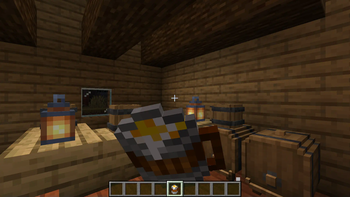
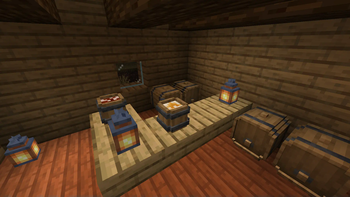
They can be delivered both filled with drinks and empty. So you can use mugs as a decoration!
Spoiler
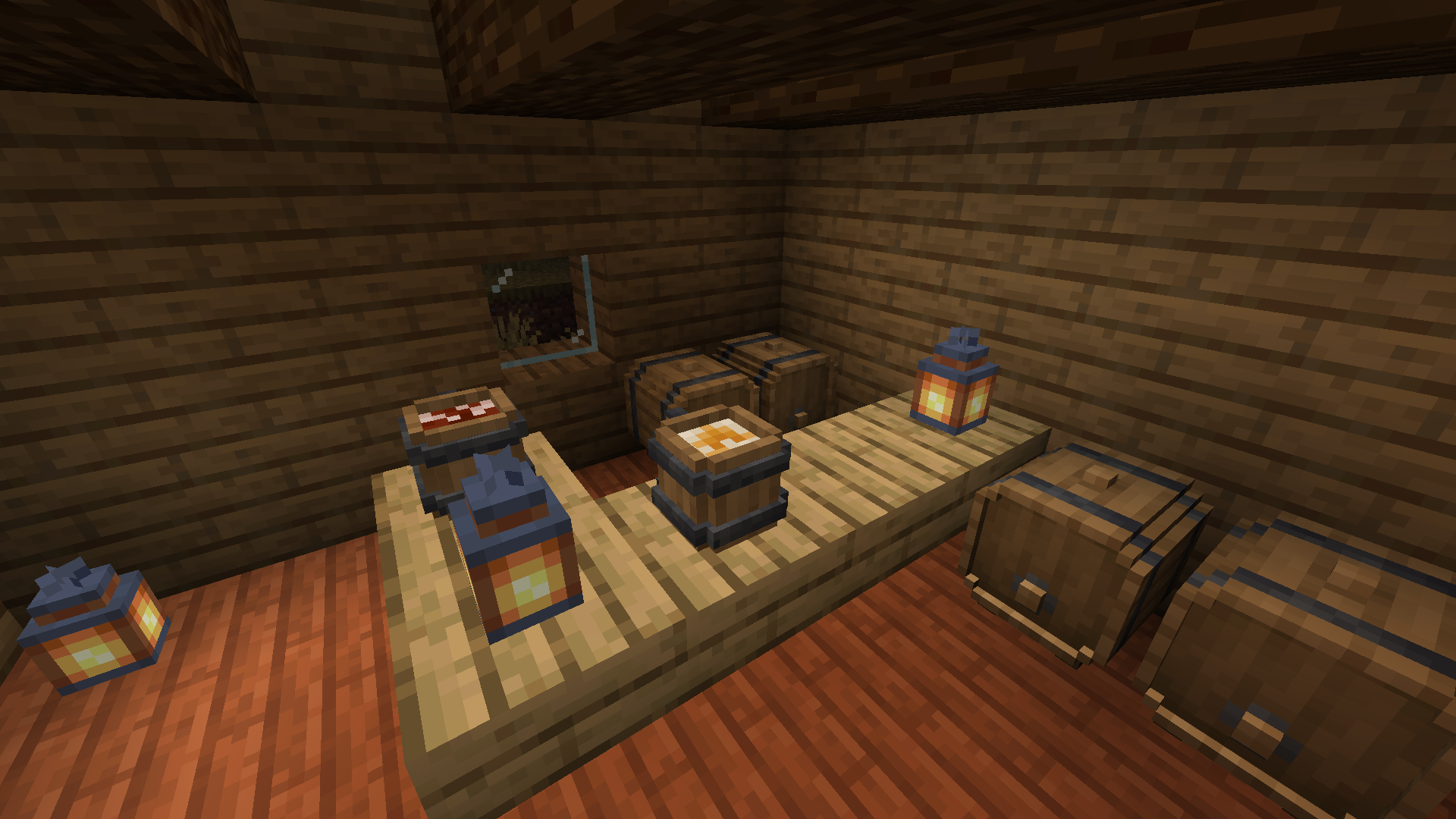
3) After drinking an alcoholic drink, effects are applied to the player.
If you drink beer you will get: regeneration effect for 6 seconds
If you drink cider you will get: regeneration effect for 4 seconds
If you drink golden cider you will get: regeneration effect for 20 seconds and absorption for 2 minutes
If you drink potato beer you will get: strength effect for 10 seconds and nausea effect for 7 seconds
If you drink shiny decoction you will get: regen effect for 3 seconds and night vision for 30 seconds
Brewing Recipes:
- Beer:
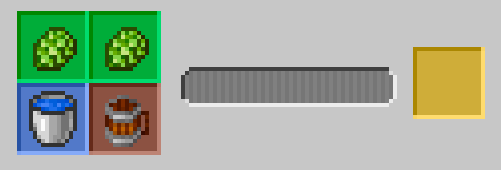
- Cider:
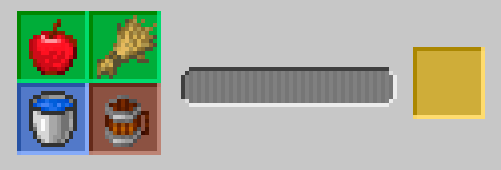
- Golden Cider:
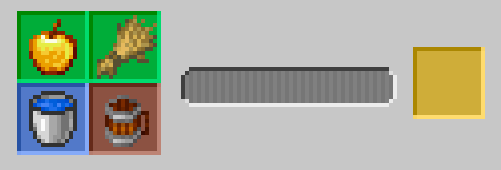
- Potato Beer (Vodka):
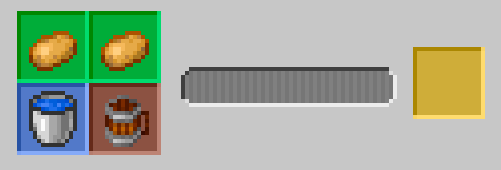
- Shiny Decoction:
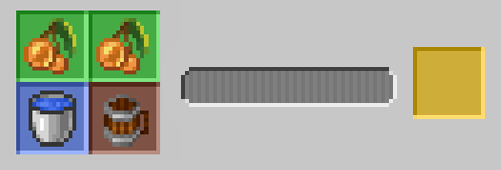
Craft recipes:
- Keg:
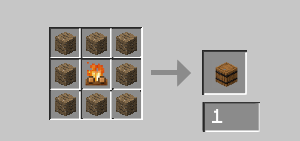
- Mug:
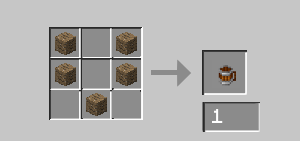
Available Versions
How to Install The Beer Craft on Your Server
Order Server
Order a Minecraft Java server with at least 3 GB RAM (4 GB recommended).
Set forge Loader
In the panel under "Egg", select the forge loader and matching Minecraft version (1.20.1).
Install Mod
Open the mod browser in the dashboard and search for "The Beer Craft". Click "Install" – done! Alternatively, upload the .jar via SFTP to the /mods folder.
Compatibility
Mod Loaders
Minecraft Versions
1.20.1, 1.19.2, 1.18.2 (+1 more)
Server-side
✓ RequiredRecommended RAM
4 GB(min. 3 GB)Frequently Asked Questions
The Beer Craft server crashes on startup – what to do?
Most common cause: wrong forge version or insufficient RAM. Check the server log (latest.log) for "OutOfMemoryError" or "Mixin" errors. With Mado Hosting: ensure at least 3 GB RAM is allocated and the loader matches the mod version (1.20.1). You can switch loaders with one click in the panel.
Is The Beer Craft compatible with forge?
The Beer Craft officially supports forge for Minecraft 1.20.1, 1.19.2, 1.18.2. The Mado dashboard automatically detects incompatible loader combinations.
Server lagging with The Beer Craft – how to optimize performance?
Recommended RAM: 4 GB (per 8 players). Use /spark profiler to check if The Beer Craft consumes the most tick time. Common fixes: reduce server view-distance to 8-10, install "performant" or "starlight" as supplementary mods on Forge. With Mado Hosting, your server runs on NVMe SSDs with dedicated CPU cores for minimal latency.
Similar Mods

![[ETF] Entity Texture Features](https://cdn.modrinth.com/data/BVzZfTc1/af683d206d50b05258d865b0d6e4aa2f2cee12f2_96.webp)
![[EMF] Entity Model Features](https://cdn.modrinth.com/data/4I1XuqiY/6e5bbd0d06b1741bfdab6c0cfab6de8fdaf0064c_96.webp)



Rent Modded Server
Install The Beer Craft with just one click on your server.